

【6アバター対応】ゆったり♪フリース
 猫派の犬小屋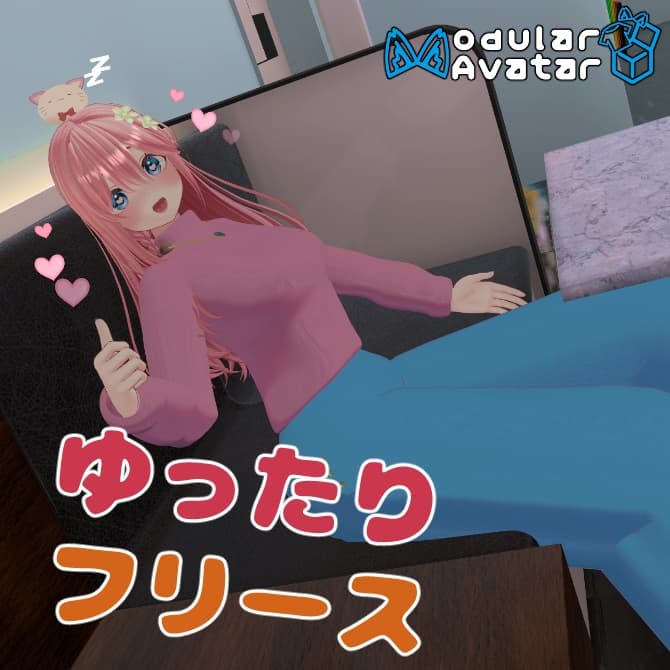
説明
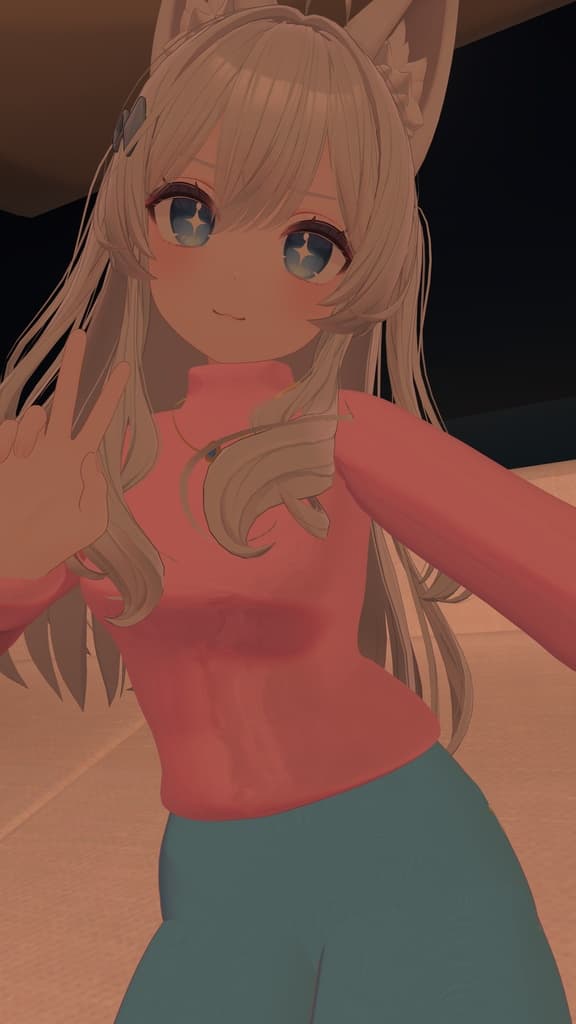
ゆったり余裕のある上下フリースです。 部屋着にどうぞ!
MA対応しており、アバター直下にD&Dするだけで着用できます。
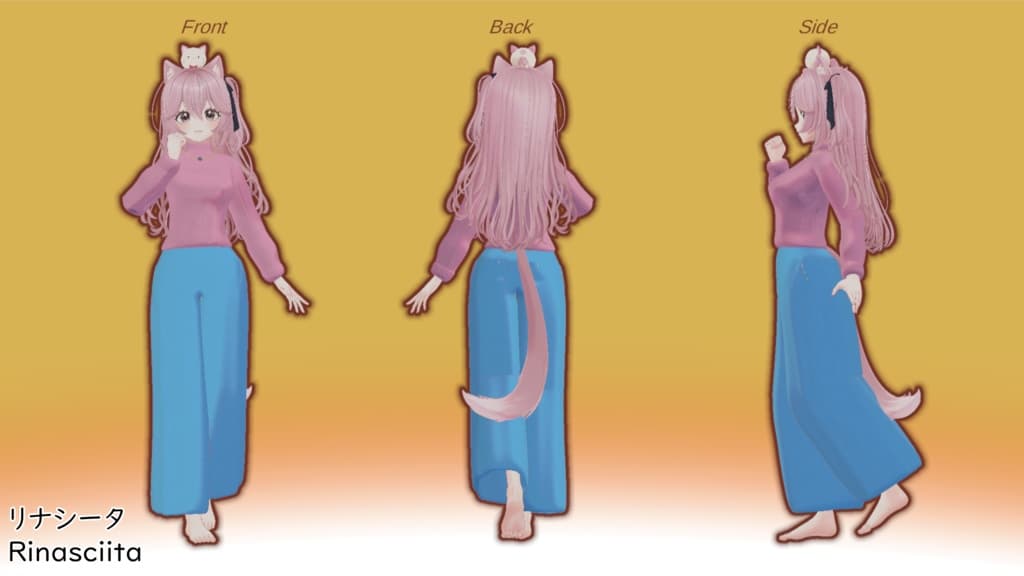
◆対応アバター ・Blendshape 『リナシータ』オリジナル3Dモデル -Rinasciita- https://booth.pm/ja/items/7475899 Breast_Big Breast_Small Breast_Flat
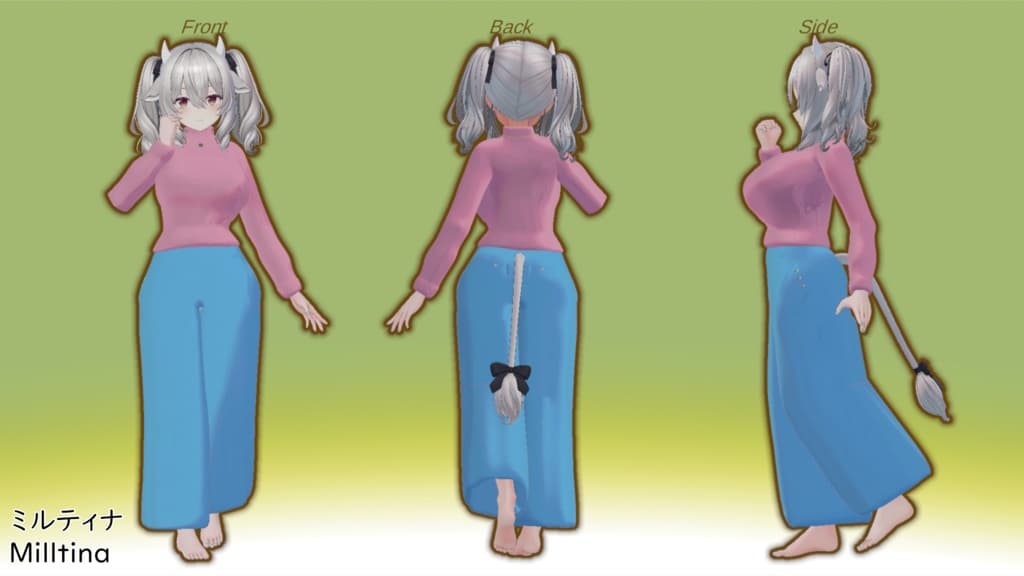
オリジナル3Dモデル「ミルティナ」 ver1.01.1 https://booth.pm/ja/items/6538026 Breasts_Flat (Wear_Bra)Brests_Normal(デフォルト) (Wear_Bra)Breasts_Big (Wear_Bra)Breasts_Cow Belly_Big Waist_Wide Thigh_Small
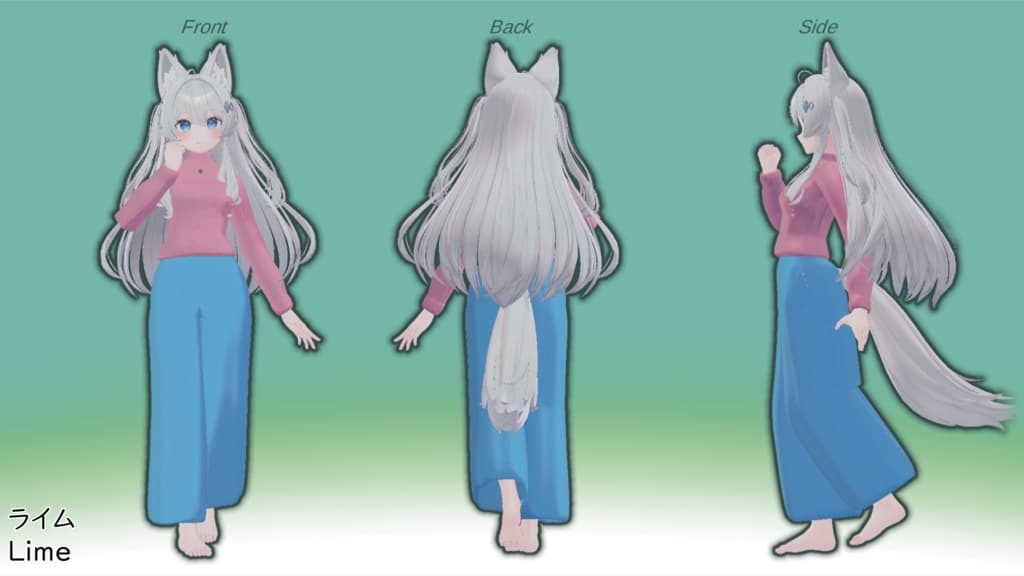
ライム -Lime-【オリジナル3Dモデル】ver 1.00 https://komado.booth.pm/items/4876459 プラム -Plum-【オリジナル3Dモデル】 https://komado.booth.pm/items/7770415 ショコラ -Chocolat-【オリジナル3Dモデル】 https://komado.booth.pm/items/6405390 シフォン -Chiffon-【オリジナル3Dモデル】 https://komado.booth.pm/items/5354471 Breasts_Big Breasts_Small
◆ポリゴン数 △32540
◆本モデル導入前の前提環境 ・Unity Version ver.2022.3.22f1 ・Modular Avatar 1.14.3 ・Liltoon 2.3.2
◆使用方法 ①前提環境を導入したプロジェクトにMaterial.unitypackageをインポート ②各アバター用のunitypackageをインポート ③prefabをヒエラルキーのアバター直下にドラッグ&ドロップ ④BlendShapeを調節し、アバターをアップロードすれば導入完了!
ご利用の際は以下の利用規約に必ず目を通して頂きます様よろしくお願い致します。
◆ご意見・ご要望・感想はこちら X:@cer_chan_VRC
----------------------------English--------------------------- 3D fleece clothes. It is useful for loungewear.
It is Modular Avatar (MA) compatible, and you can simply drag and drop it directly under your avatar in Unity to wear it.
◆Avatars ・Blendshape 『リナシータ』オリジナル3Dモデル -Rinasciita- https://booth.pm/ja/items/7475899 Breast_Big Breast_Small Breast_Flat
オリジナル3Dモデル「ミルティナ」 ver1.01.1 https://booth.pm/ja/items/6538026 Breasts_Flat (Wear_Bra)Brests_Normal(デフォルト) (Wear_Bra)Breasts_Big (Wear_Bra)Breasts_Cow Belly_Big Waist_Wide Thigh_Small
ライム -Lime-【オリジナル3Dモデル】ver 1.00 https://booth.pm/ja/items/4876459 プラム -Plum-【オリジナル3Dモデル】 https://komado.booth.pm/items/7770415 ショコラ -Chocolat-【オリジナル3Dモデル】 https://komado.booth.pm/items/6405390 シフォン -Chiffon-【オリジナル3Dモデル】 https://komado.booth.pm/items/5354471 Breasts_Big Breasts_Small
◆Polygons △32540
◆ Required Environment Unity Version: 2022.3.22f1 Modular Avatar: 1.14.3 Liltoon: 2.3.2
◆ How to Use 1.Import material unitypackage into your project with the required environment installed. 2.Import unitypackage of each avatar. 3.Drag and drop prefab directly under your avatar in the hierarchy. 4.Adjust blendshapes and upload your avatar! Please make sure to read the Terms of Use before using this asset.
◆ Contact X (Twitter): @cer_chan_VRC