

【複数アバター対応】Neon Tech Parka / サイバーパンクパーカー
 Otosan Creation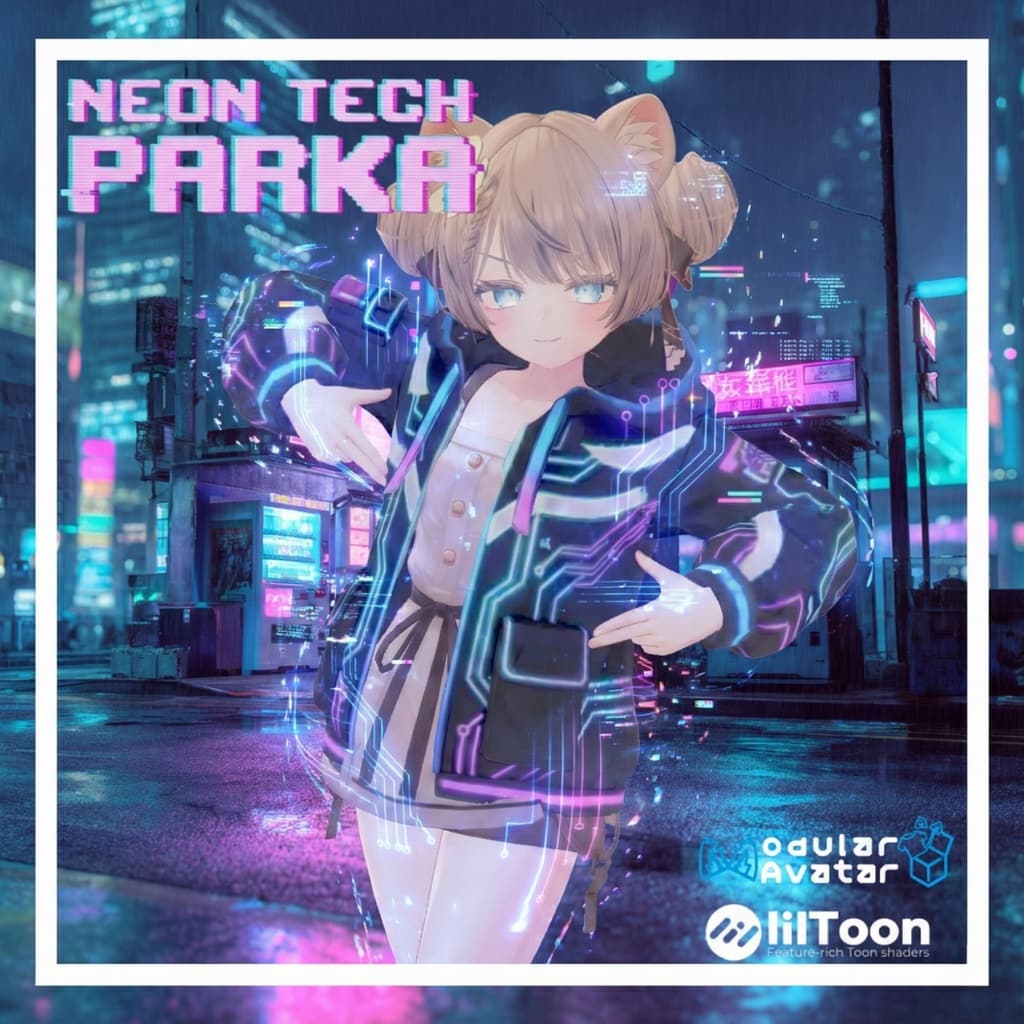
説明
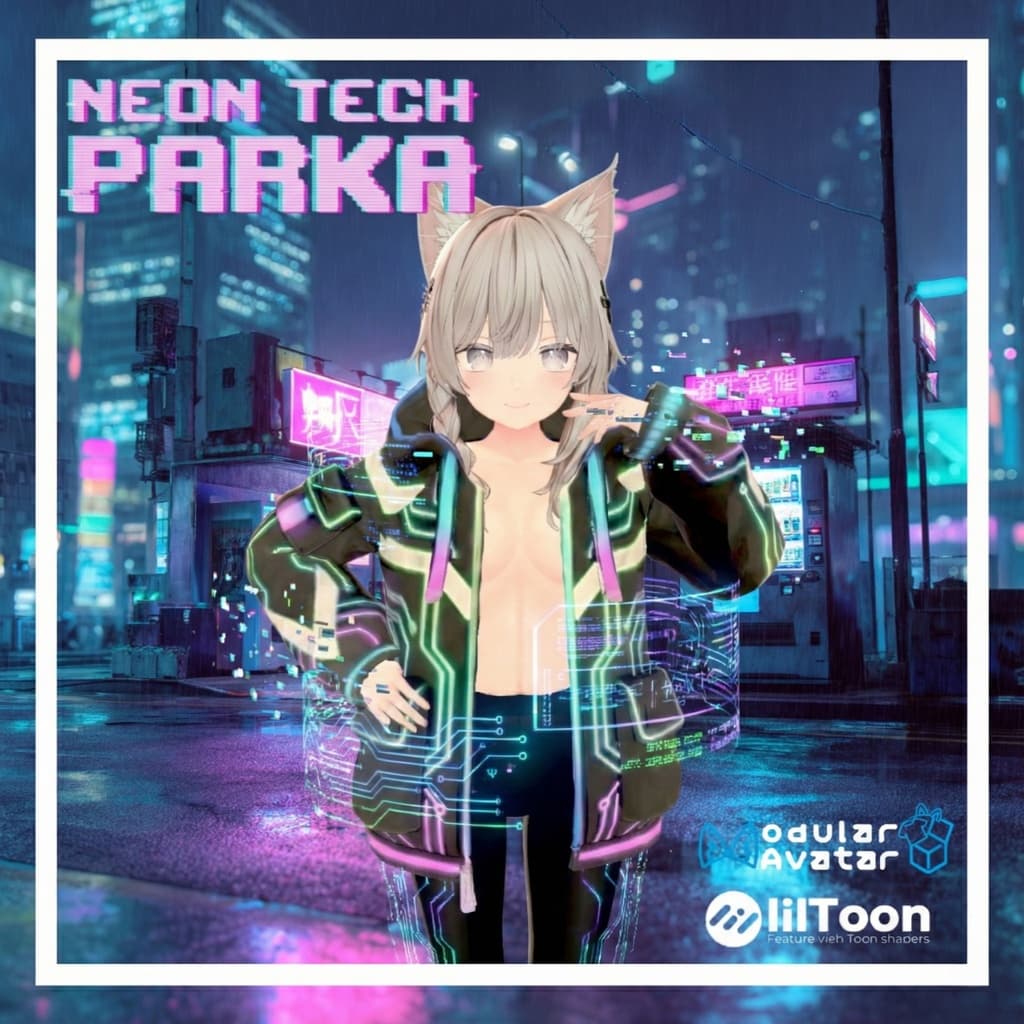
暗闇で鮮やかなネオンラインと、テックウェア要素を融合させたサイバーパンク・パーカーです。 Modular Avatarに対応しており、ドラッグ&ドロップだけで簡単に導入可能です。
【対応モデル】 本製品は以下のアバターに合わせて調整されています。 ・オリジナル3Dモデル「マヌカ」 (JINGO CHANNEL様) https://booth.pm/ja/items/5058077 ・オリジナル3Dモデル「しなの」 (ポンデロニウム研究所様) https://booth.pm/ja/items/6106863
【製品仕様】 ・ポリゴン数:約 20,000 tris ・シェーダー:lilToon (要事前インポート) ・導入ツール:Modular Avatar 対応 ・Unity Ver:2022.3.22f1 動作確認済み ・DLサイズ:約 25MB (アバター装着時目安)
【内容物】 ・Unitypackage - セットアップ済みPrefab (Modular Avatar設定込) - FBXモデルデータ - テクスチャ (JPG形式) - マテリアル設定済みデータ
【導入手順】 本製品は Modular Avatar を使用した非破壊導入を推奨しています。
-
事前準備 以下のツールをプロジェクトにインポートしてください(最新版推奨)。 ・lilToon https://booth.pm/ja/items/3087170 ・Modular Avatar https://modular-avatar.nadena.dev/ja
-
パッケージのインポート 本製品のUnitypackageをUnityプロジェクトへインポートしてください。
-
アバターへの装着 「Prefabs」フォルダ内にあるPrefabを、Hierarchy上のアバターへドラッグ&ドロップしてください。 Modular Avatarの機能により、アップロード時に自動的に着せ替え処理が行われます。
[English Description]
Neon Tech Parka
A cyberpunk parka fusing vivid neon lines that glow in the dark with techwear elements. Fully compatible with Modular Avatar, allowing for easy drag-and-drop installation.
【Supported Models】 This product is adjusted for the following avatars: ・Original 3D Model "Manuka" (JINGO CHANNEL) https://booth.pm/ja/items/5058077 ・Original 3D Model "Shinano" (Ponderonium Laboratory) https://booth.pm/ja/items/6106863
【Product Specifications】 ・Polygon Count: Approx. 20,000 tris ・Shader: lilToon (Import required beforehand) ・Tool: Modular Avatar supported ・Unity Ver: 2022.3.22f1 tested ・DL Size: Approx. 25MB (Estimate when attached)
【Contents】 ・Unitypackage - Pre-configured Prefab (Modular Avatar settings included) - FBX Model Data - Textures (JPG format) - Material Data
【Installation】 We recommend non-destructive installation using Modular Avatar.
-
Preparation Please import the latest versions of the following tools into your project beforehand. ・lilToon https://booth.pm/ja/items/3087170 ・Modular Avatar https://modular-avatar.nadena.dev/ja
-
Import Package Import the Unitypackage of this product into your Unity project.
-
Setup Drag and drop the Prefab located in the "Prefabs" folder onto your target avatar in the Hierarchy. Modular Avatar will automatically handle the dressing process upon upload.