

UrarakaPatchwork Hoodie - VRChat Men's Clothing / CP11
 MetaCreatorsTYO EN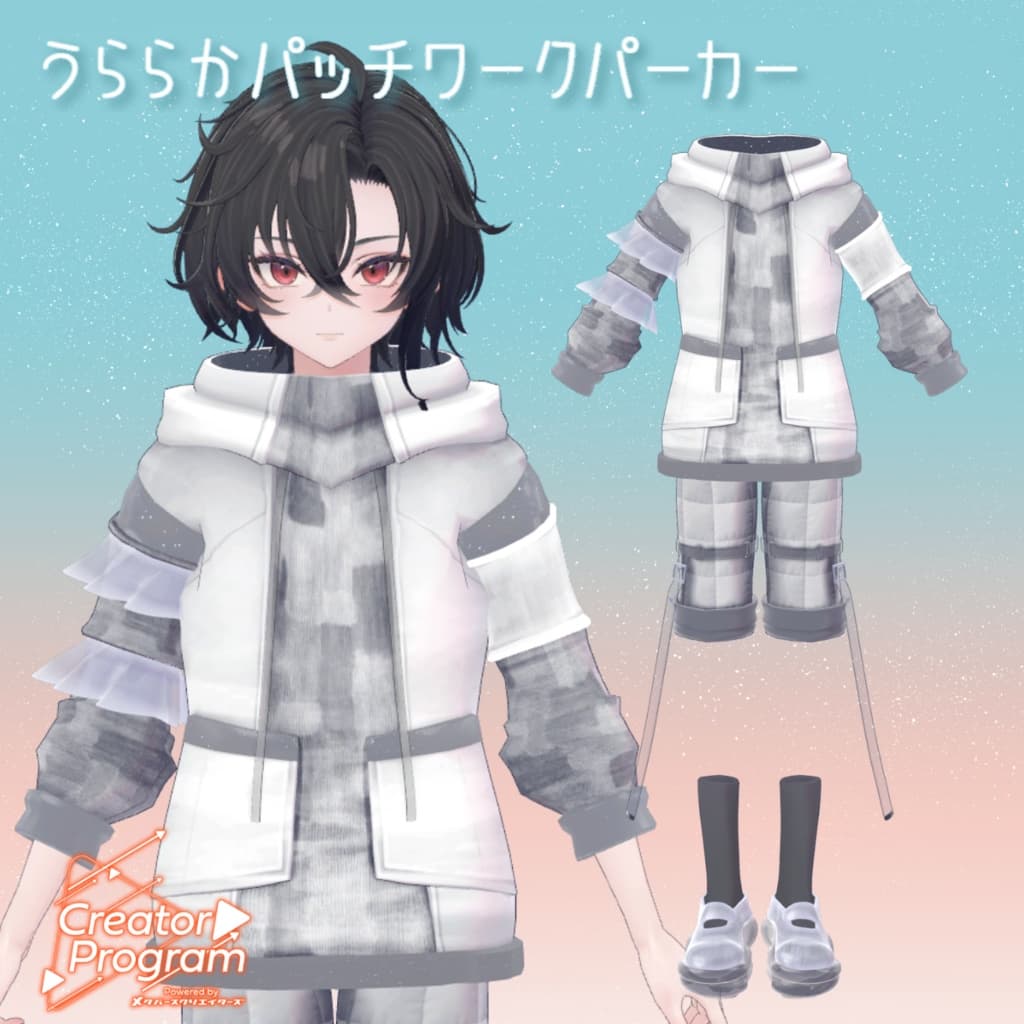
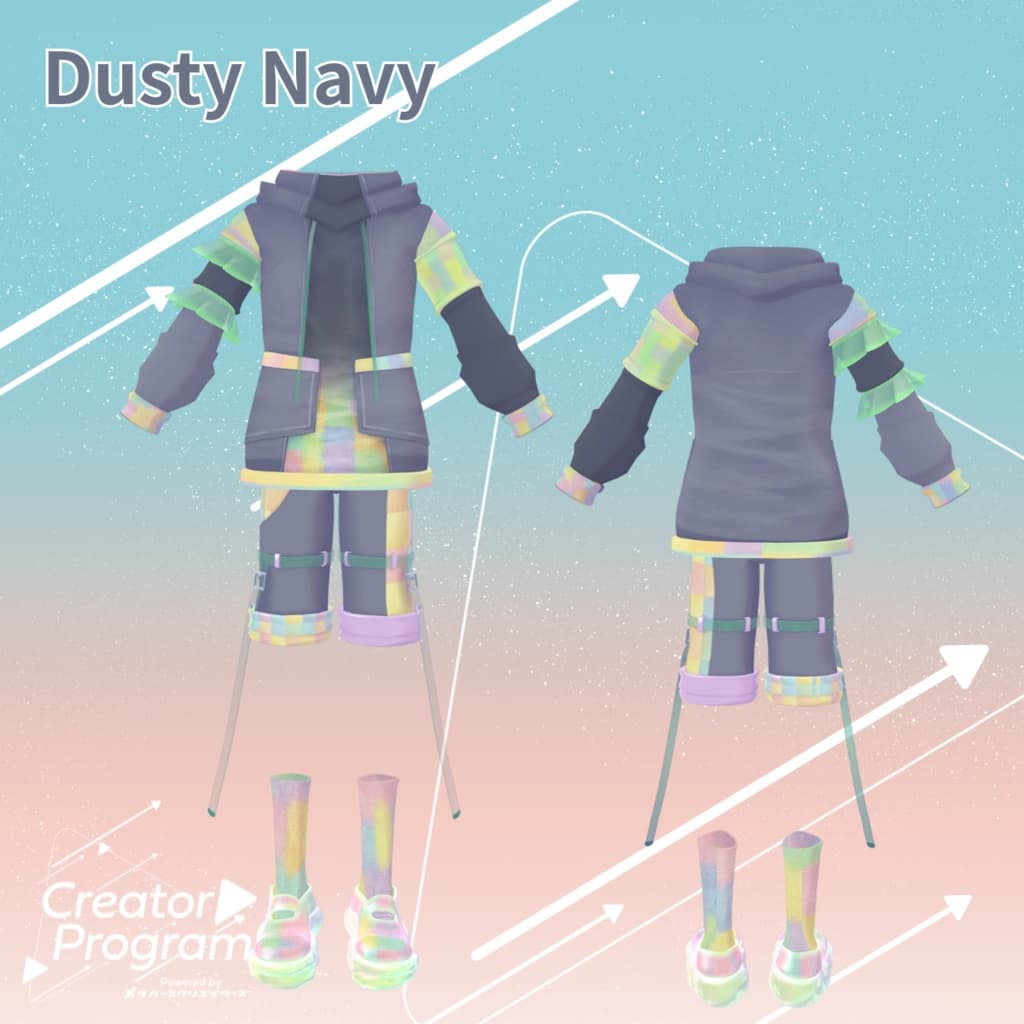
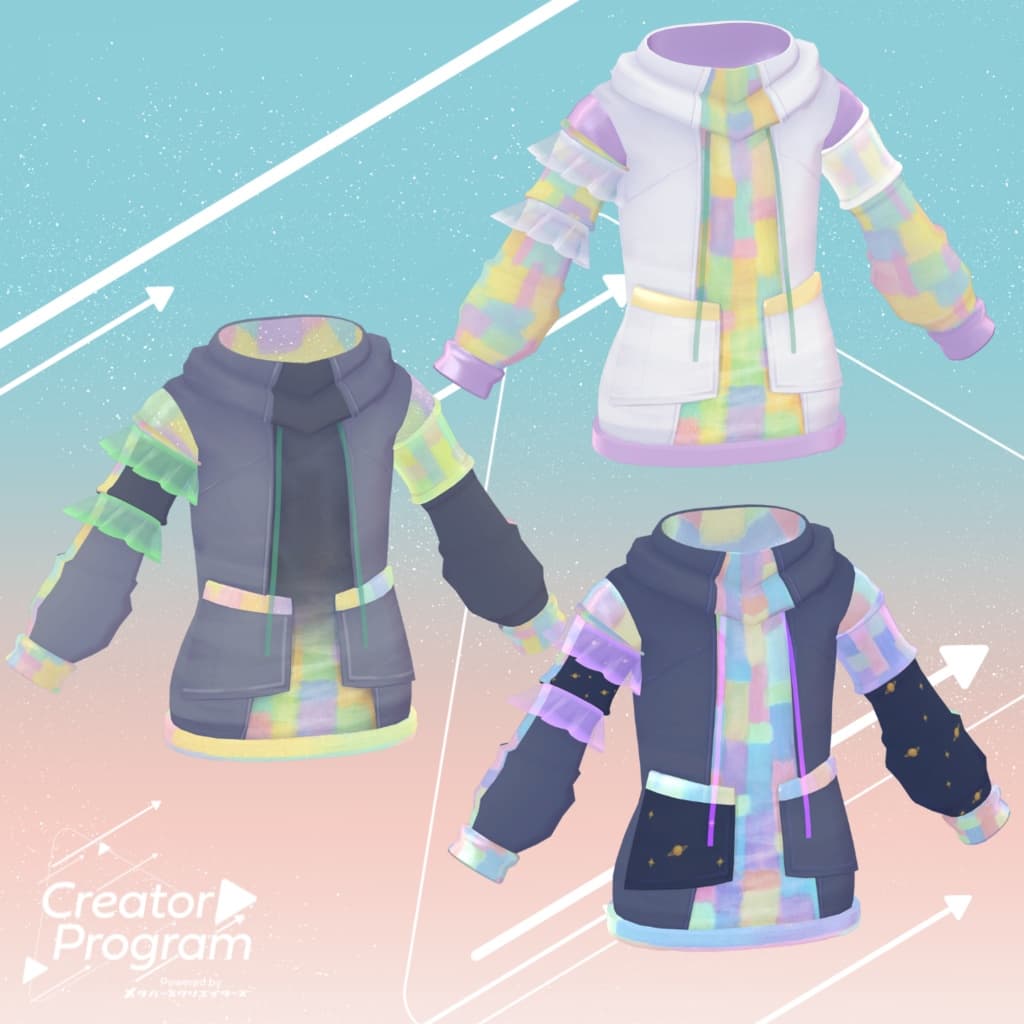
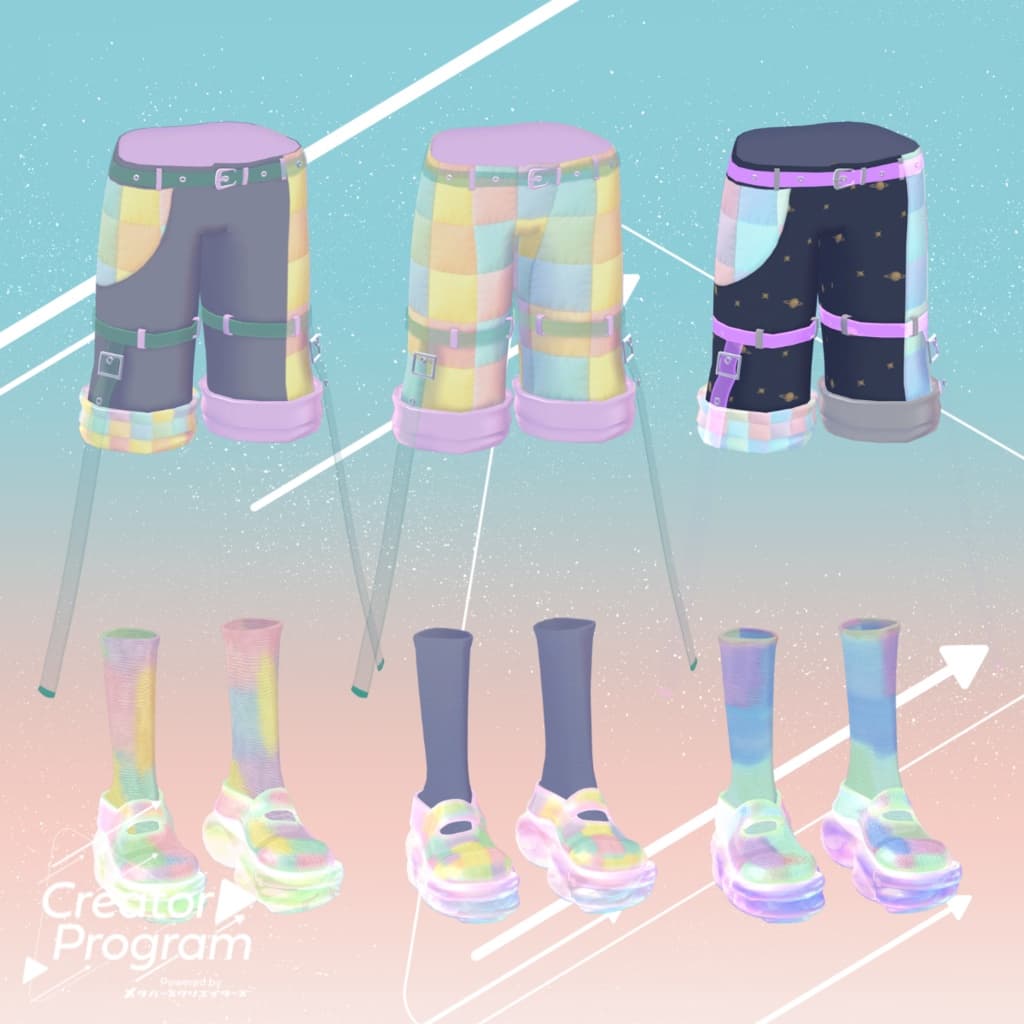
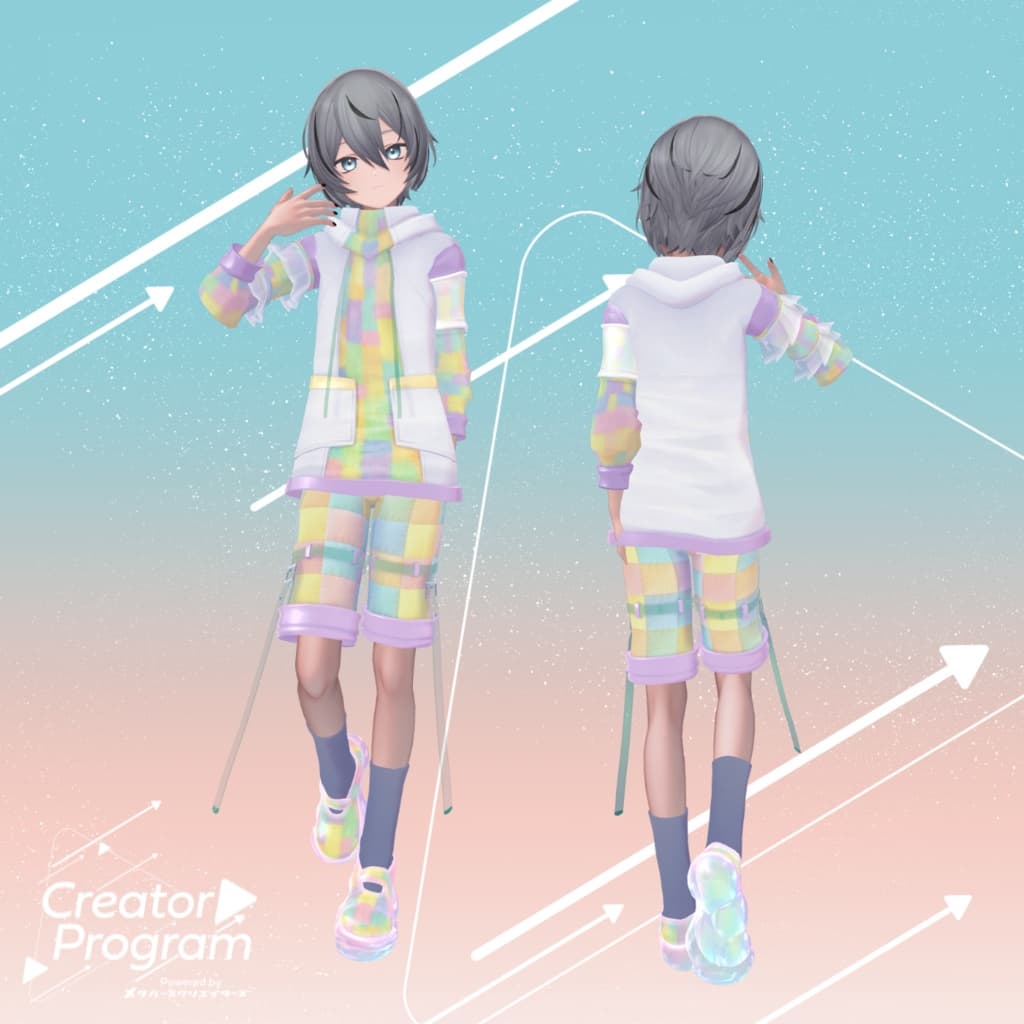
説明
◆ Uraraka Patchwork Hoodie ◆
Creator: Aburi Melami
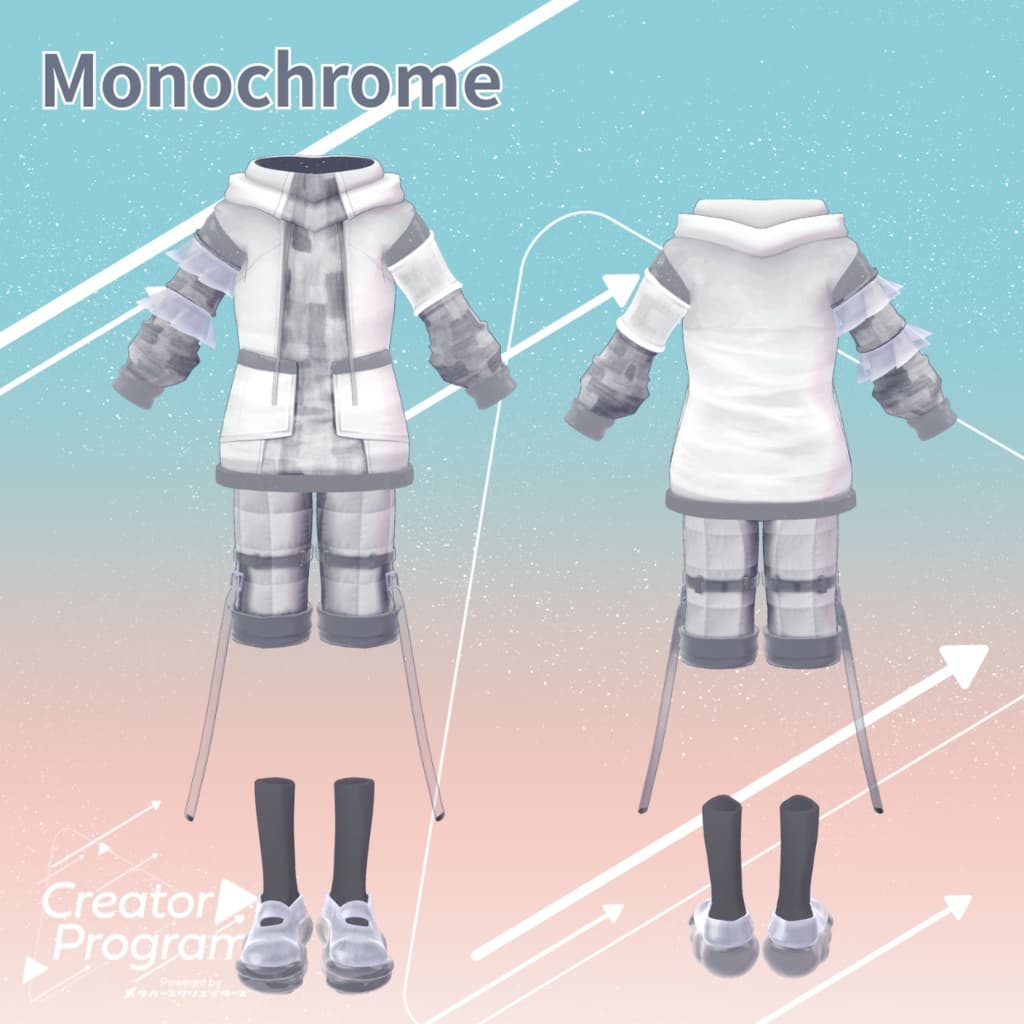
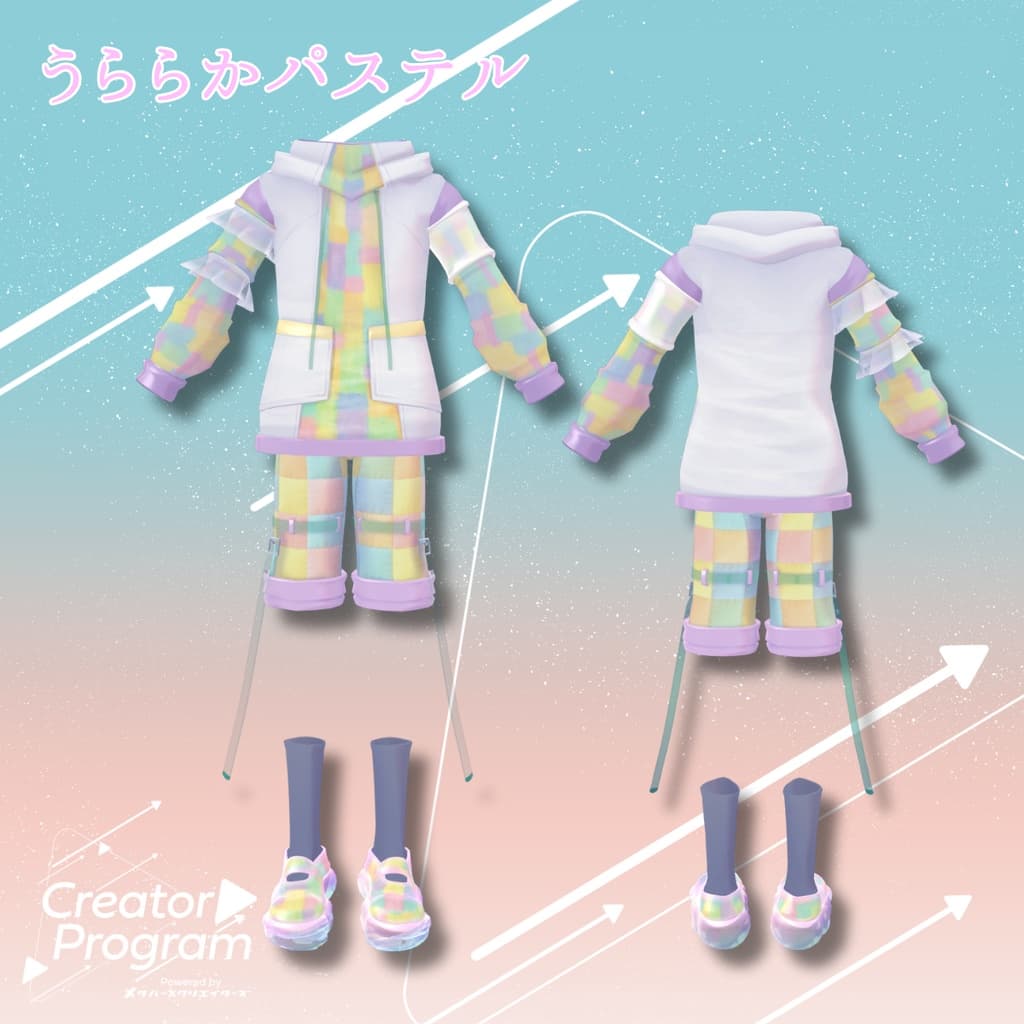
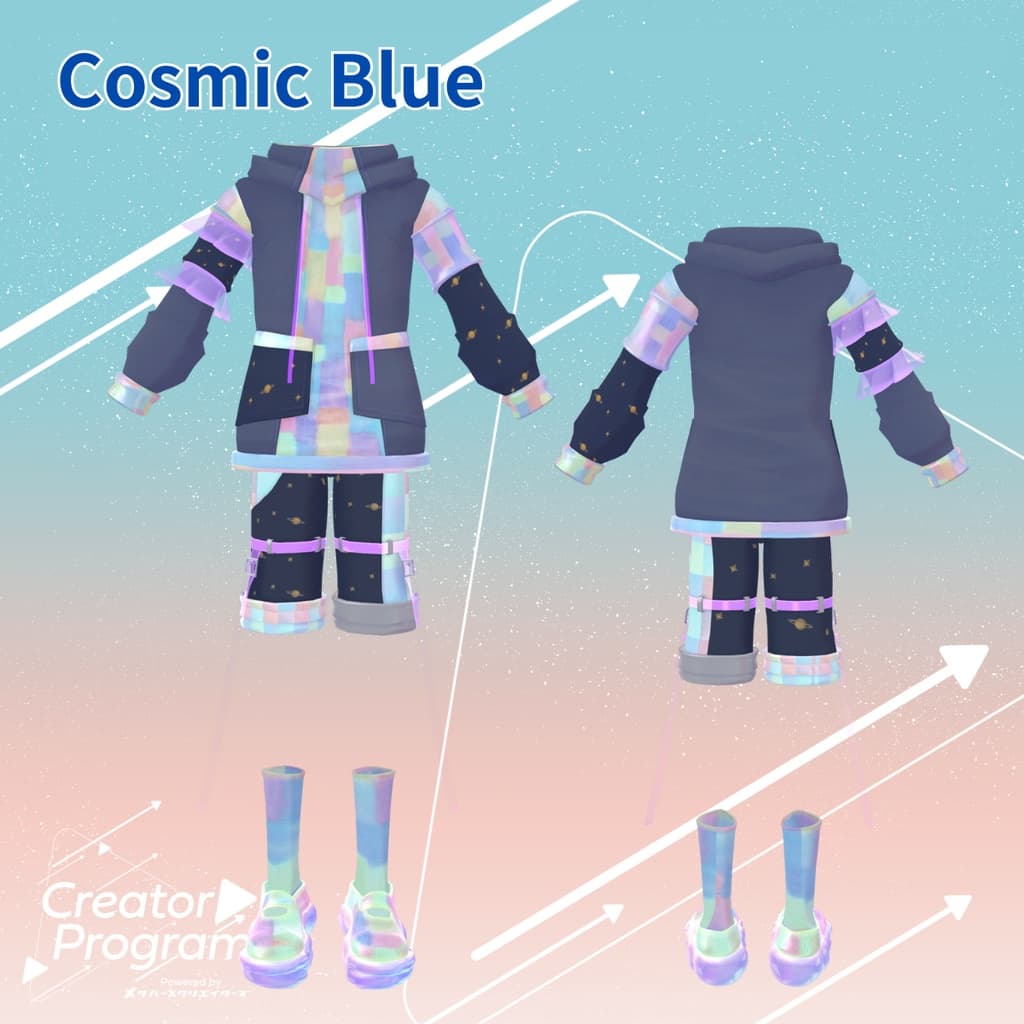
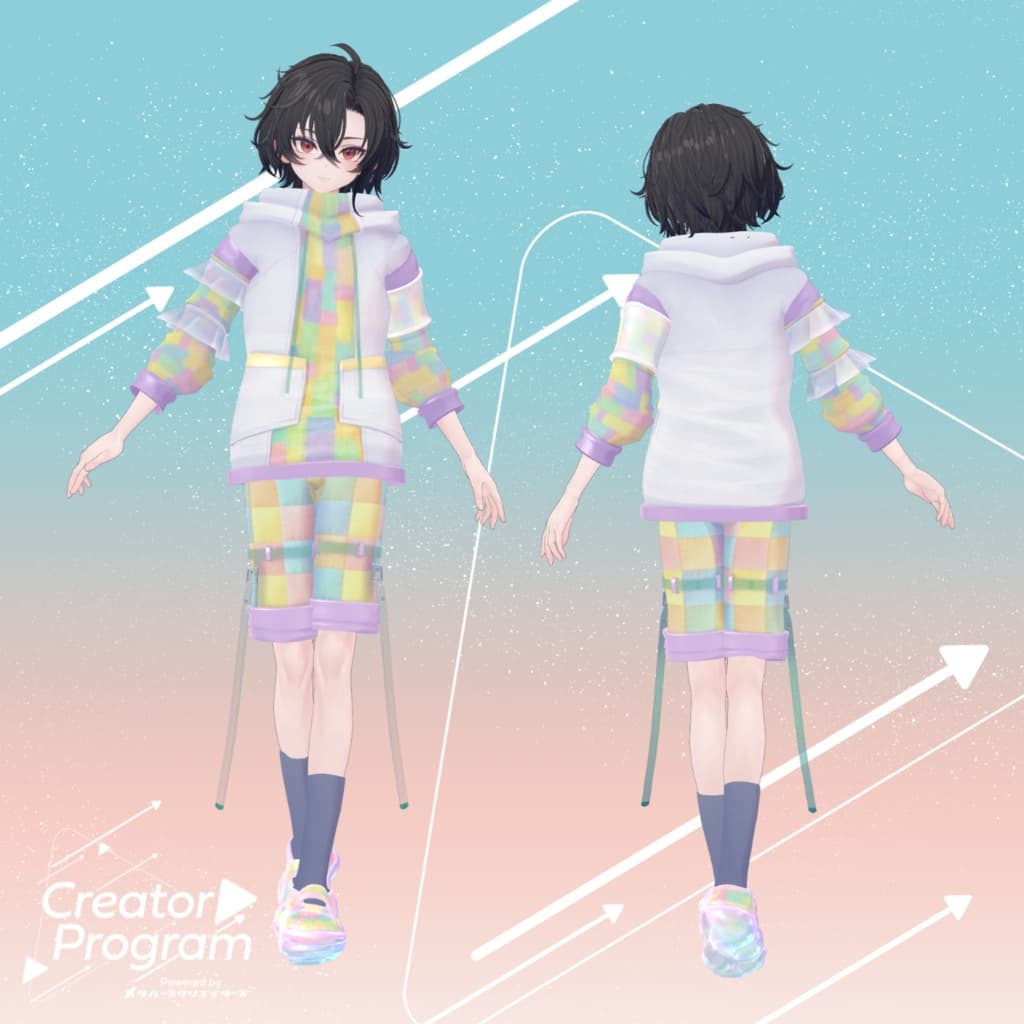
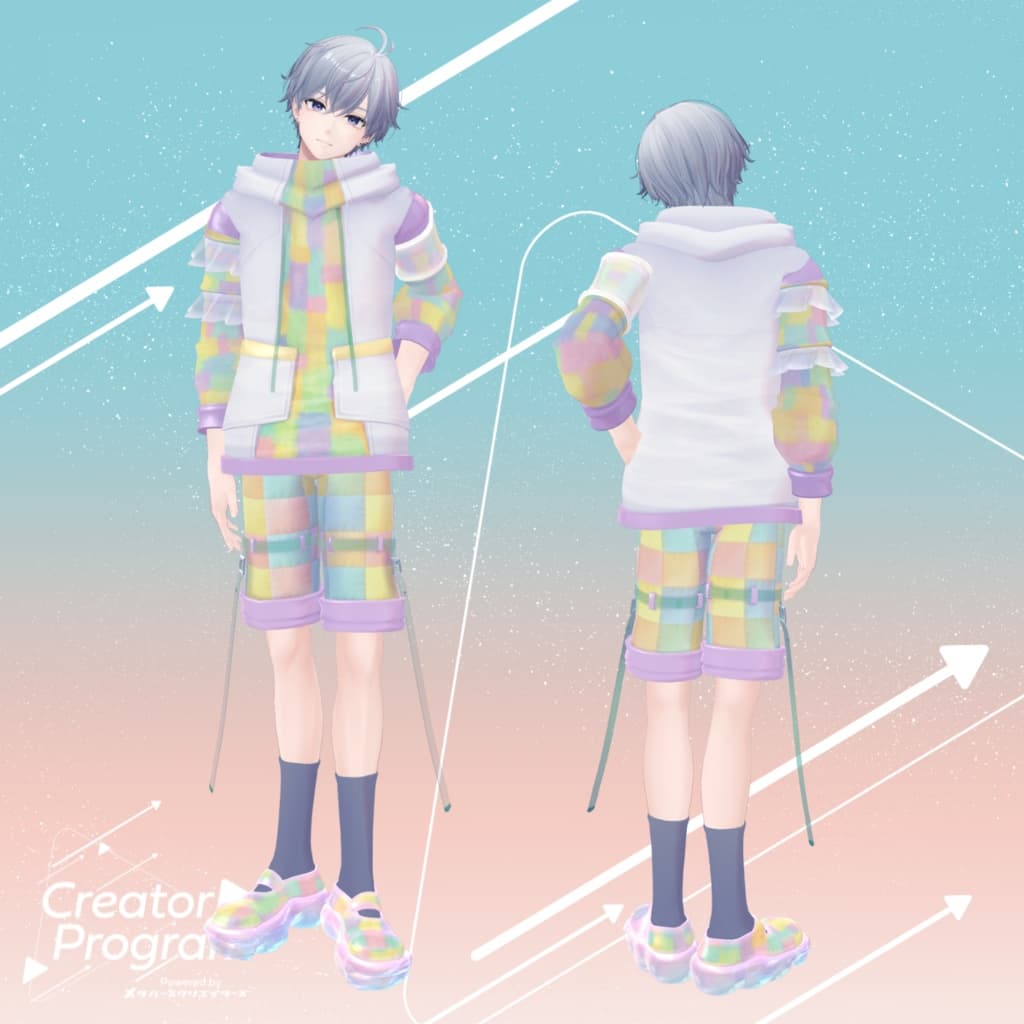
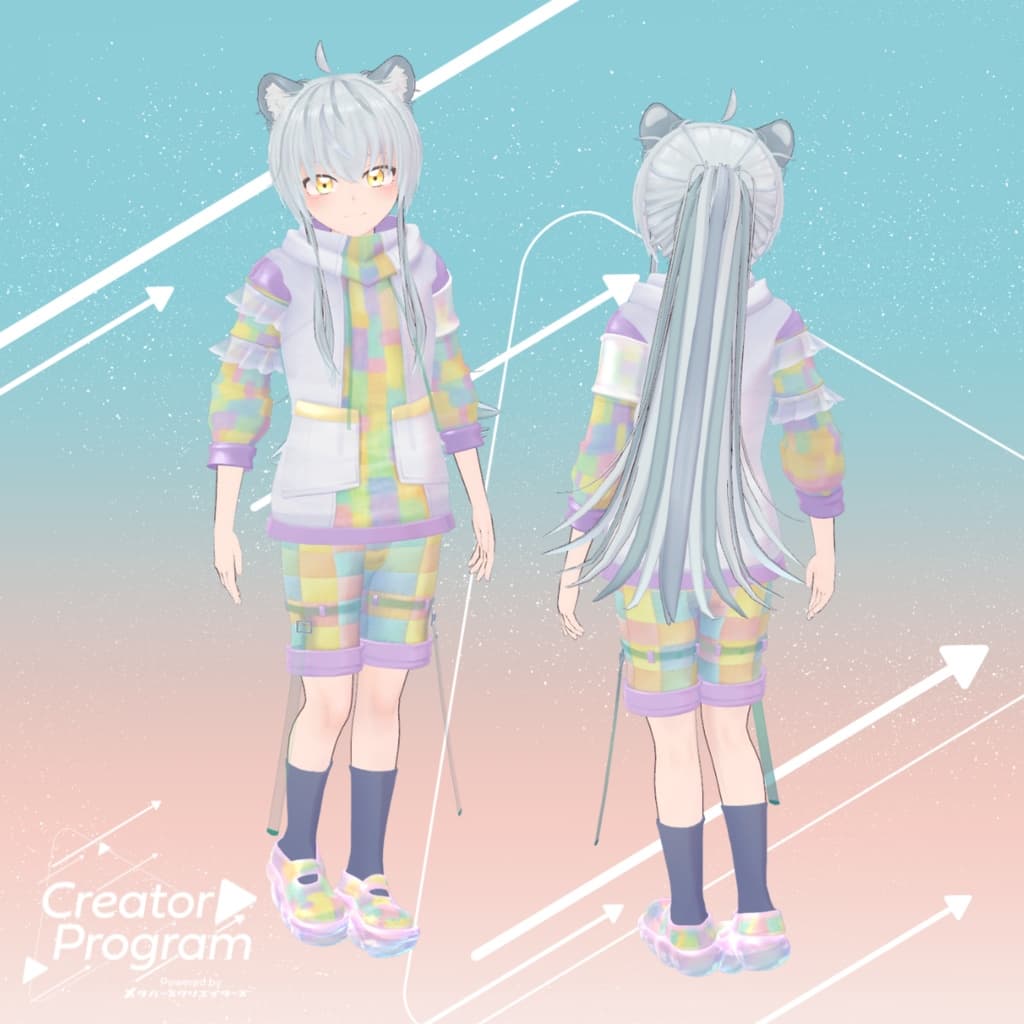
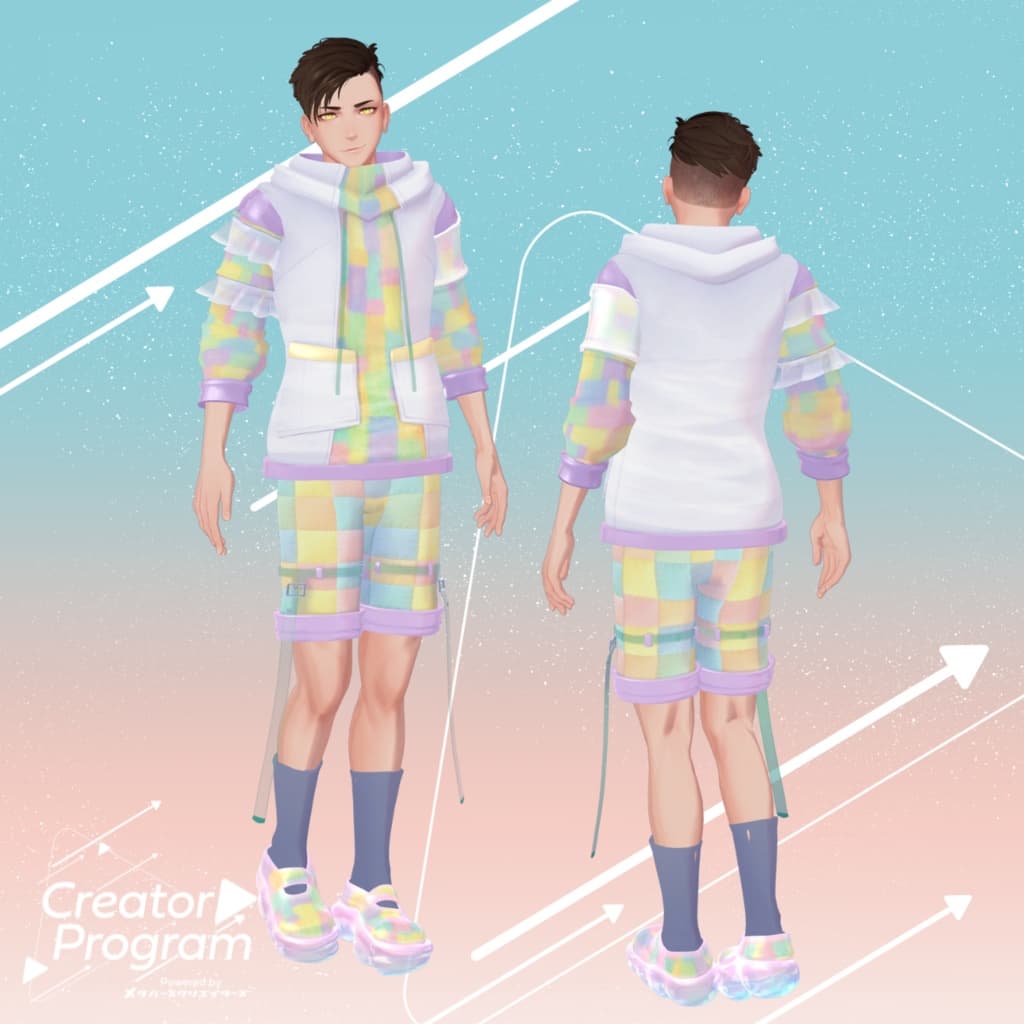
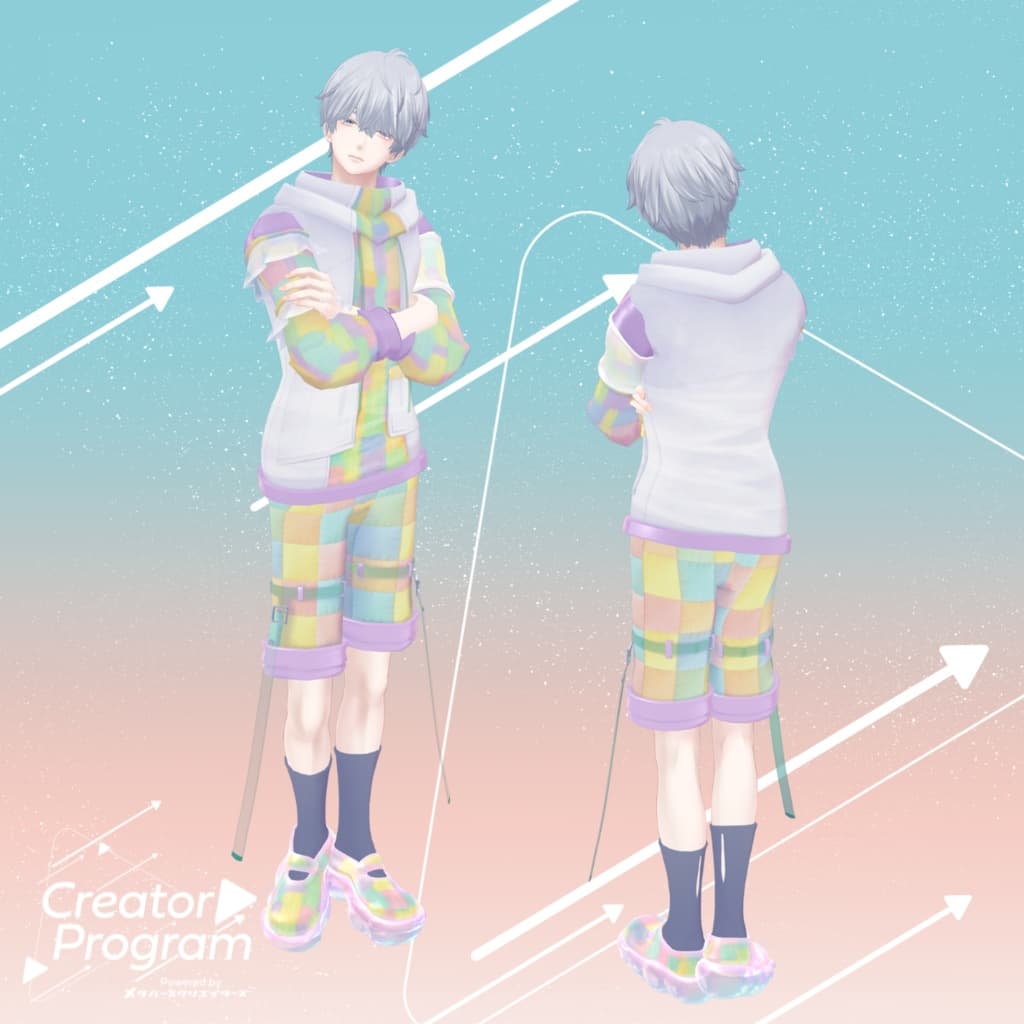
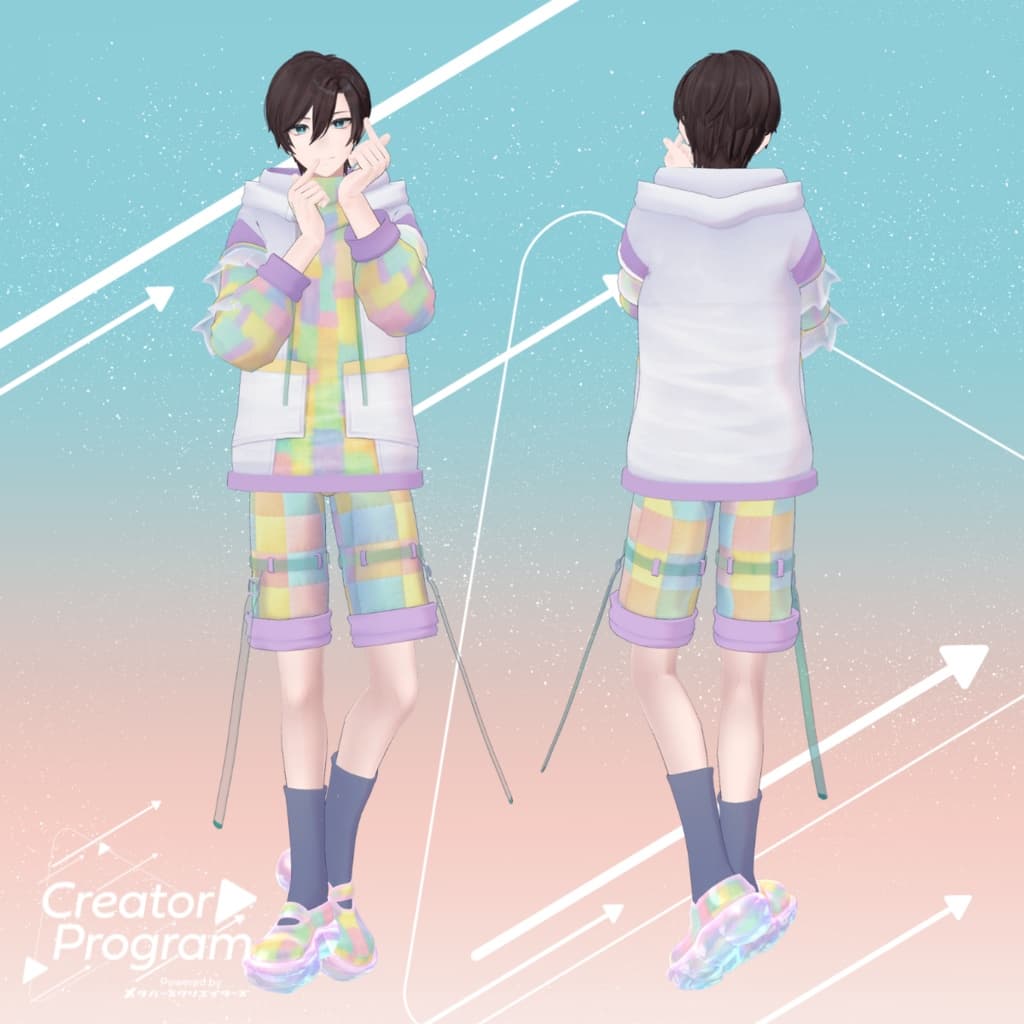
A soft and breezy spring-style setup made with pastel patchwork fabric. The transparent drawstring and rounded semi-transparent soles add a light, airy touch. Color variations: Uraraka Pastel / Dusty Navy / Cosmic Blue / Monochrome (4 types)
※ This product is a clothing model for VRChat avatars. The avatar itself is not included. ※ Due to the nature of digital downloads, returns and refunds cannot be accepted. Please review the product description and Terms of Use before purchasing.
◆ Item Overview ● Included Files
UrarakaPatchworkHoodie_◯◯.unitypackage (◯◯ indicates variation name)
ReadMe.txt
Shader Used
liltoon https://lilxyzw.booth.pm/items/3087170
Required Assets
Modular Avatar https://modular-avatar.nadena.dev/ja/docs/intro
● Model Data
△ Total polygons: 20,191
Tops: 7,810 polygons
Bottom: 6,833 polygons
Shoes: 5,548 polygons
Mesh count: 3 Material count: 8 PhysBone components: 5
Import Folder
Assets > MetaverseCreators_CP > AbuliMelami > UrarakaPatchworkHoodie
◆ Compatible Avatars
Minase – VRChat Avatar #Minase3D https://booth.pm/ja/items/4013951
Original 3D Model “Komano” https://booth.pm/ja/items/5260363
Kuuta – Original 3D Model #Kuuta3D https://booth.pm/ja/items/4897493
Turanari-san (Tinmeshitei Common Body) https://booth.pm/ja/items/5498540
Bokusei (PlusHead body) https://booth.pm/ja/items/5727810
Hyakko – by Niyami https://booth.pm/ja/items/6328134
Original 3D Model “Maki” https://booth.pm/ja/items/3162696
※ When equipping the outfit, shapekeys that hide the avatar’s base body (turning it into a simplified stick form) will be used.
◆ Installation Guide
Install the latest VRC SDK using VCC.
Install required assets (liltoon, Modular Avatar) via VCC.
Import the latest package for your avatar.
Import this product’s package.
Drag your avatar (and any outfit/editable prefab) into the Scene Hierarchy.
Hide or set to Editor Only any unnecessary clothing (default outfit, underwear, etc.).
Drag UrarakaPatchworkHoodie_[AvatarName].Prefab directly under the avatar.
Upload the avatar using the VRC SDK.
Notes on Modular Avatar “MA Shape Changer”
This outfit includes MA Shape Changer, which automatically activates shapekeys on the avatar to slim or hide areas that would clip with the clothing. If you do not want this feature, you may delete the corresponding components.
PlusHead avatars: Some avatars may use different mesh names (this outfit uses PlusHead). If the Shape Changer does not function correctly, adjust by renaming your avatar’s mesh or manually editing the shapekeys.
If any part of the avatar appears unintentionally thin after dressing, reset the affected shapekey to 0.
◆ Changing Colors
Replace the color-variation materials inside: Common > Material
◆ Terms of Use
https://drive.google.com/drive/folders/1qRMXoIxM1ZgacBPfwOigQRtXP1vCbNMn?usp=sharing
※ Please also follow the Terms of Use for the base avatar used with this outfit.
◆ Production Environment
Modeling: Maya 2023 Textures: Adobe Substance 3D Painter Setup: Unity Ver. 2022.3.22f1
VRChat SDK – Avatars Ver. 3.7.6 (VCC)
liltoon 1.9.0
ModularAvatar 1.12.5
◆ Credits
Creator: Aburi Melami https://x.com/AbuliMelami
Contact / Support
https://discord.gg/bmw3PWE37M