

「プラム」頬 - Face Cheeks for [Plum]
 NekOwneD
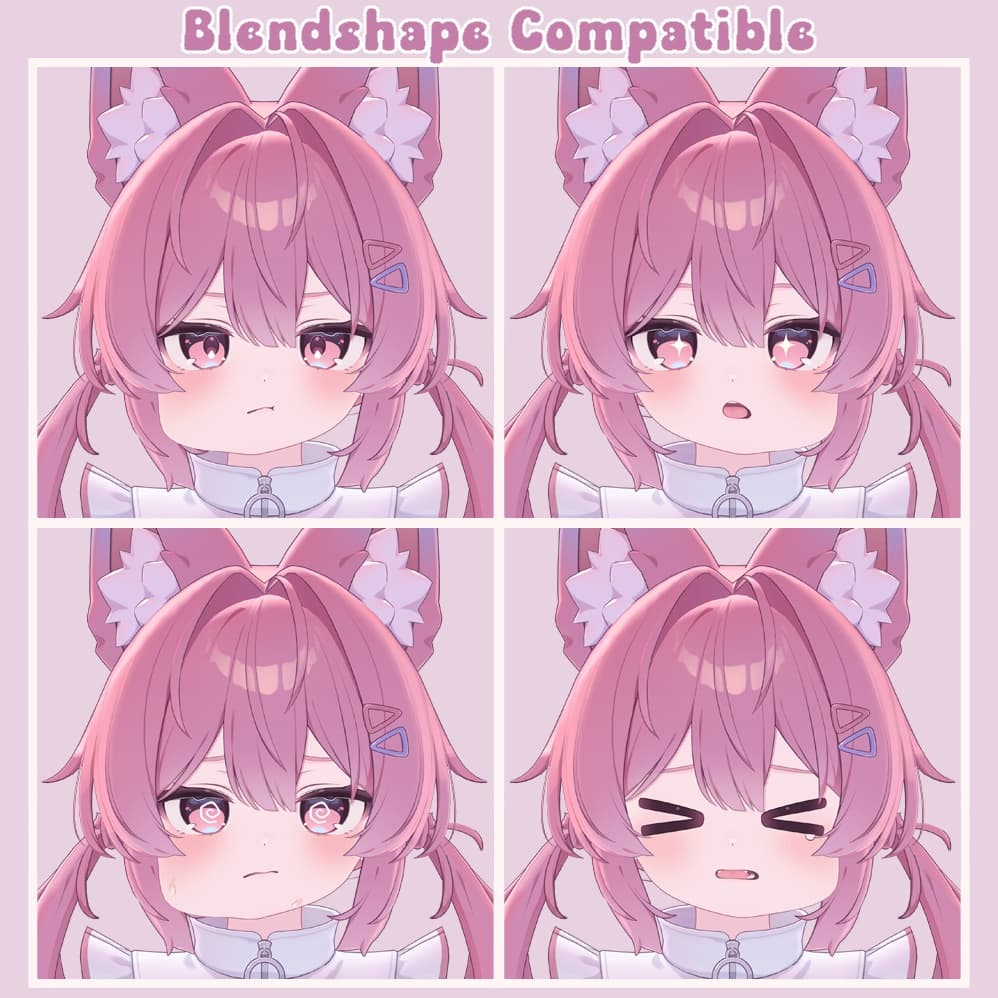
説明
Cheeks for Plum. 頬・フォー・「プラム」。
English description below!
オリジナルモデルは含まれていません。
オリジナルモデル「プラム」はKomadoによって作成され、こちらで見つけることができます: https://booth.pm/en/items/7770415
Modular Avatarに対応!単にプレハブをあなたのアバターにドラッグし、コンポーネントで頬を生成してアップロード! https://modular-avatar.nadena.dev/
最新のFBXバージョンのモデルを忘れずに持っていてください。 無編集のFBXフェイス用の意図された使用です。 ウィルモストライクリー破壊する他のフェイス編集ツールを使用すると。
含まれている(そして必要な)もの: "CheekUpPlum"フォルダ。 "CocoTools"フォルダ。 "Plugin"フォルダ。
"CheekUpPlum"フォルダには、製品のインストール方法が2つ提供されています:
- "MA"(Modular Avatarを使用、非破壊)
- "non MA"(Modular Avatarを使用しない)
どちらの方法にもビデオや画像形式のチュートリアルがありますので、もし支援が必要な場合はそれらを参照してください。
製品はデフォルトおよびカスタムFBXに対応しています。
使用条件: 再配布は禁止されています。 商業および非商業目的の両方で使用が許可されています。 ソーシャルプラットフォームへのアップロードは許可されています。
クレジット: CocoTools: https://github.com/coco1337/CocoTools Modular Avatarとの互換性更新においてGotoFinalに特別な感謝を: https://x.com/ThatGotoFinal
Original model not included.
Original model "Plum" by Komado, can be found here: https://booth.pm/en/items/7770415
Compatible with Modular Avatar! Simply drag the prefab onto your avatar, generate your cheeks with component and upload! https://modular-avatar.nadena.dev/
Do not forget to have the latest FBX version of the model. Intended use is for unedited FBX face. Will most likely break with other Face editing tools.
Included (and necessary):
- CheekUpPlum folder
- CocoTools folder
- Plugin folder
In the "CheekUpPlum" folder you will be provided with 2 ways of installing the product:
- MA (using modular avatar, non destructive)
- "non MA" (not using modular avatar)
You will find tutorials for both ways in video/image format, please follow them if you need assistance.
The product is compatible with default and custom FBX.
Terms of use:
- Redistribution is prohibited.
- Allowed for both commercial and non-commercial use.
- Uploading to social platforms is allowed.
Credits:
- CocoTools: https://github.com/coco1337/CocoTools
- Special thanks to GotoFinal for the compatibility update with Modular Avatar: https://x.com/ThatGotoFinal