

"Snap" Cyber Holo Shoulder Bag - VRChat Gimmicky Avatar Accessory / CP21
 MetaCreatorsTYO EN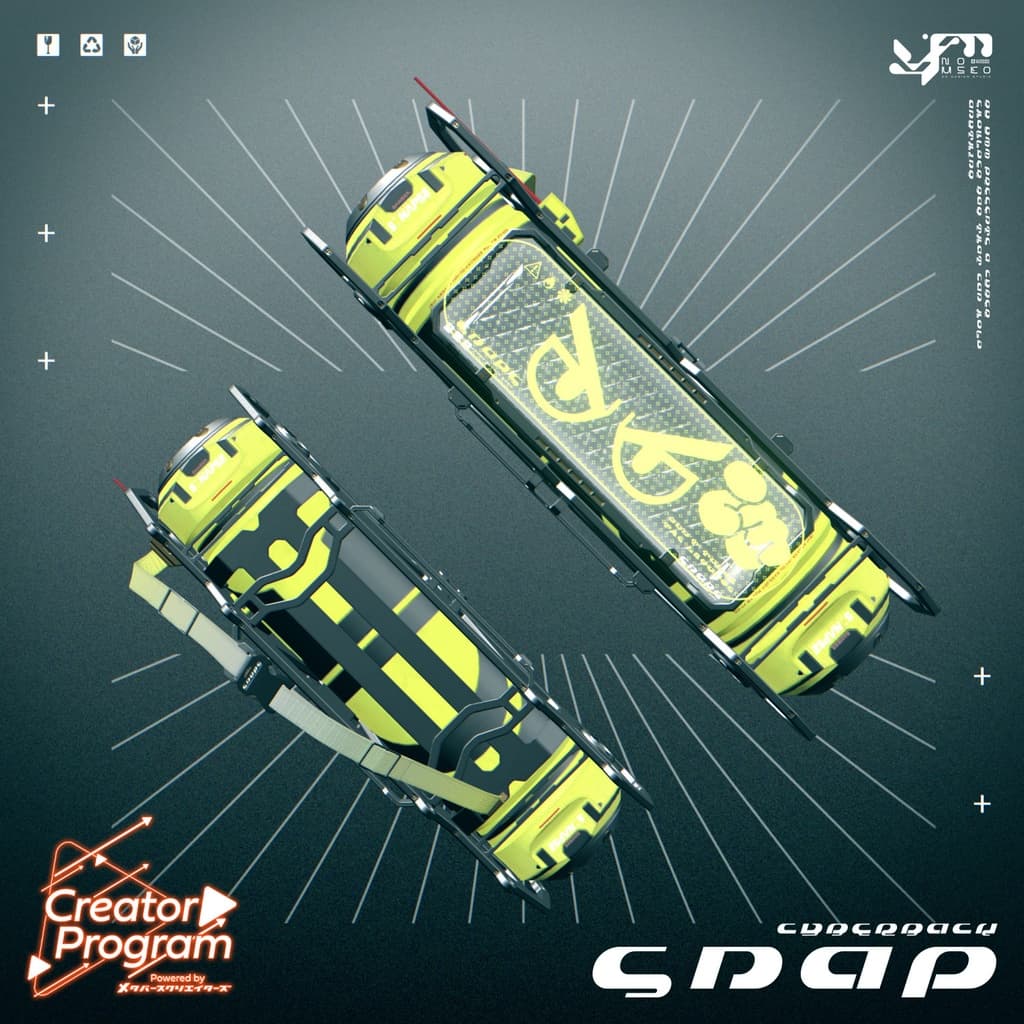
説明
◆ Snap ◆
Creator: Yamanba no Musuko
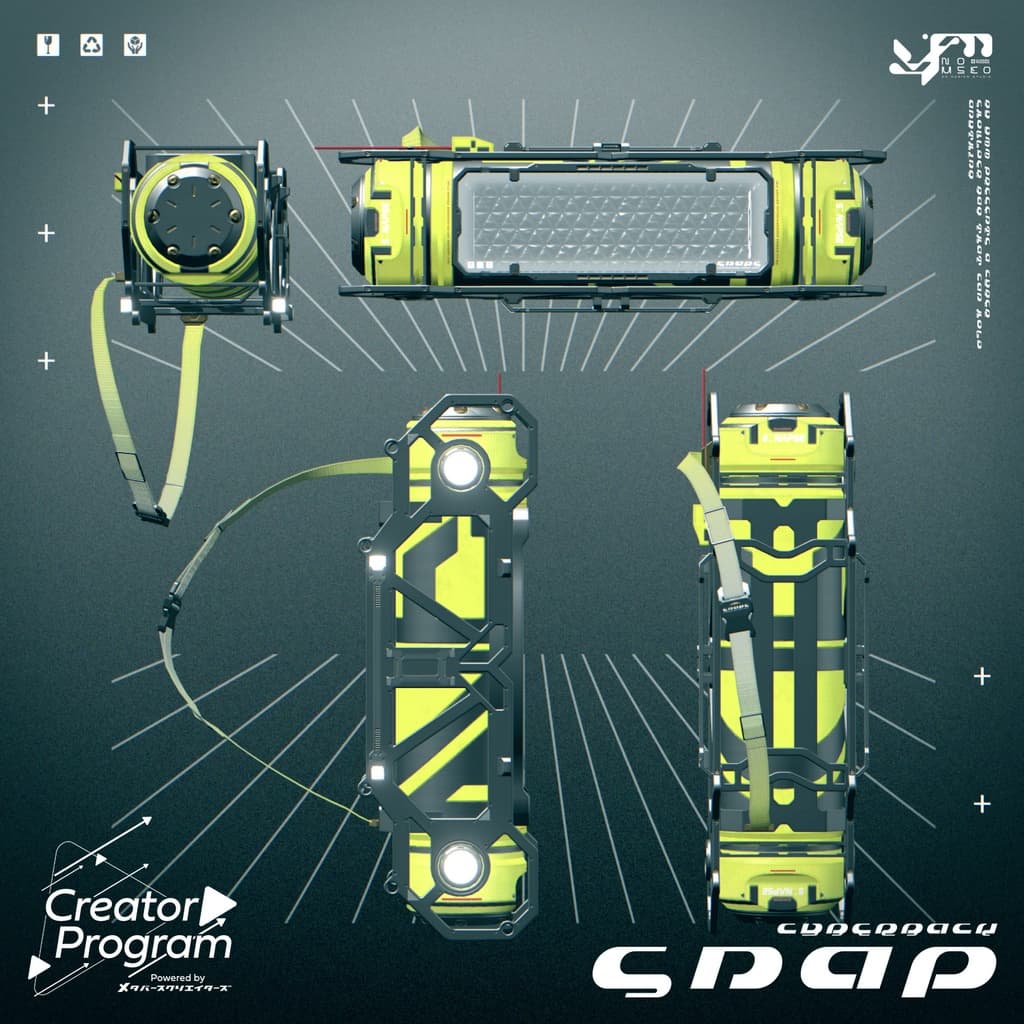
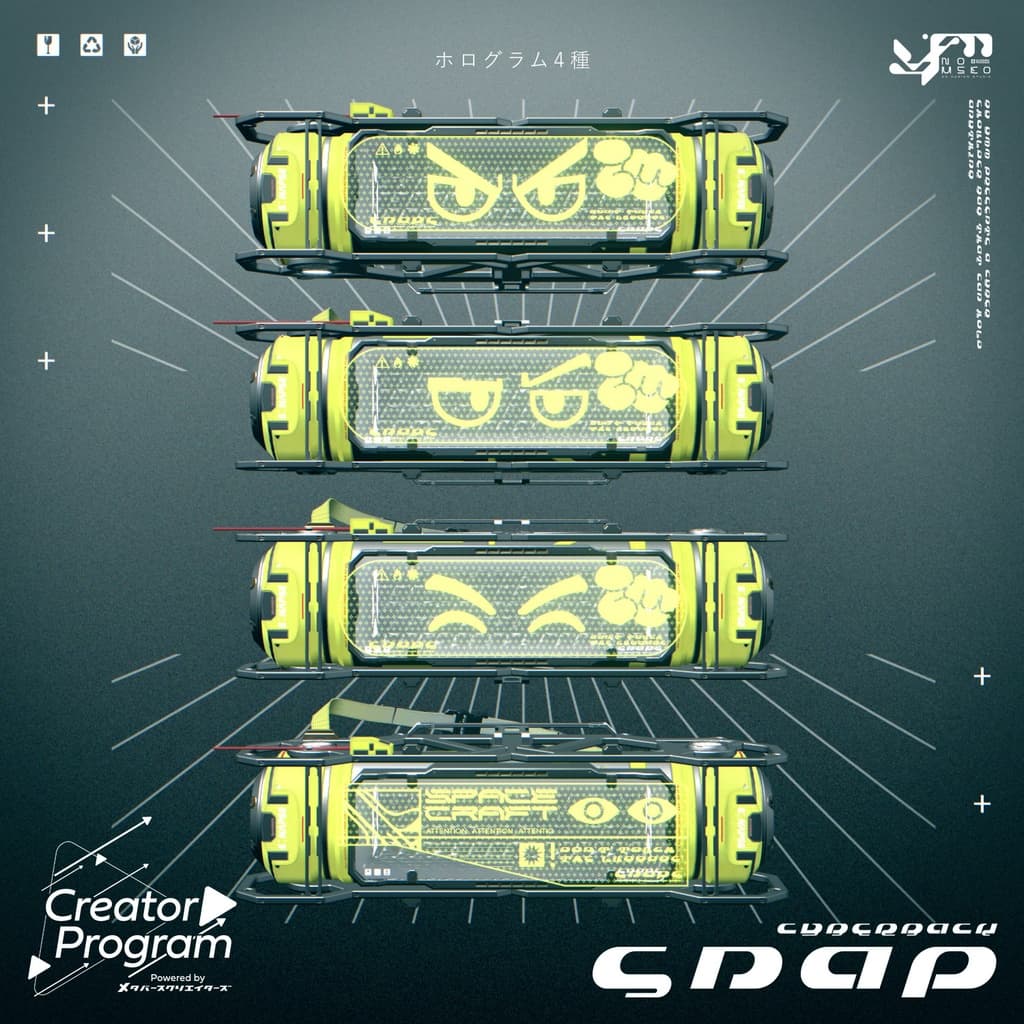
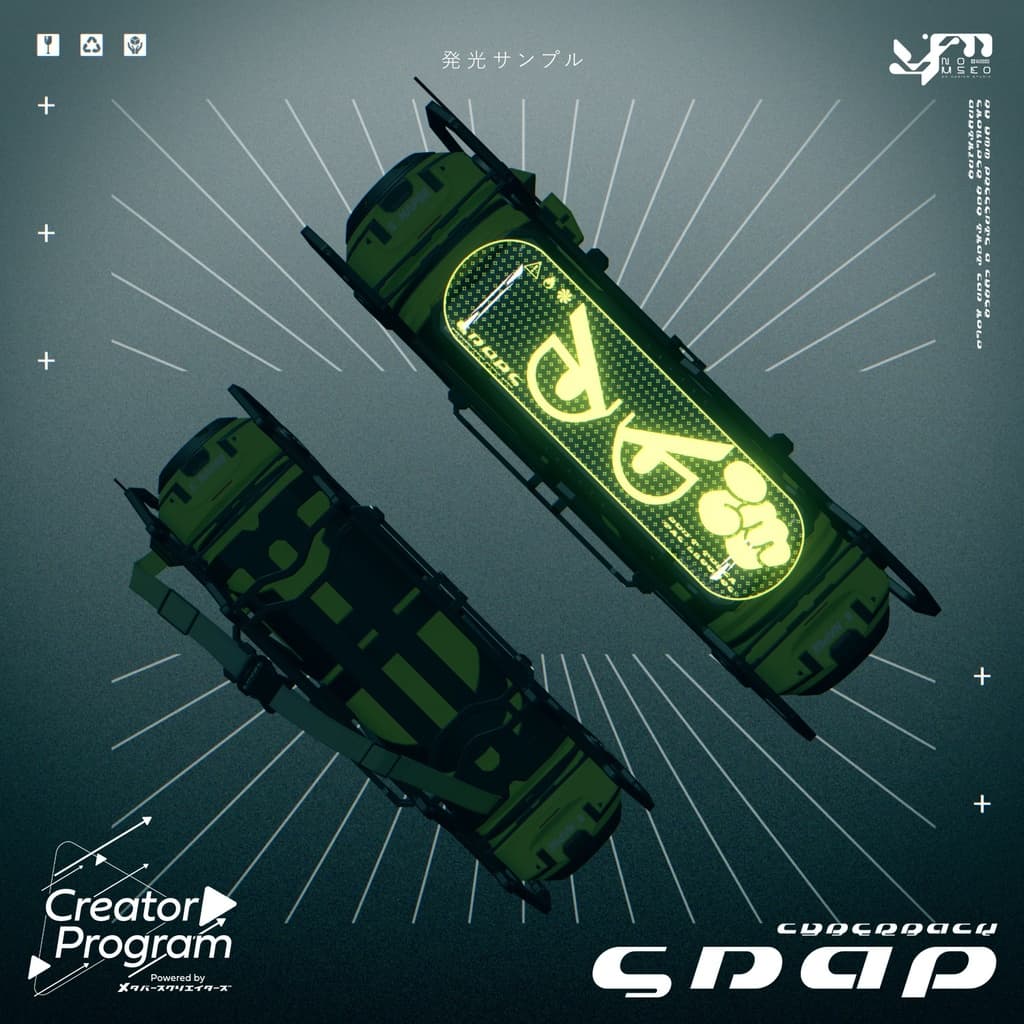
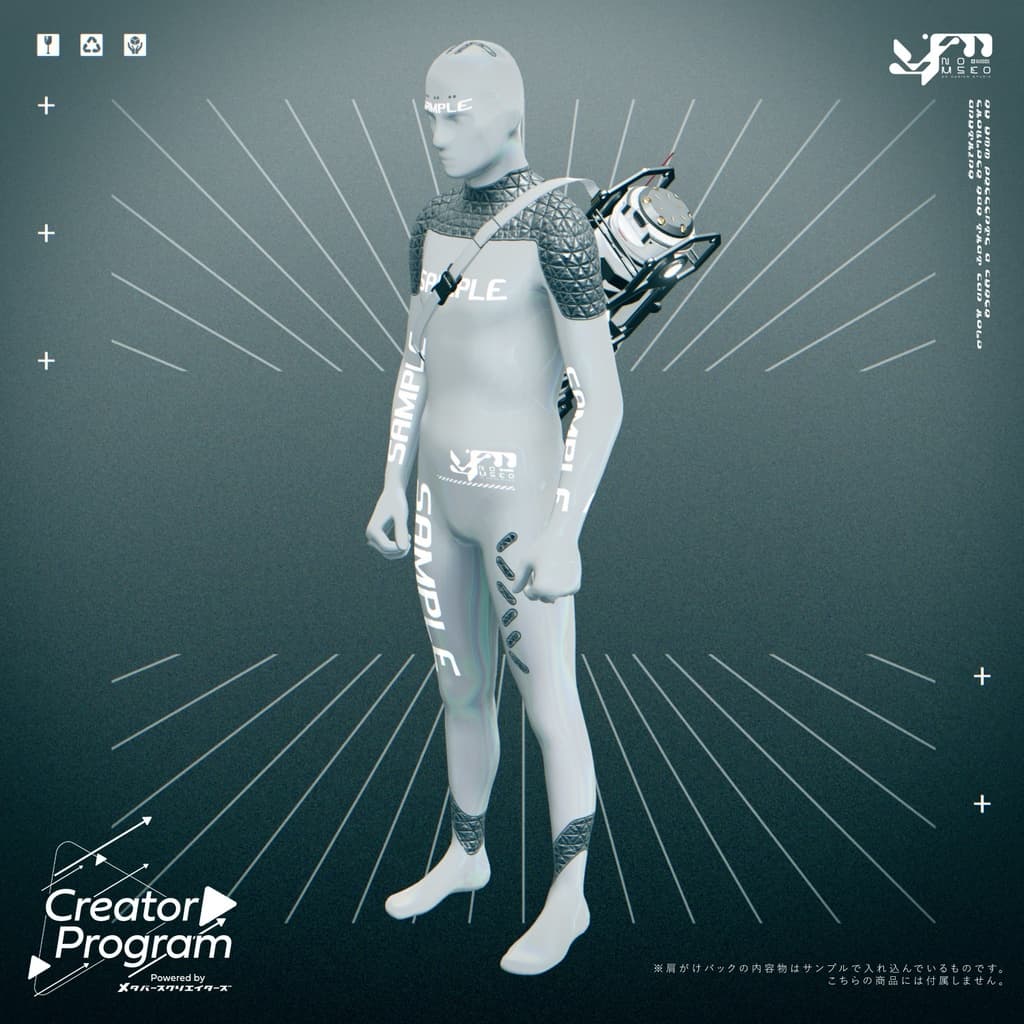
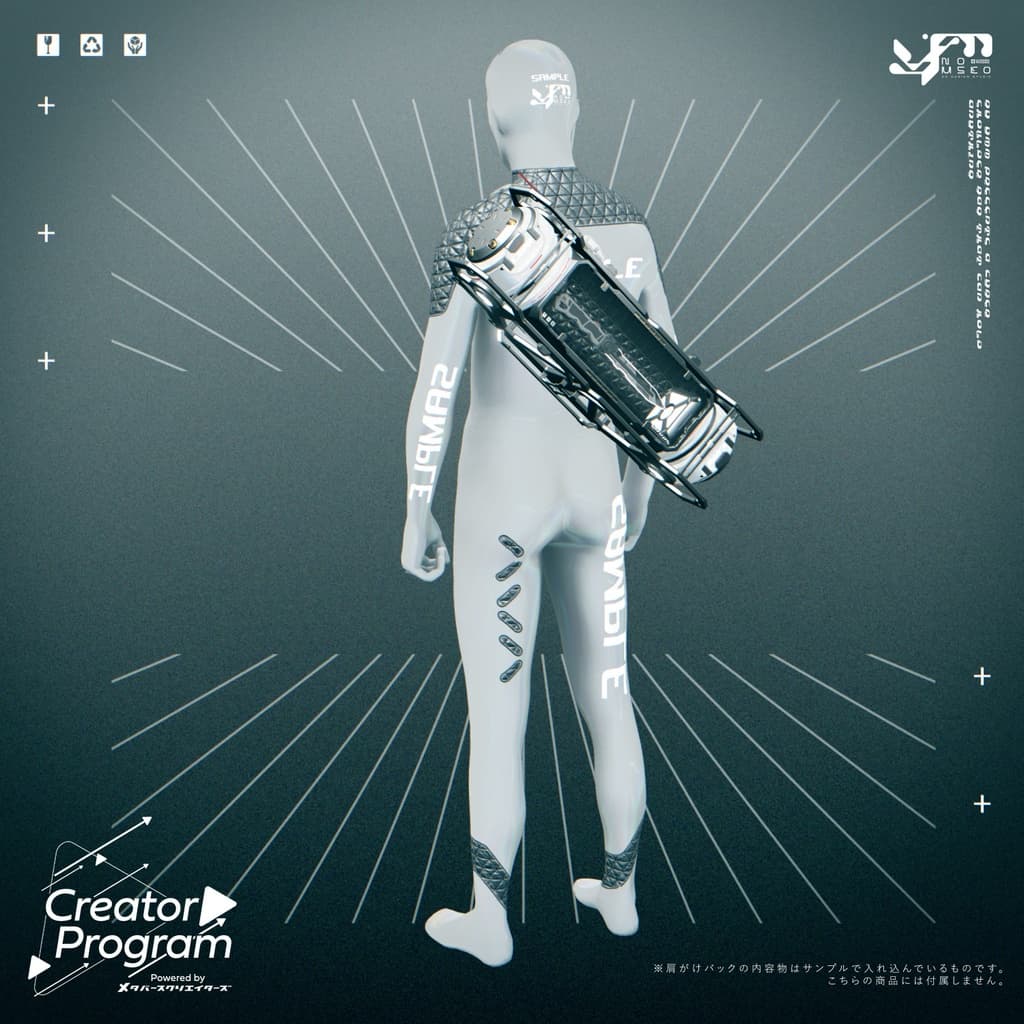
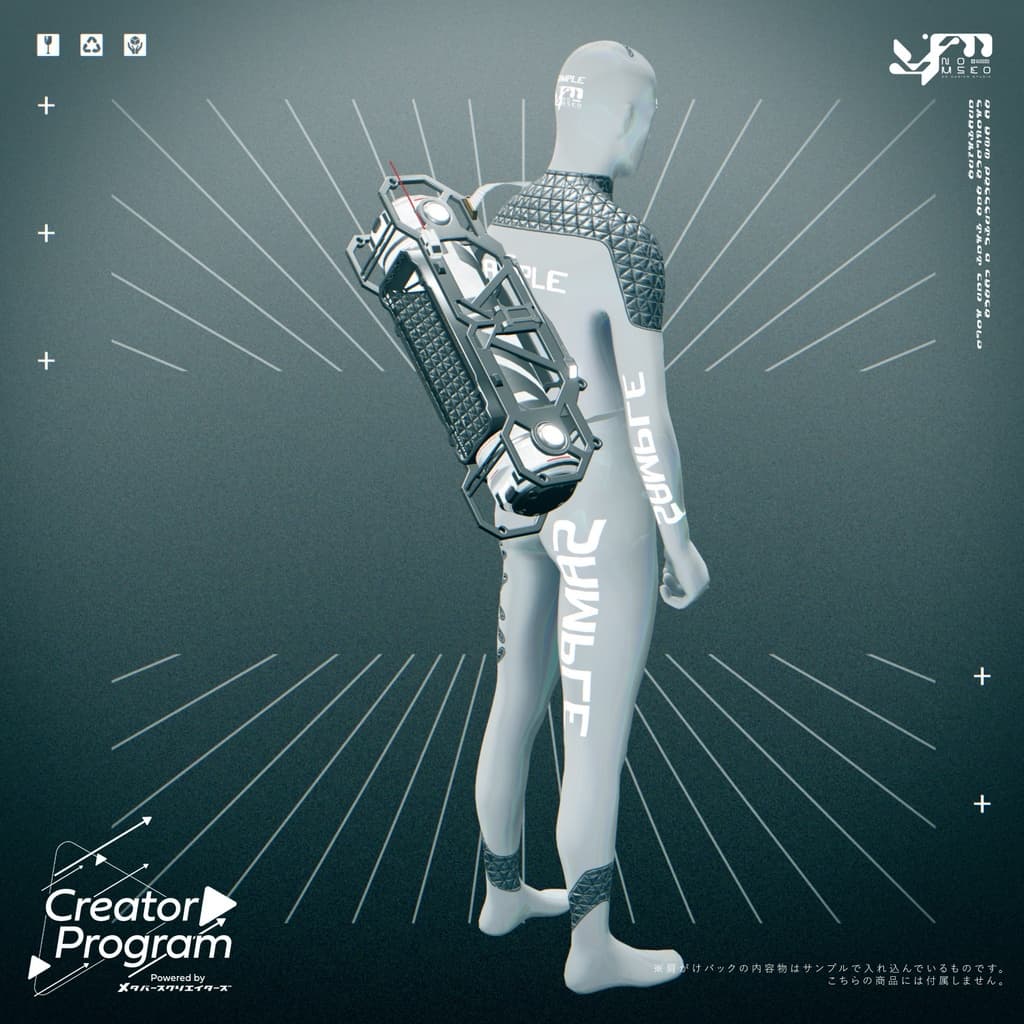
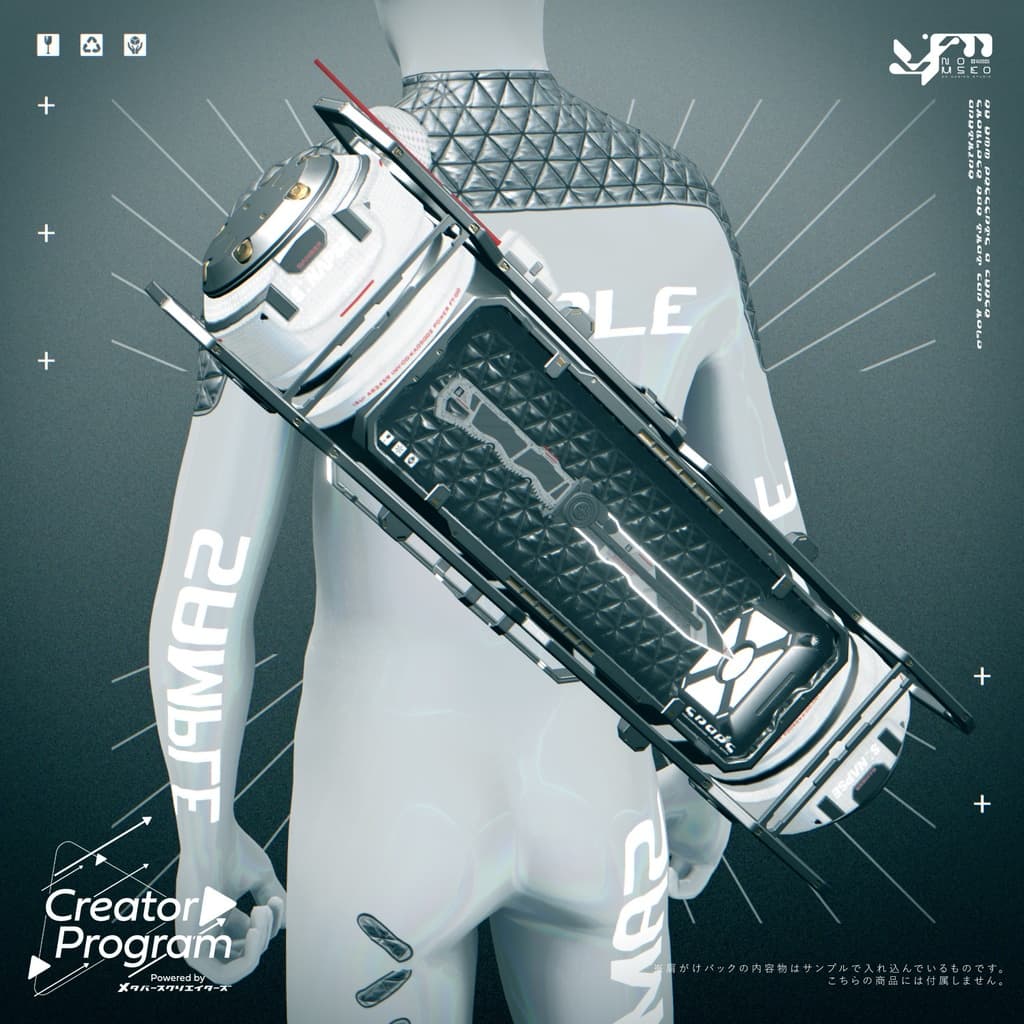
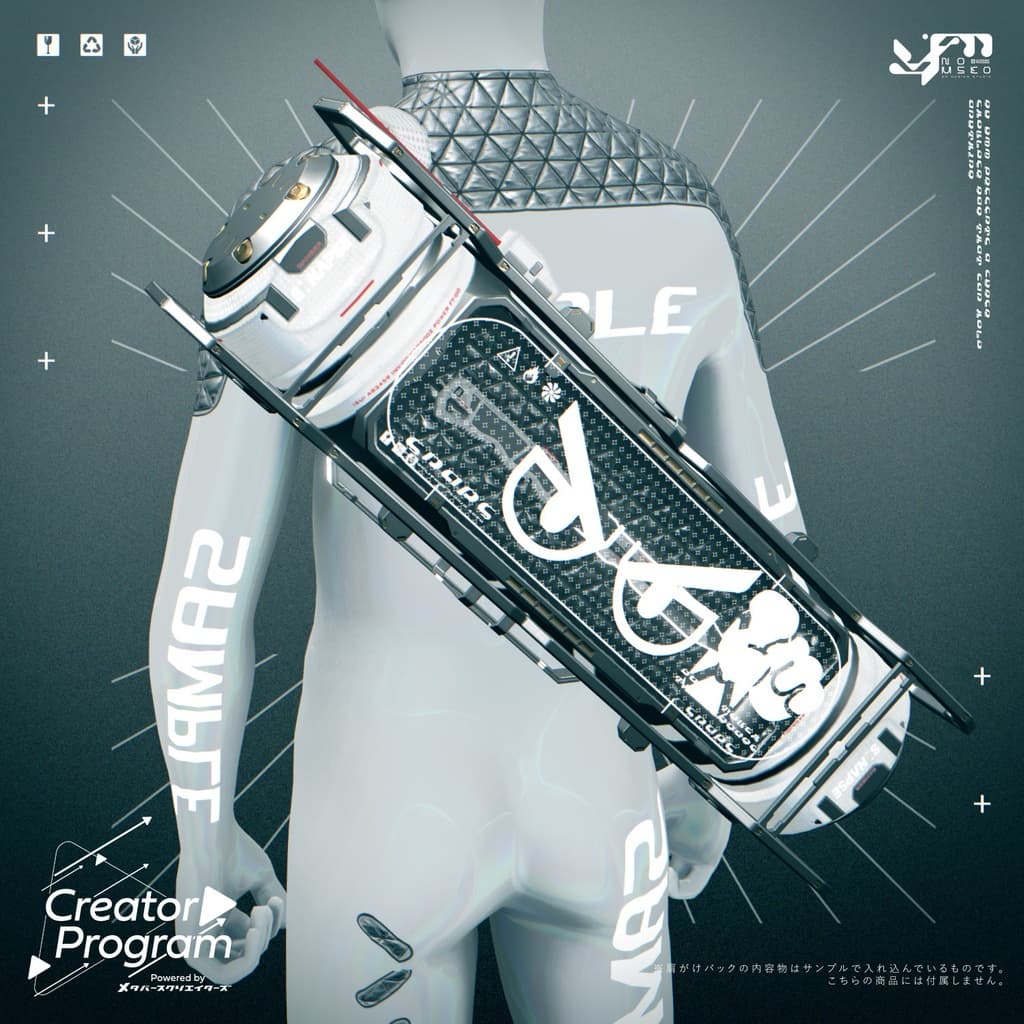
A cyber-style shoulder bag — perfect for storing your favorite small items! Even if you don’t put anything inside, the holographic design gives it a cool, futuristic look.
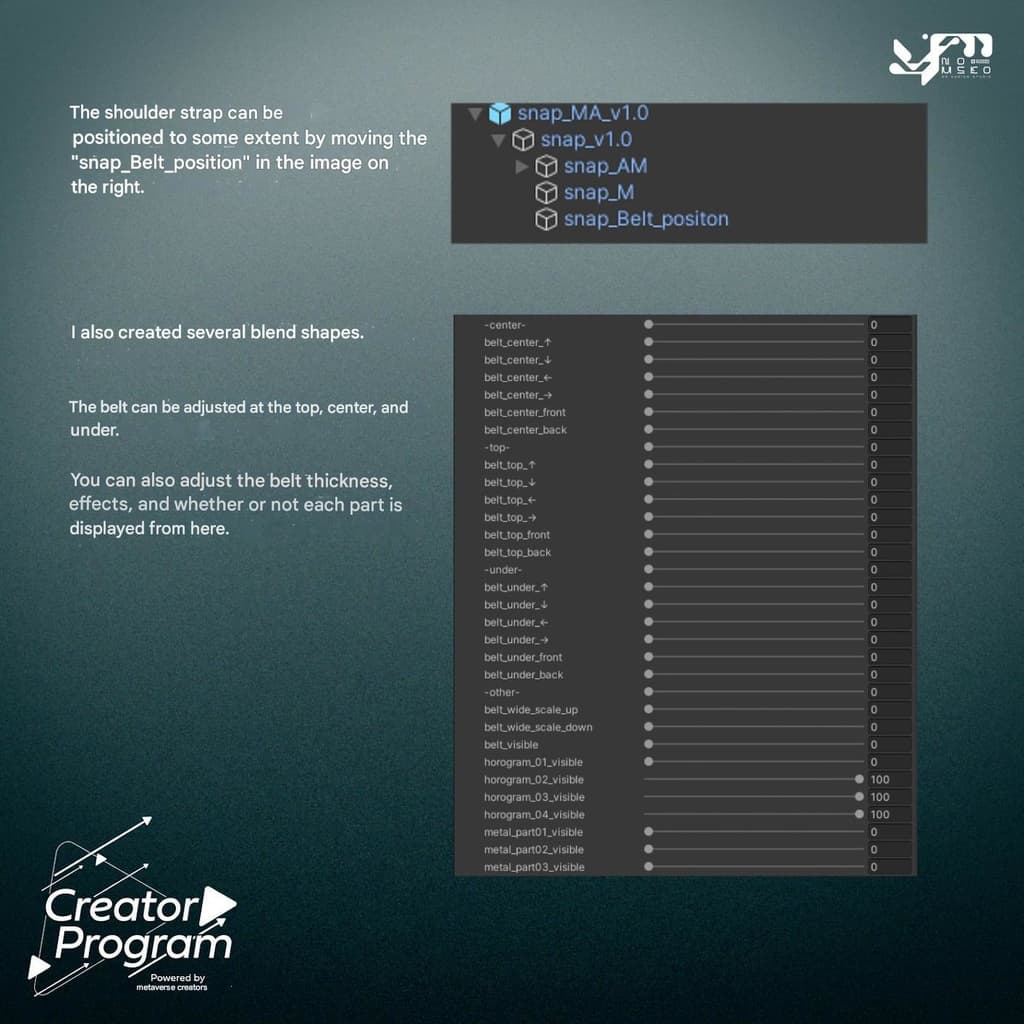
The shoulder strap can be adjusted by moving the “snap_Belt_position” object in the hierarchy. Several blend shapes are included: you can fine-tune the strap using the top, center, and under shape keys. You can also adjust strap thickness, effects, and toggle the visibility of each part.
Note: The items shown in the product images are sample contents and are not included in this product.
Please Note:
This product is an accessory model for avatars. The avatar body is not included.
Due to the nature of digital downloads, returns and refunds are not possible. Please read and agree to the product description and terms of use before purchasing.
◆ Item Overview ● Contents
snap_v1.0.unitypackage
snap_v1.0.fbx
Textures
snap_M_Col_EFF_edit.psd
snap_EFF_edit.psd
ReadMe_snap.txt (this document)
● Shader Used
liltoon https://lilxyzw.booth.pm/items/3087170
● Required Asset
Modular Avatar https://modular-avatar.nadena.dev/ja/docs/intro
● Model Data
Total polygons: 7,832
Meshes: 1
Materials: 3
Import folder path: Assets > MetaverseCreators_CP > Yamanba_no_musuko > snap
◆ Installation Instructions
Set up the latest version of the VRC SDK in VCC.
Install the required assets (liltoon, Modular Avatar) in VCC.
Import this package.
Drag and drop your avatar (or a prefab for customization/modification) into the Scene Hierarchy.
Hide or set to “Editor Only” any unnecessary default clothing (such as default outfits or underwear).
Drag and drop snap_MA_v1.0.Prefab directly under your avatar.
In the Scene, adjust the position, scale, and rotation of snap_MA_v1.0 > snap_v1.0 to your liking.
Fine-tune the fit using the BlendShapes of snap_MA_v1.0 > snap_v1.0.
Upload your avatar from the VRC SDK.
◆ Changing Colors
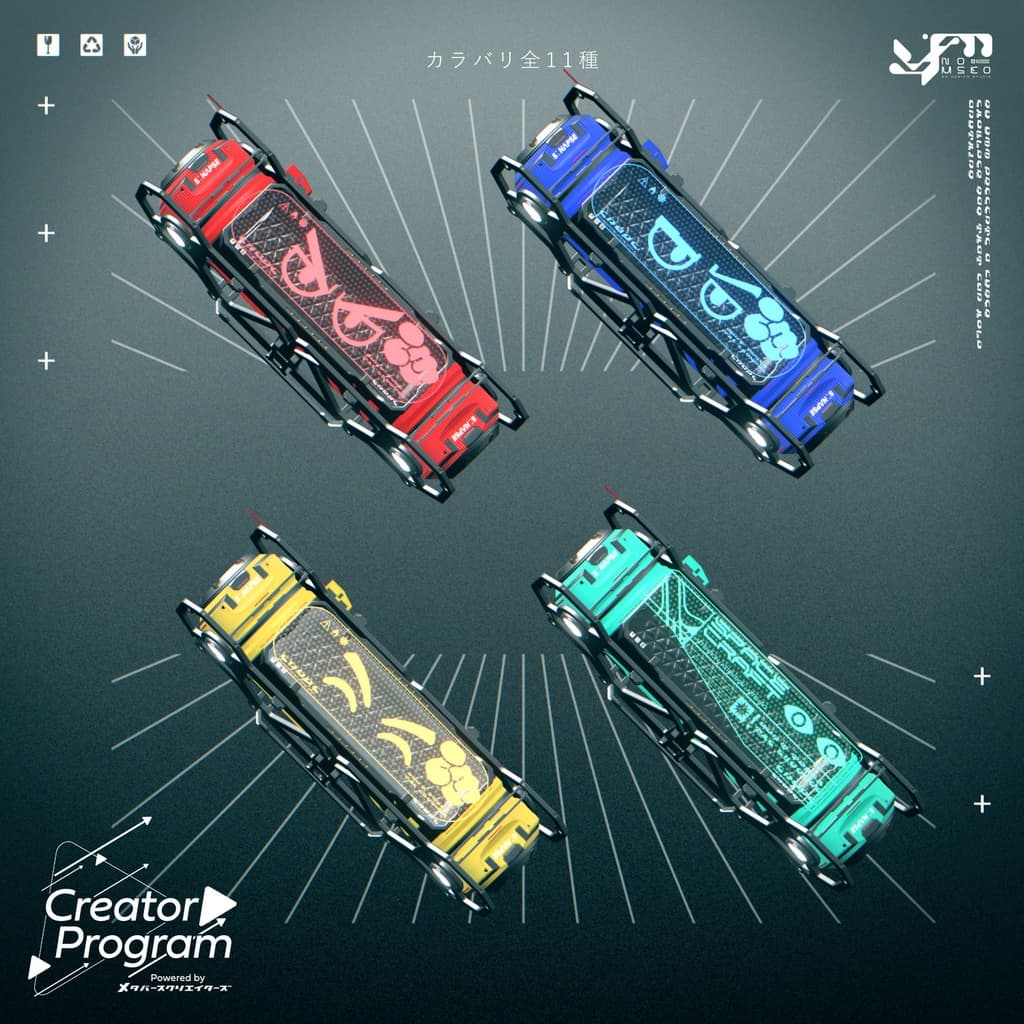
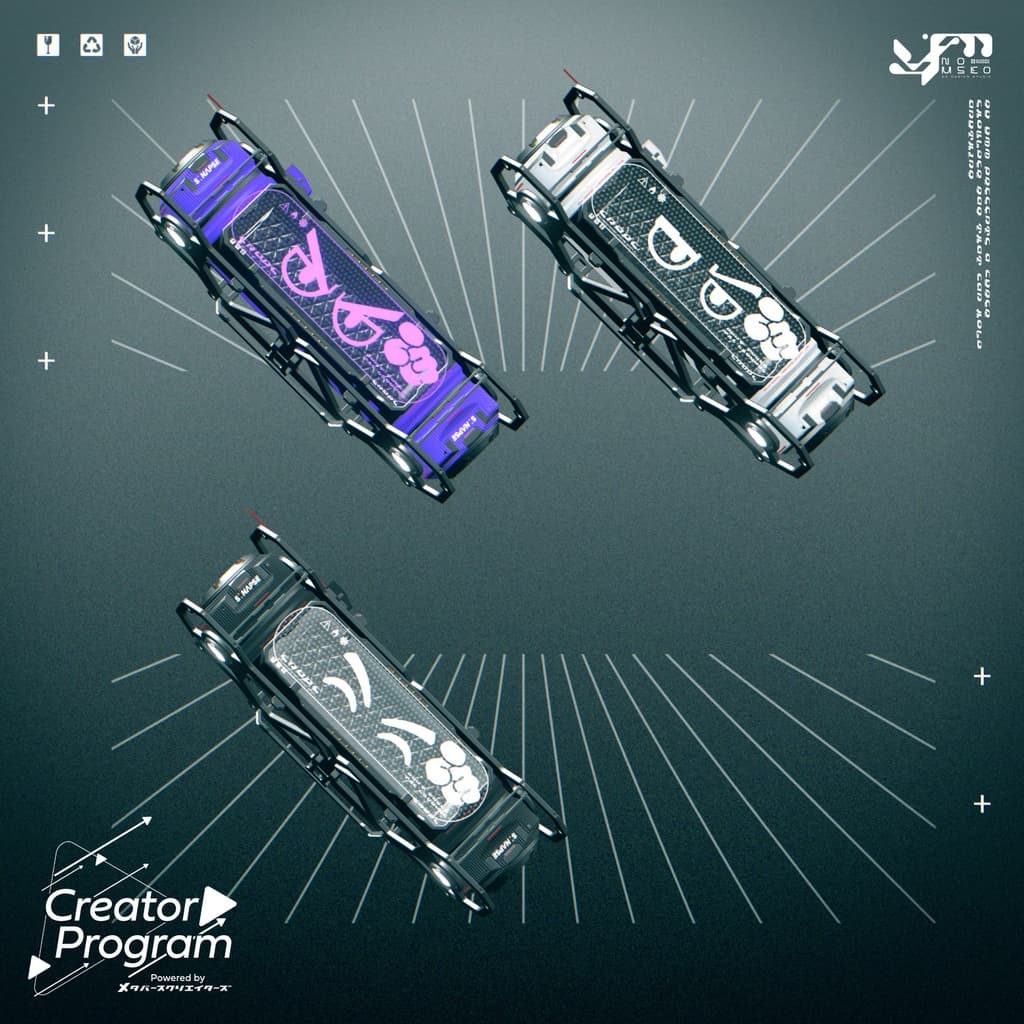
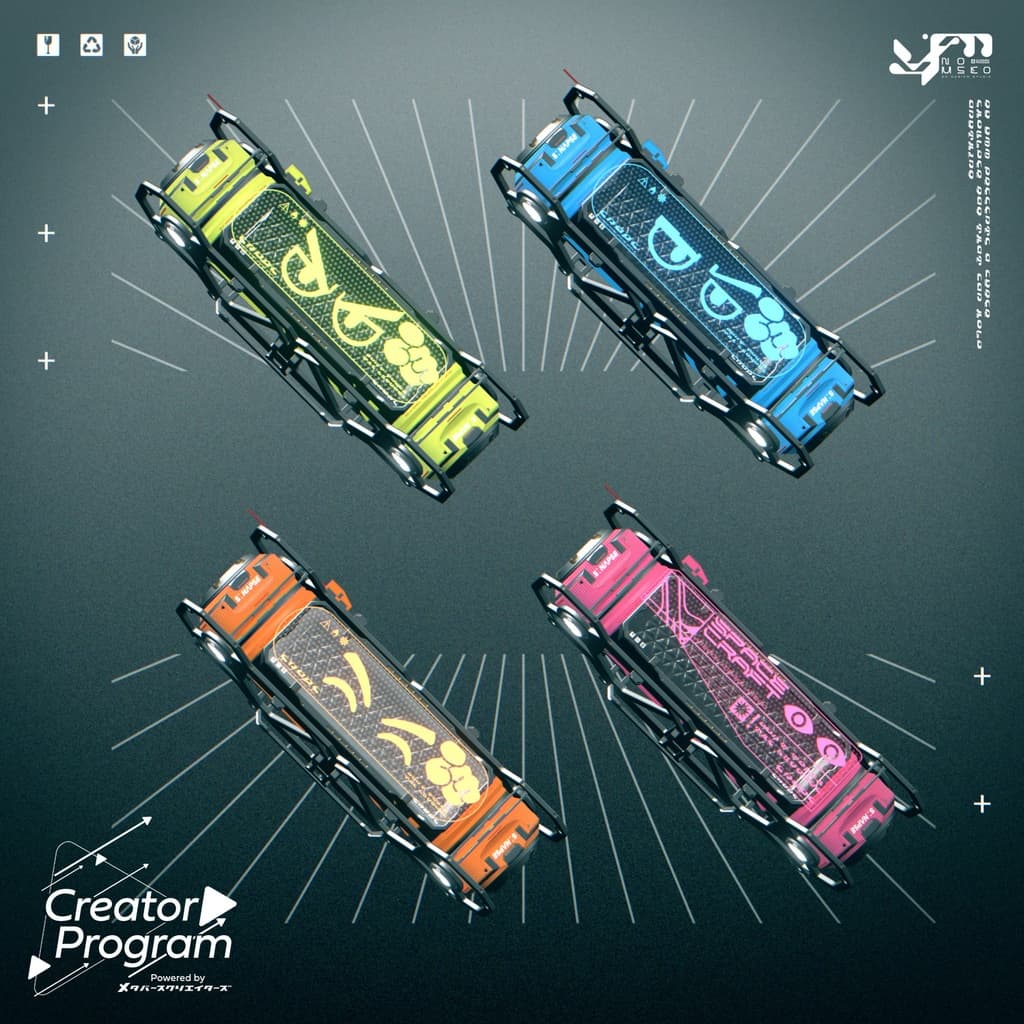
You can swap materials in the Common > Material folder to use different color variations. Alternatively, use the included PSD or CLIP STUDIO PAINT files to customize the color and design to your liking.
◆ Terms of Use
https://drive.google.com/drive/folders/1qRMXoIxM1ZgacBPfwOigQRtXP1vCbNMn?usp=sharing
Please follow the terms of the base avatar when using this product.
◆ Production Environment
Modeling: Blender Ver. 4.2.7
Textures: Substance Painter 2022
Setup: Unity Ver. 2022.3.6f1
VRChat SDK - Avatars Ver. 3.8.1 (VCC)
liltoon 1.8.5
ModularAvatar 1.12.5
◆ Credits
Creator: Yamanba no Musuko
BOOTH: https://unc-no-snc-shop.booth.pm/
X (Twitter): https://x.com/Unchi_no_sanchi
Support / Inquiries: https://discord.gg/bmw3PWE37M