

UNTHRDLayer: Street Wear Outfit Set - VRChat Men's Clothing / CP7
 MetaCreatorsTYO EN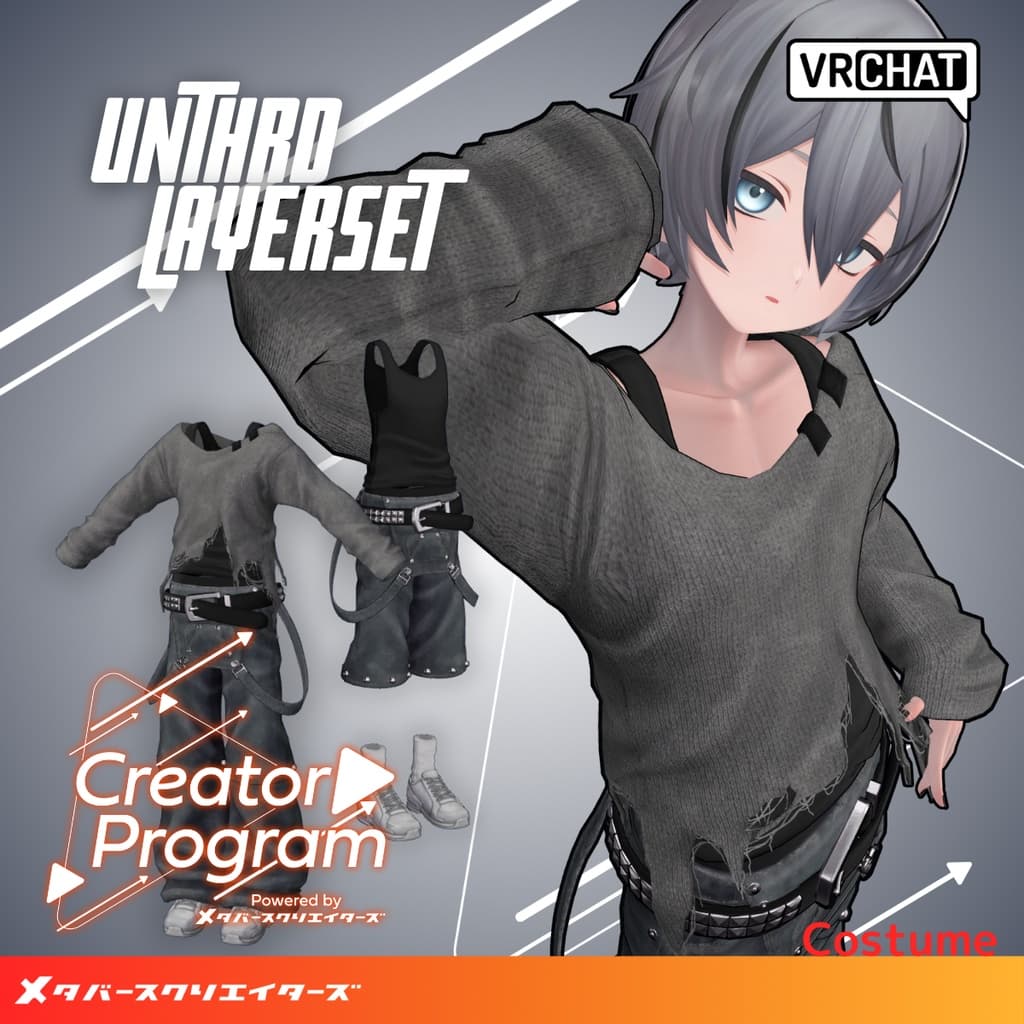
説明
◆ UNTHRD Layer Set ◆
Creator: imya
Overview
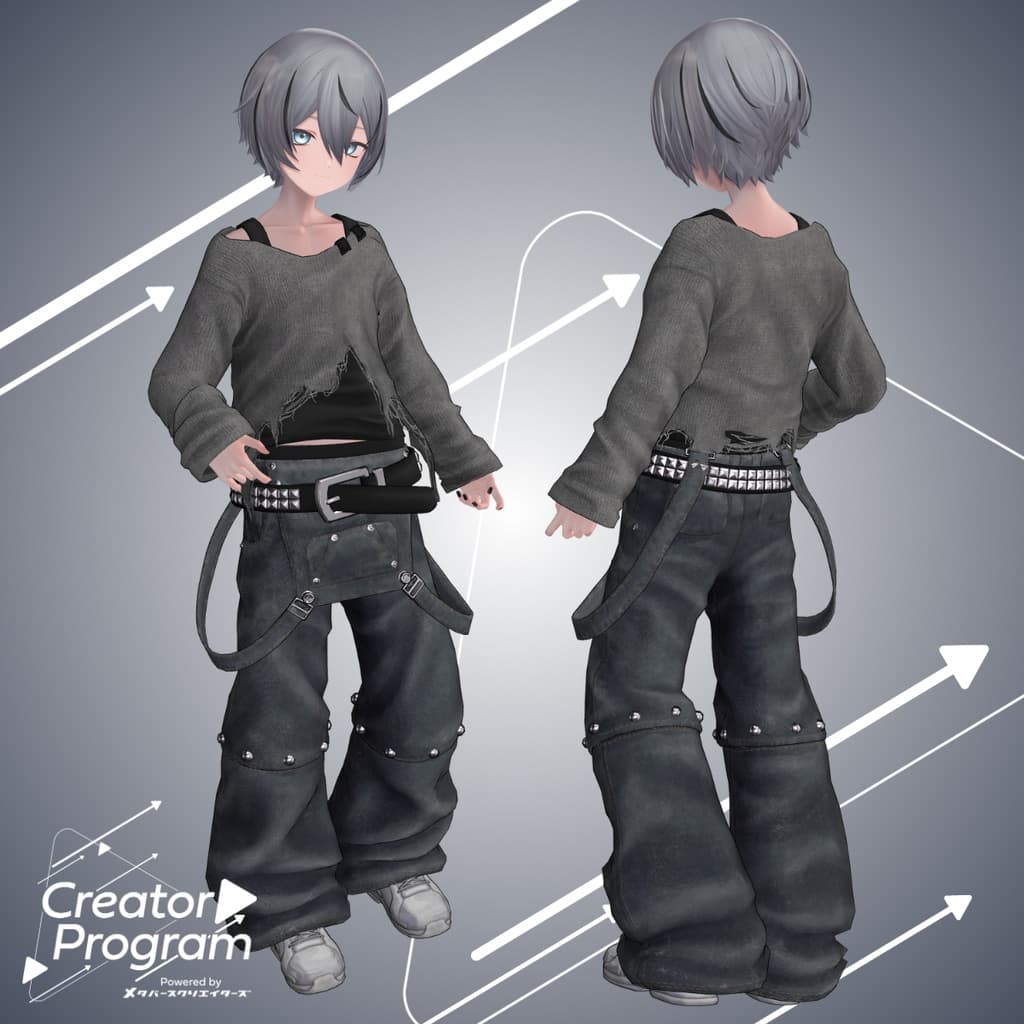
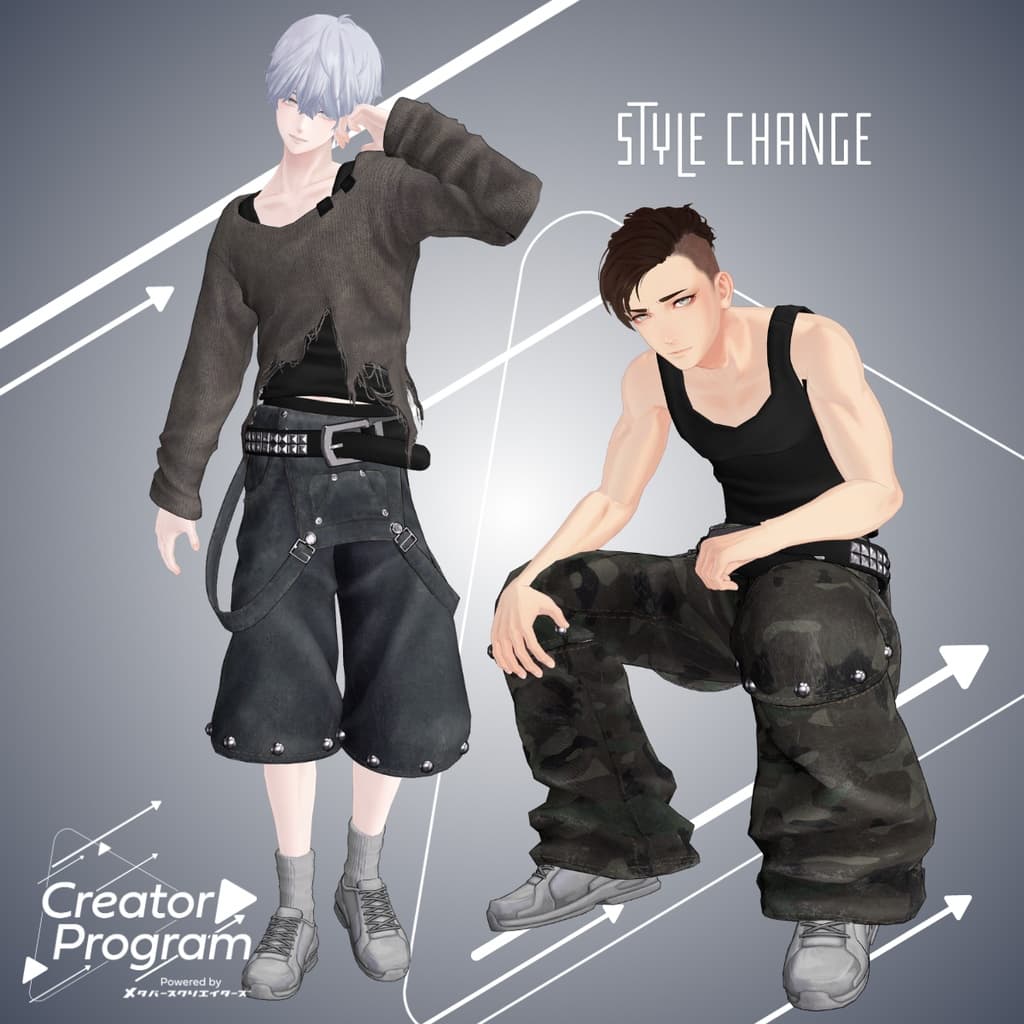
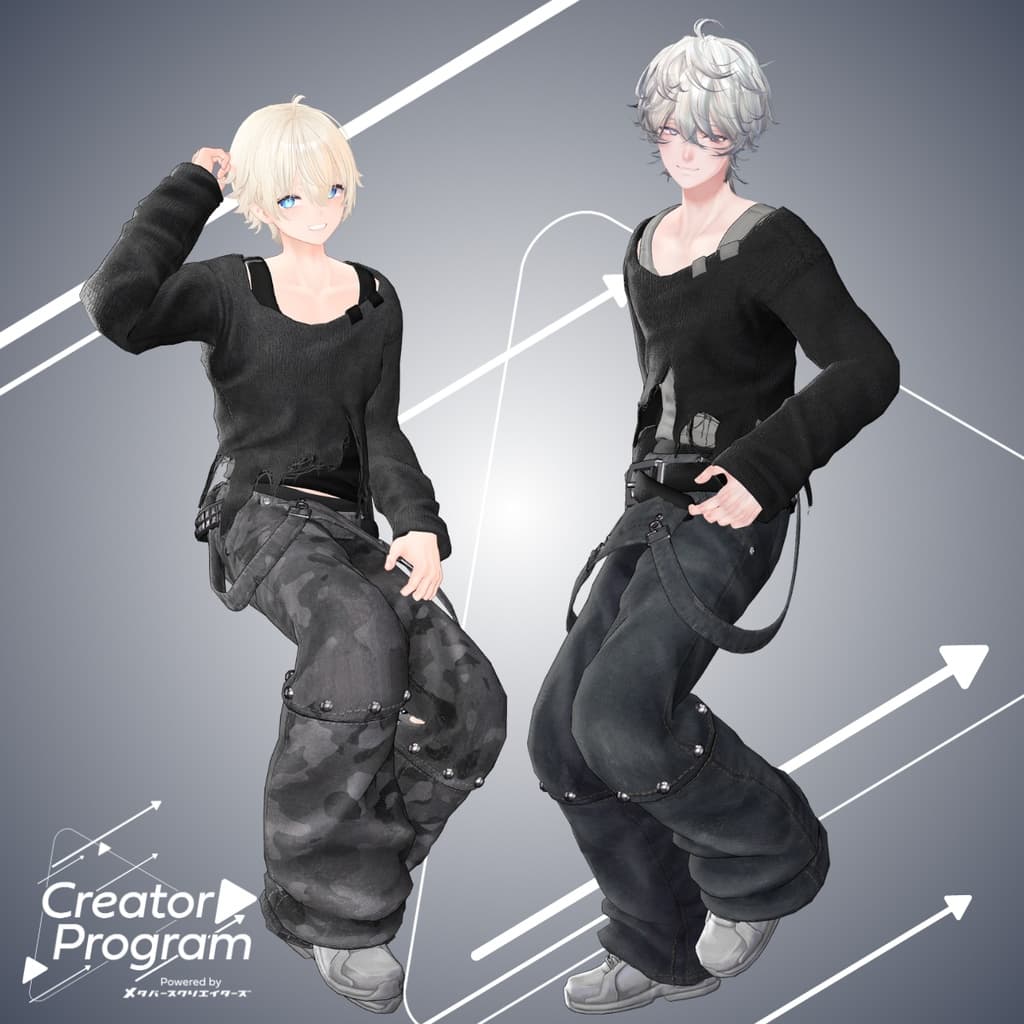
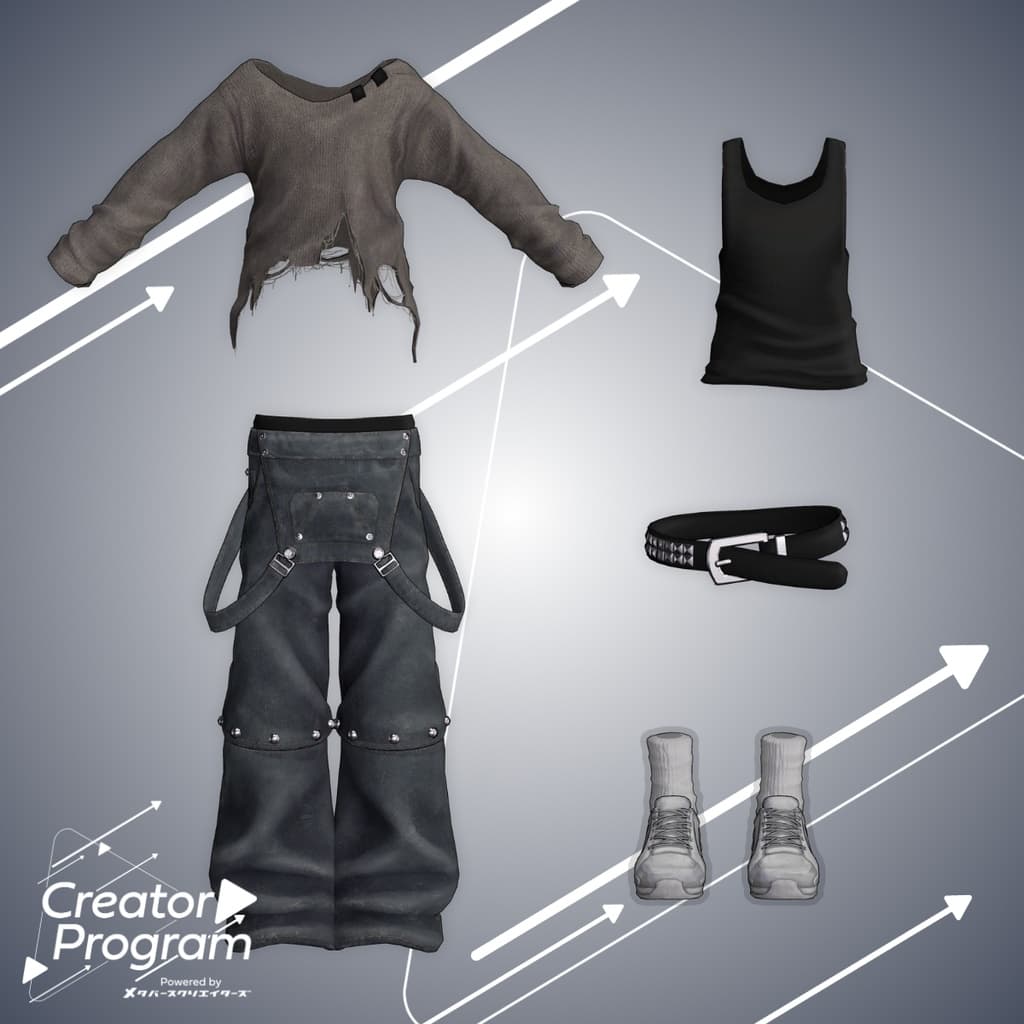
A stylish layered outfit featuring a worn knit top and wide pants with the suspenders removed, creating a relaxed silhouette. The outfit allows for versatility — the knit can be removed to reveal a tank top, and the pants can be shortened to knee-length using shape keys. We hope you enjoy coordinating it for various scenes and moods.
Note:
This product is a clothing model for avatars. The base avatar data is not included.
Due to the nature of digital downloads, returns and refunds cannot be accepted. Please review the product description and Terms of Use before purchasing.
◆ Item Overview ● Contents
UNTHRDLayerSet_[VariationName].Unitypackage
PSD file for editing
ReadMe.txt (this document)
Shader Used
liltoon https://lilxyzw.booth.pm/items/3087170
Required Asset
Modular Avatar https://modular-avatar.nadena.dev/ja/docs/intro
● Model Data
Total Polygons: 26,973 ├ Knit: 5,379 ├ Pants: 10,508 ├ Tanktop: 1,430 ├ Belt: 3,918 ├ Shoes: 5,008 └ Socks: 780
Meshes: 6
Materials: 5
PB Components: 4
PB Colliders: 2
Constraints: 5
Import Folder: Assets > MetaverseCreators_CP > IMTHRA > UNTHRDLayerSet
◆ Supported Avatars
Minase (for VRChat) #Minase3D https://booth.pm/ja/items/4013951
Komano (Original 3D Model) https://booth.pm/ja/items/5260363
Kuuta (Original 3D Model) #Kuuta3D https://booth.pm/ja/items/4897493
Tsuranari the Corporate Slave (Chinhan-tei shared body) https://booth.pm/ja/items/5498540
Bokusei (PlusHead body) https://booth.pm/ja/items/5727810
Hyakko – by Niyami https://booth.pm/ja/items/6328134
Kanata & Konata #BLUESTELLA https://bluestella1127.booth.pm/items/6813995
Hanka – by Studio YONO https://studioyono.booth.pm/items/6970249
When dressing the avatar, a shape key that hides the body (turning it stick-like) is used.
◆ Installation Instructions
Set up the latest VRC SDK using VCC.
Install the required assets (liltoon, Modular Avatar) via VCC.
Import the latest package of the avatar base model.
Import this outfit’s Unity package.
Drag and drop the avatar (or its outfit/customization prefab) into the Scene’s Hierarchy.
Hide or mark as Editor Only any unnecessary clothing (e.g., default outfit or underwear).
Drag and drop UNTHRDLayerSet_[AvatarName].Prefab directly under the avatar.
Upload the avatar using VRC SDK.
Note: This outfit uses Modular Avatar’s “MA Shape Changer” feature. When the outfit is placed under the avatar, the avatar’s shape keys automatically activate — either slimming the body or hiding certain mesh areas — to prevent clipping between the outfit and the base body.
If you wish to use only parts of the outfit, you can delete unnecessary “MA Shape Changer” components attached to the parent object as desired.
For +Head avatars, some body mesh names may differ (this data uses “PlusHead” as the mesh name). If the component does not function properly, please rename the avatar’s mesh or adjust the shape keys manually.
If any part of the avatar body becomes unintentionally thin after dressing, reset the corresponding body shape keys to 0 and confirm that the body displays correctly.
When using the “Knit” object, an alpha mask for the base body is provided to prevent mesh clipping. Apply it to the corresponding material on the avatar’s body. (When wearing only the tank top, this mask is not required.) Please refer to the included reference image within the Unity package.
◆ Color Customization
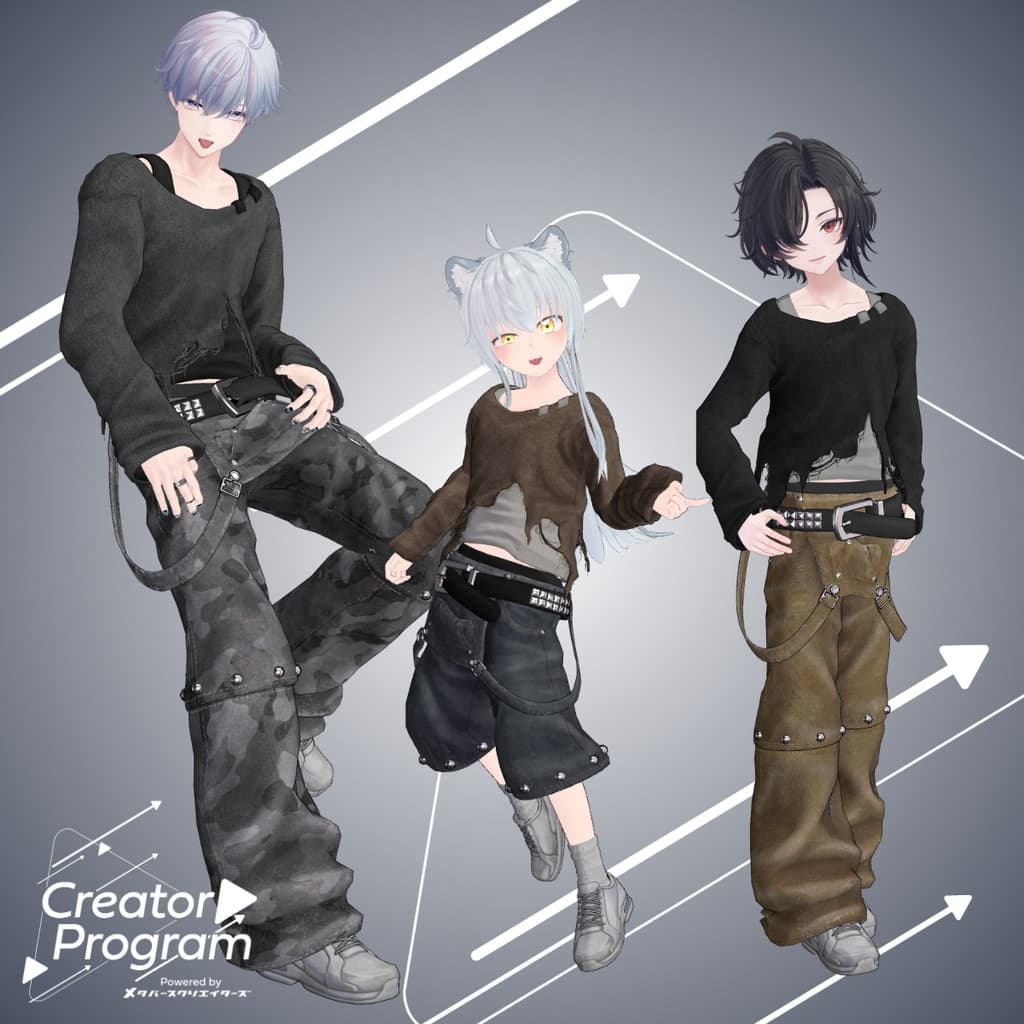
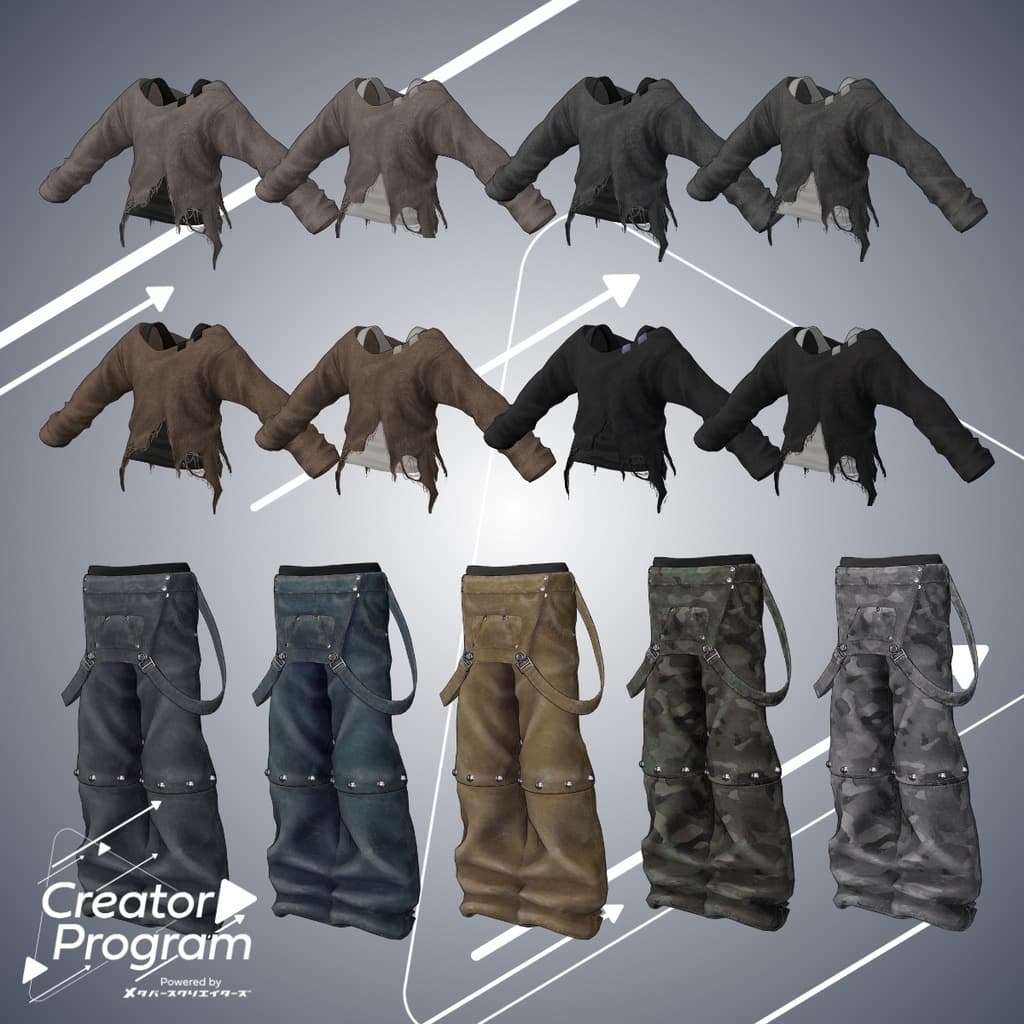
You can easily change color variations by dragging and dropping different materials from UNTHRDLayerSet > Common > Material directly onto the outfit model. You can also modify the included PSD file to create your own custom color variations.
◆ Terms of Use
https://drive.google.com/drive/folders/1qRMXoIxM1ZgacBPfwOigQRtXP1vCbNMn?usp=sharing
Please follow the usage terms of the base avatar you are applying this outfit to.
◆ Production Environment
Modeling: Blender Ver. 4.2.8
Texturing: Substance 3D Painter, Photoshop
Setup: Unity Ver. 2022.3.22f1
VRChat SDK – Avatars Ver. 3.7.6 (VCC)
liltoon 1.9.0
Modular Avatar 1.12.5
◆ Credits
Creator: imya
X (Twitter): @i_16Ya8
Personal BOOTH: https://i16ya8.booth.pm/
Support / Inquiries: Discord: https://discord.gg/bmw3PWE37M