

Cyberpunk No4224 Tech-wear Set - VRChat Men's Clothing / CP6
 MetaCreatorsTYO EN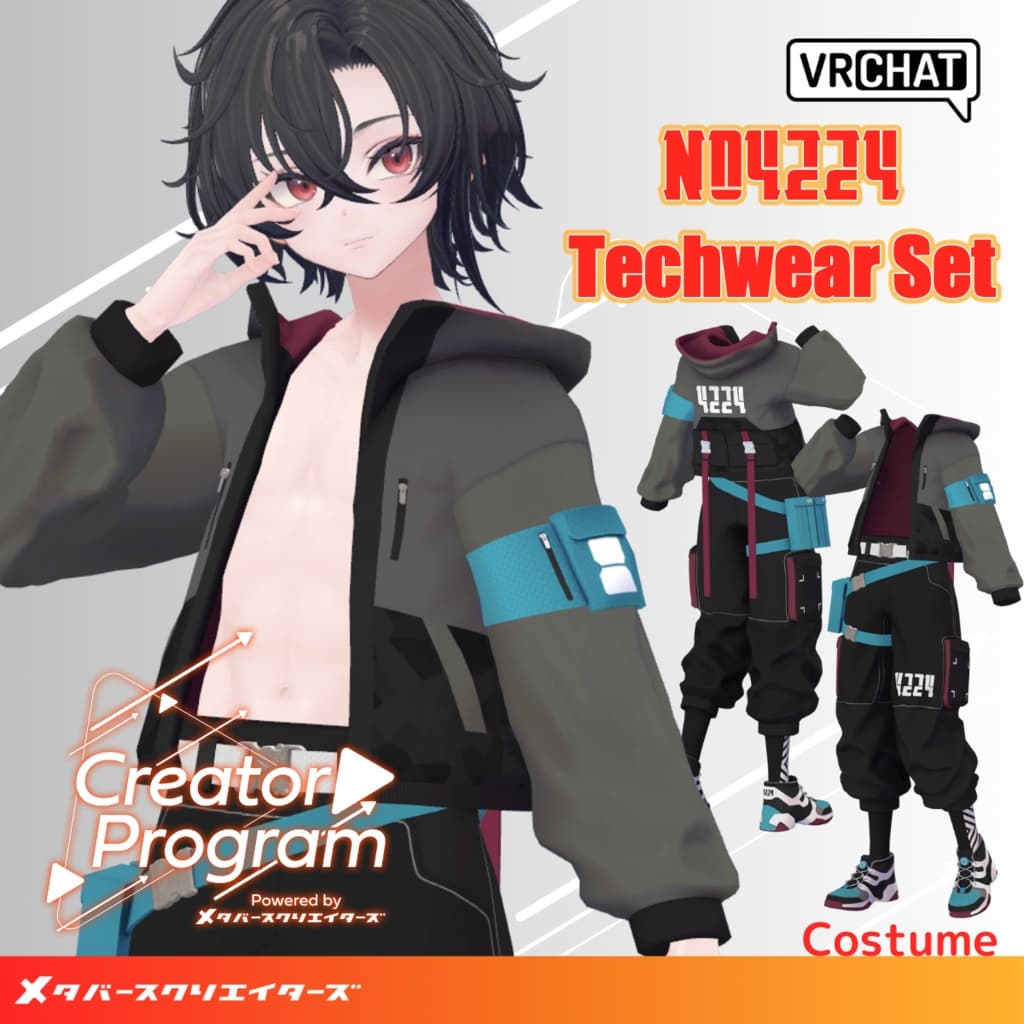
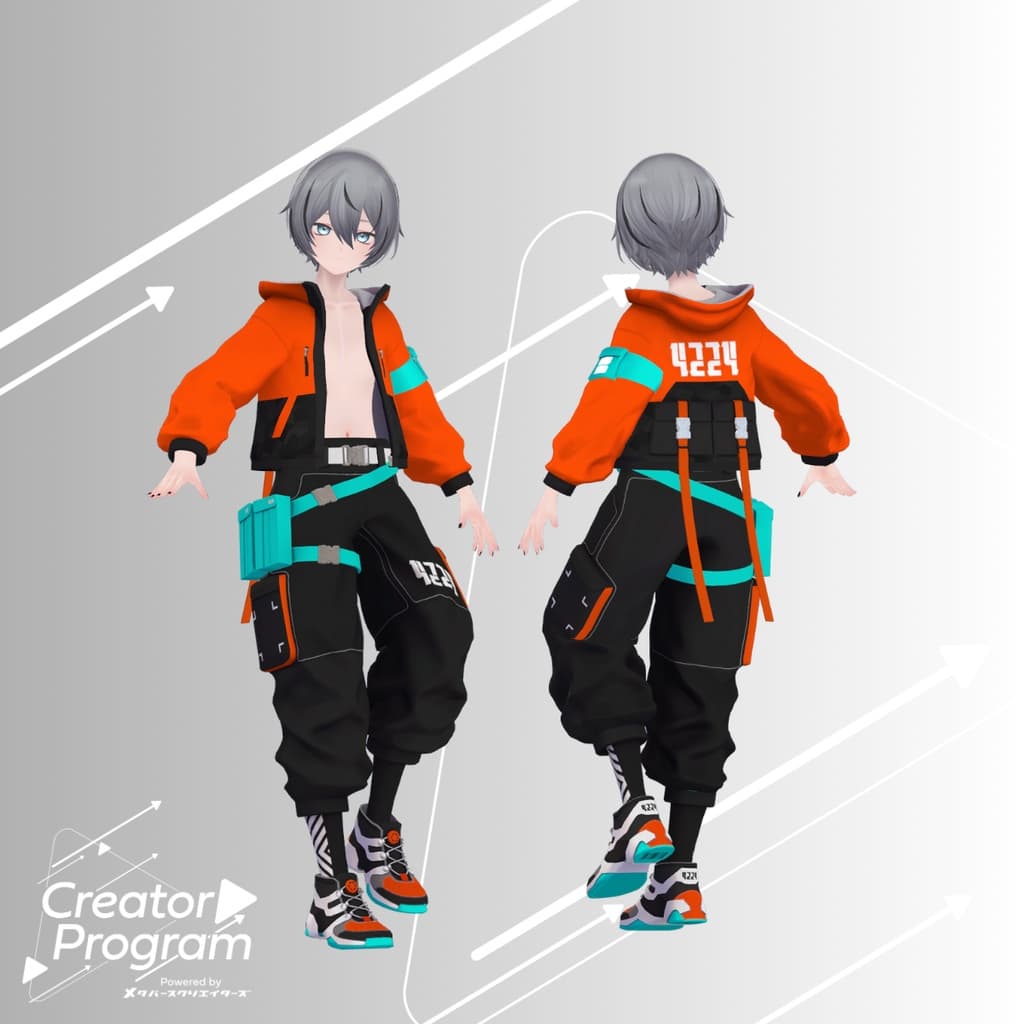
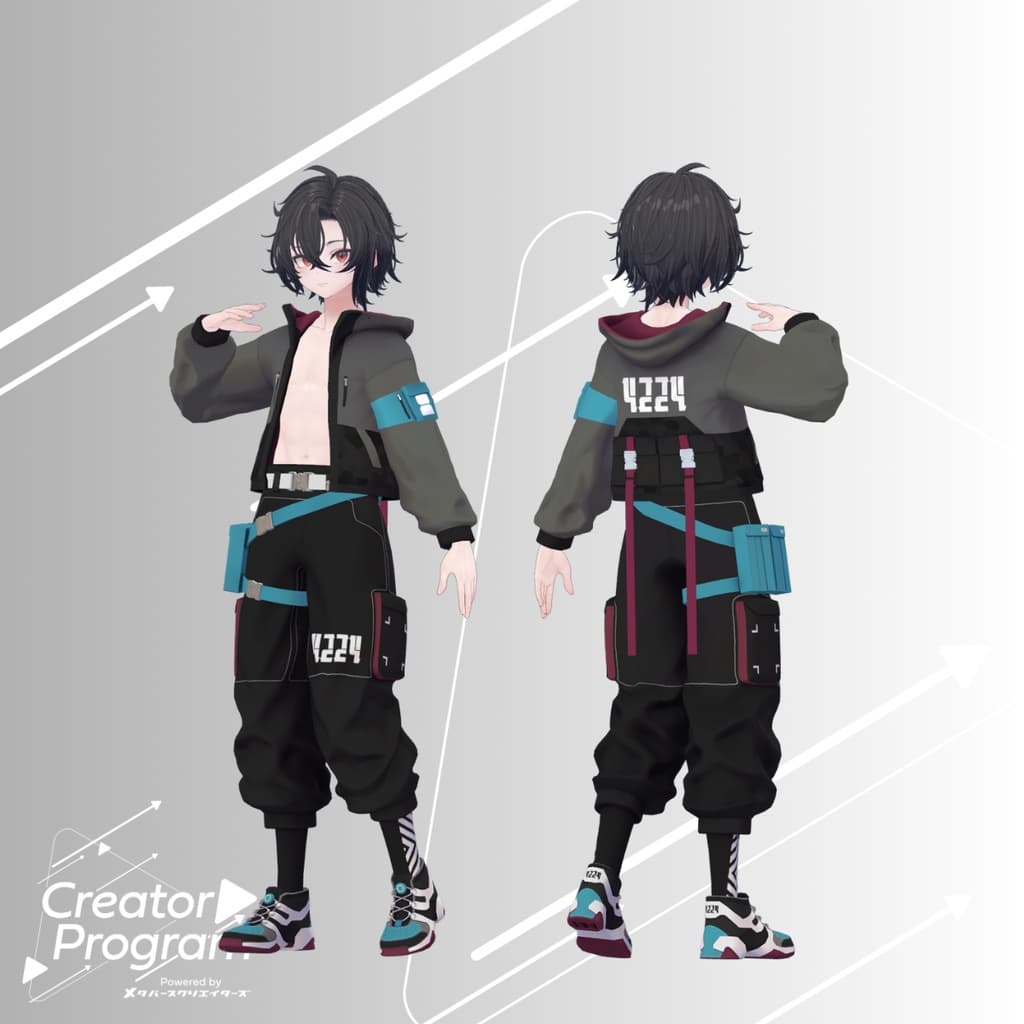
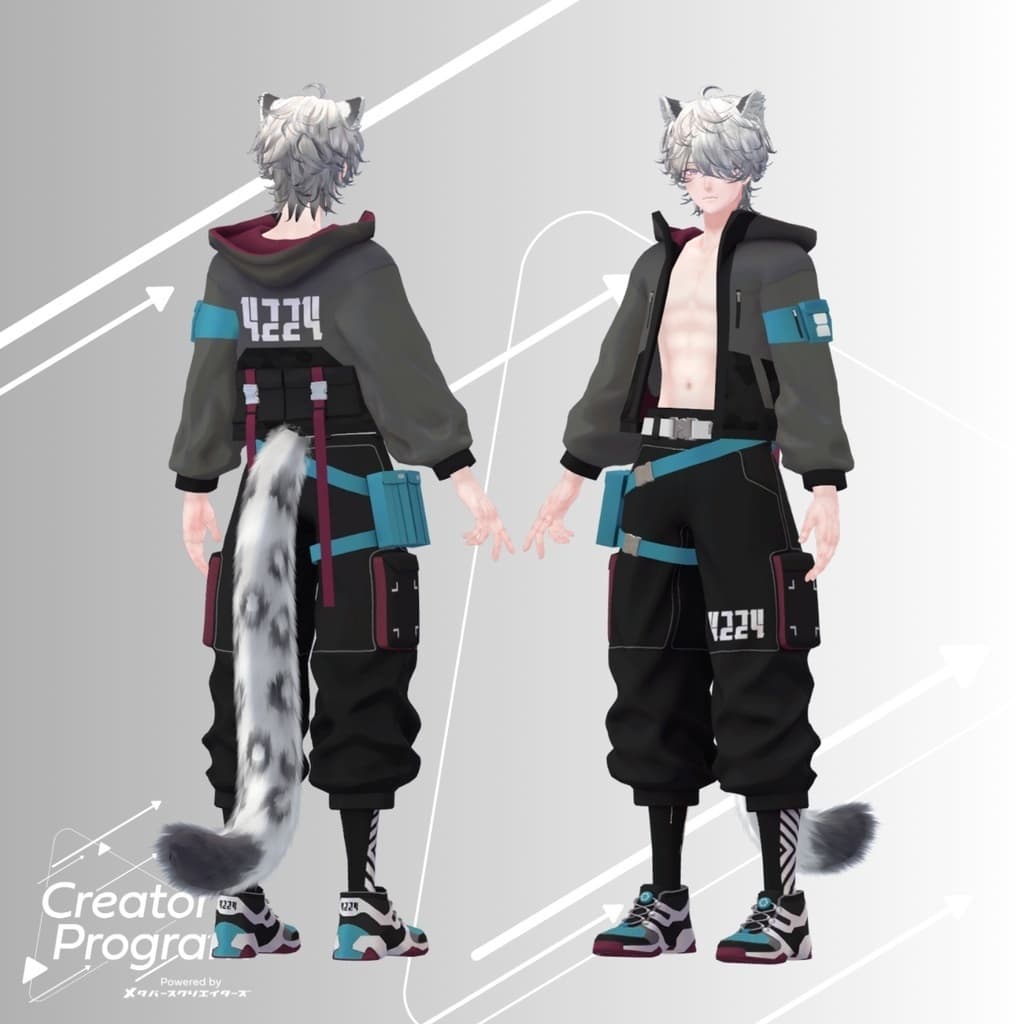
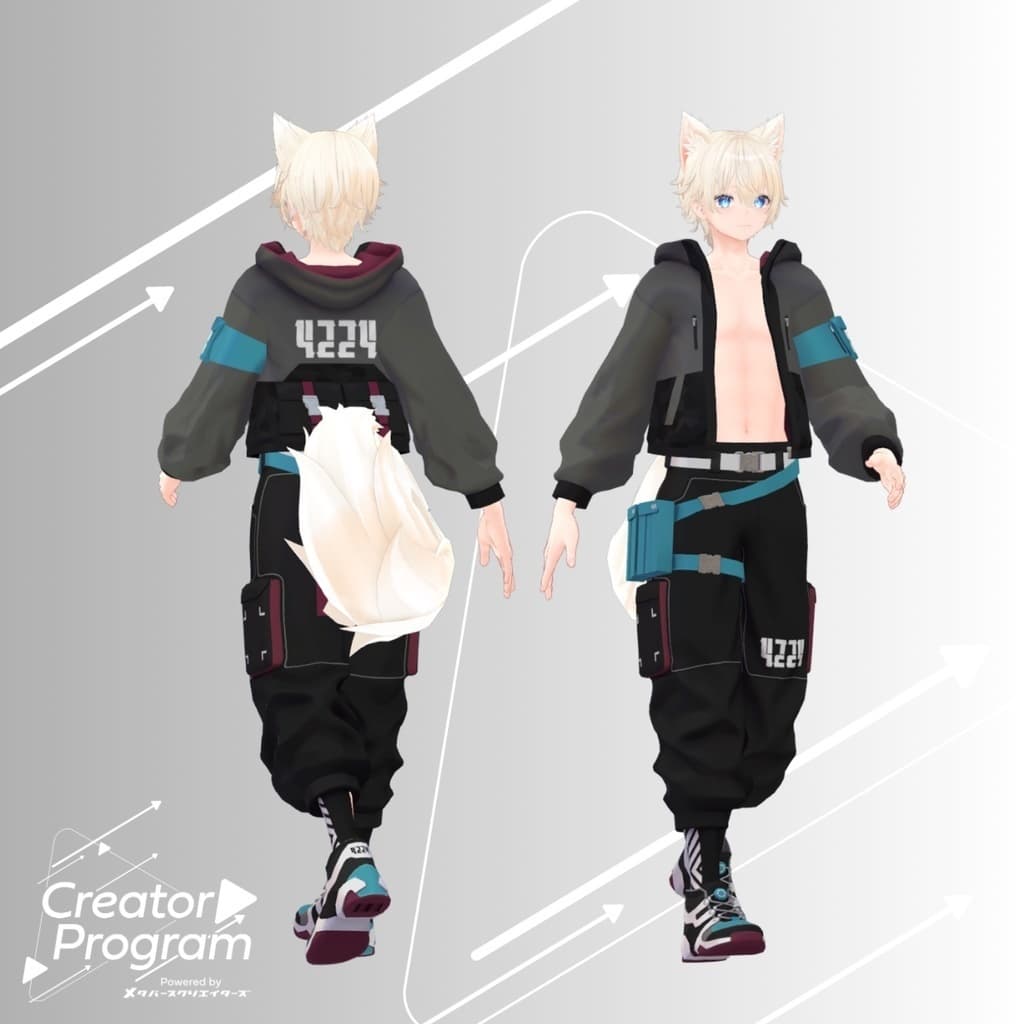
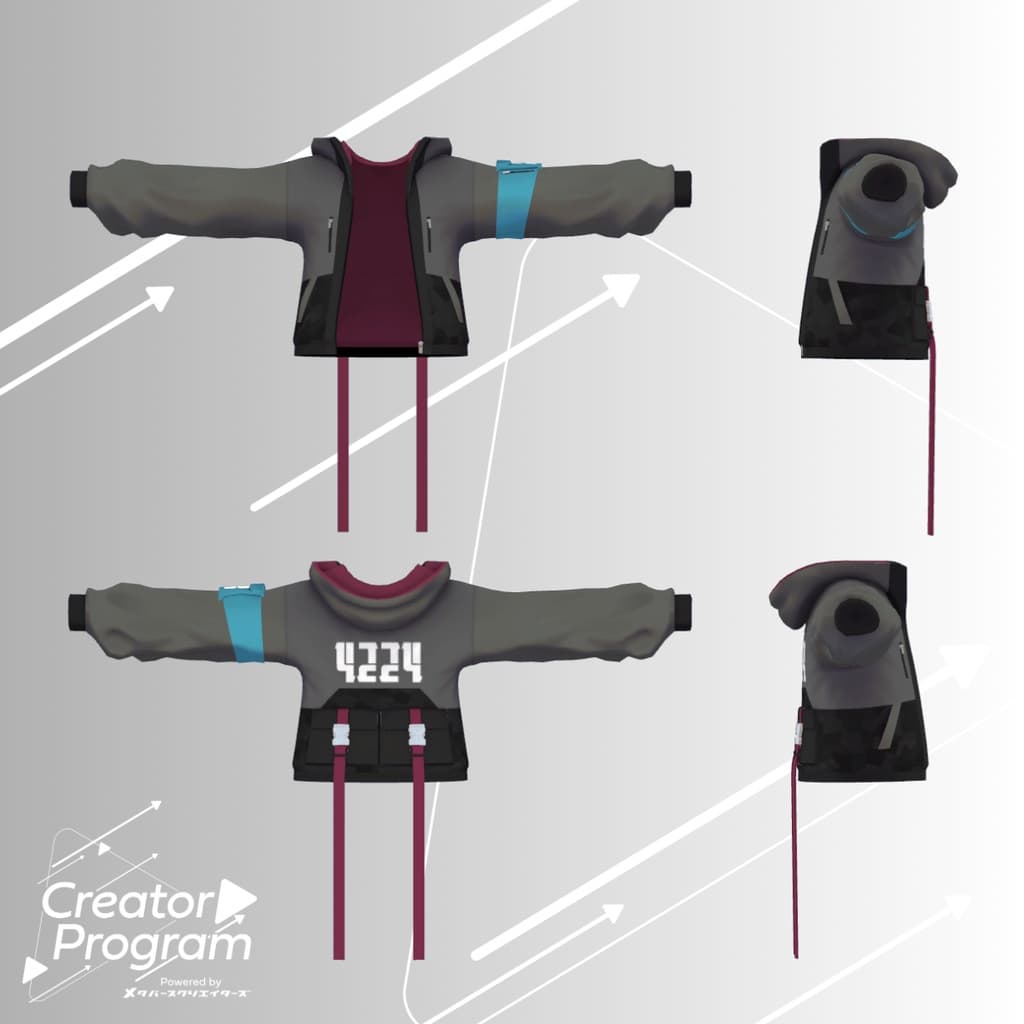
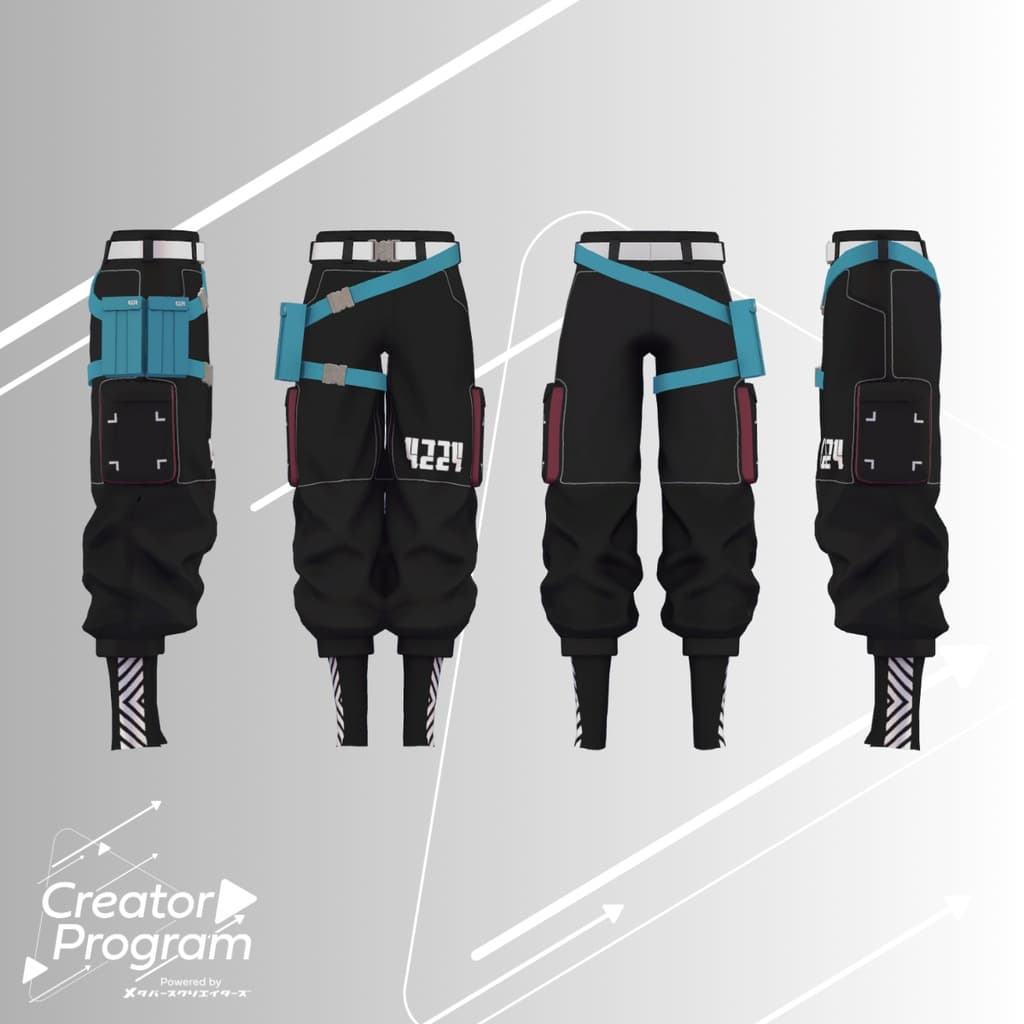
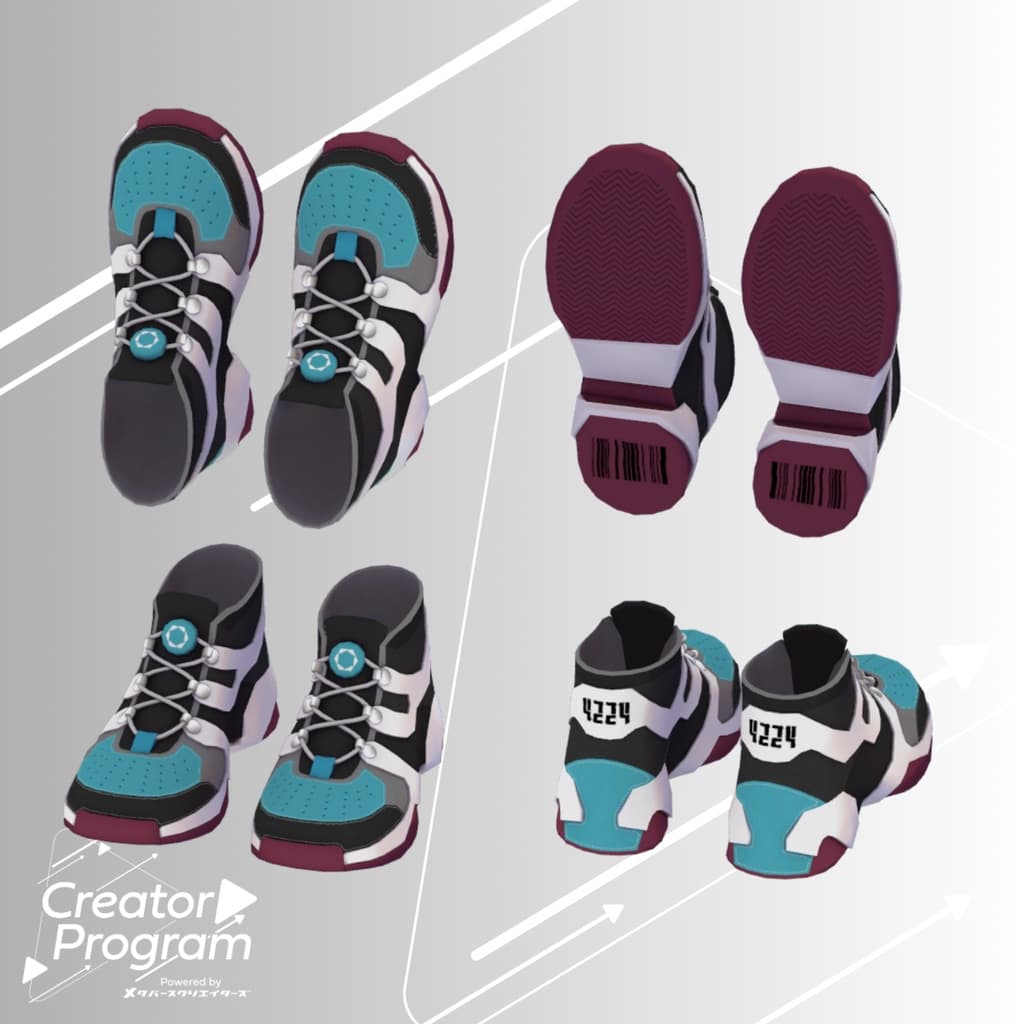
説明
◆ Cyberpunk No4224 Tech-wear Set ◆
Creator: Mikejin
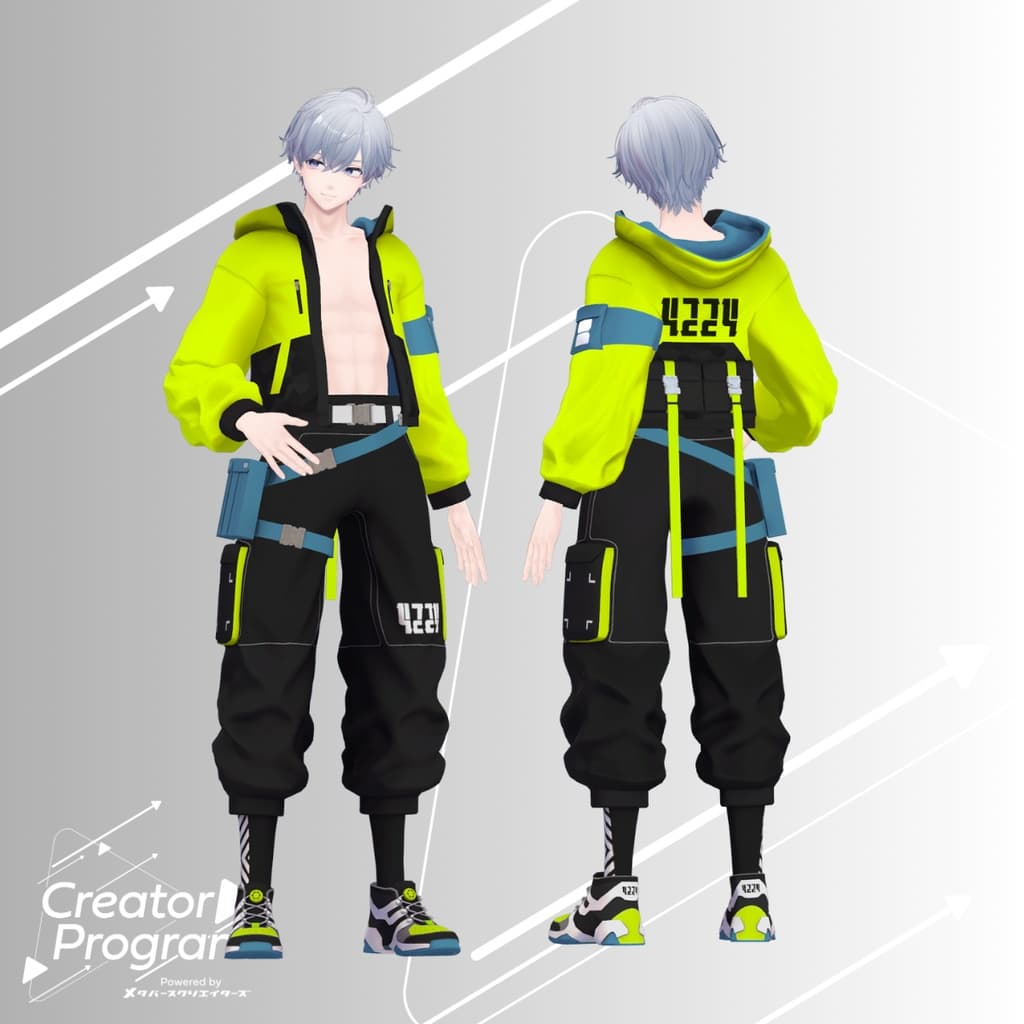
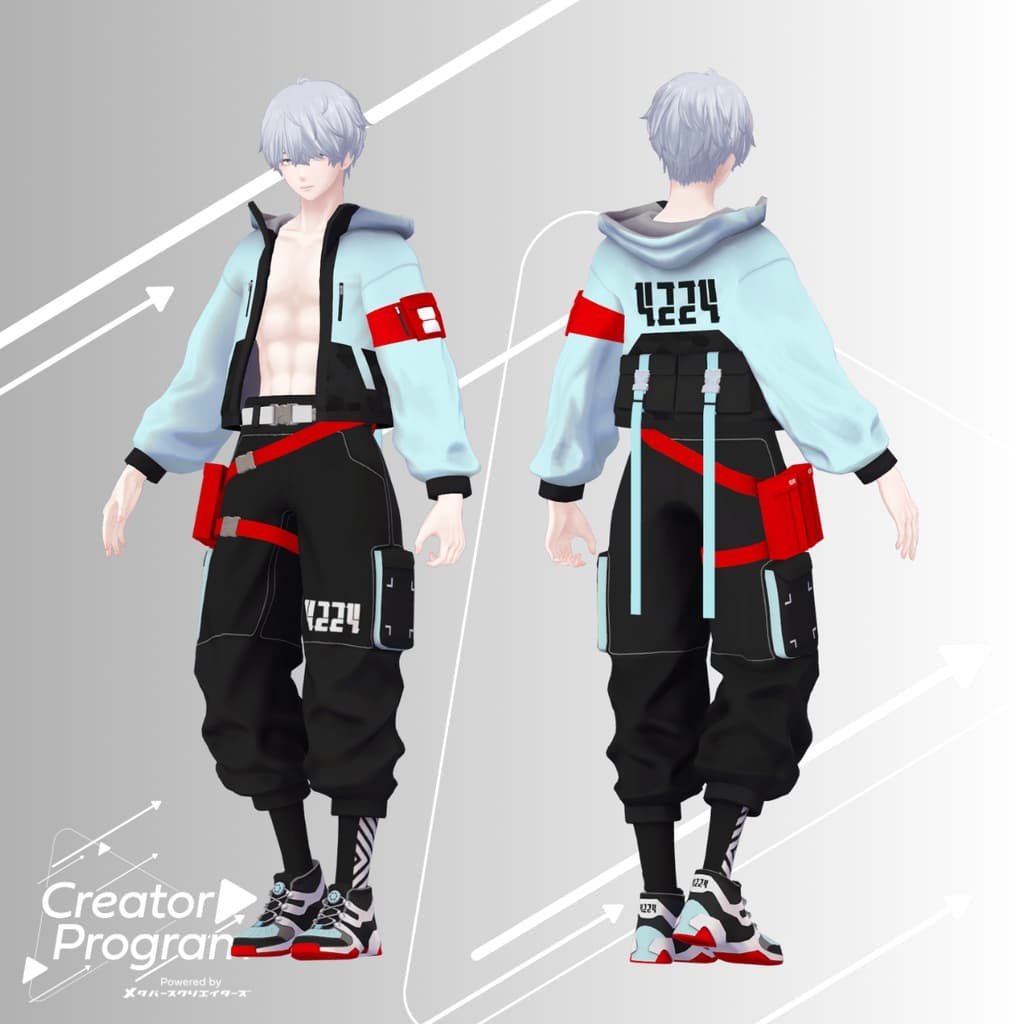
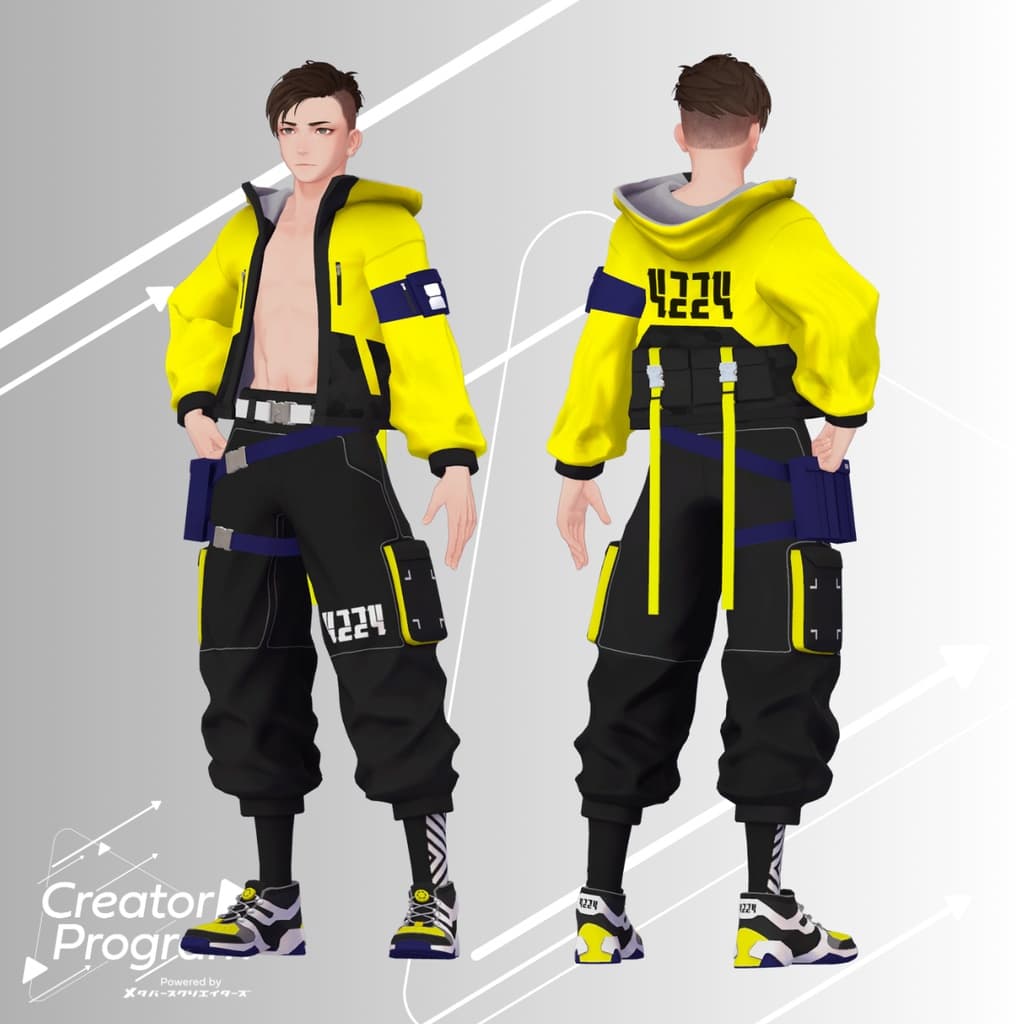
This data was created as part of the “Creator Program” project. No4224 is a fictional techwear brand that offers uniquely special designs, beautiful silhouettes, and a wide variety of color options.
⚠️ Notes:
This product is an avatar clothing model. The avatar body itself is not included.
Due to the nature of digital downloads, returns and refunds are not possible. Please review and agree to the product description and Terms of Use before purchasing.
◆ Item Overview
Contents
No4224Techwear_◯◯.Unitypackage (◯◯ indicates variation name)
PSD/CLIP files for editing
ReadMe.txt (this document)
Shader Used
liltoon
Required Assets
Modular Avatar
Model Data
△ Polygon Count: Total 32,598 ├ Jacket: 9,676 ├ Bottoms: 15,514 └ Shoes: 7,408
Mesh Count: 3
Material Count: 3
PB Component Count: 1
Import Folder Path Assets > MetaverseCreators_CP > Mikejin_MIKEYA3D > No4224Techwear
◆ Supported Avatars
Minase (for VRChat) #Minase3D https://booth.pm/ja/items/4013951
Original 3D Model: Komano https://booth.pm/ja/items/5260363
Original 3D Model: Kuuta #Kuuta3D https://booth.pm/ja/items/4897493
Original 3D Model: “Shachiku no Tsuranari-san” (Chinshokutei shared body) https://booth.pm/ja/items/5498540
Original 3D Model: Bokusei (PlusHead body) https://booth.pm/ja/items/5727810
⚠️ When equipping the clothing, a shape key that hides the avatar body (making the body rod-like) is used.
◆ Installation Steps
Set up the latest version of the VRChat SDK in VCC.
Install required assets (liltoon, Modular Avatar) via VCC.
Import the latest package of the target avatar.
Import this clothing package.
Drag and drop the avatar (or prefab for customization/wardrobe change if available) into the Scene Hierarchy.
Hide or set to Editor Only any unnecessary clothing on the avatar (default outfits, underwear, etc.).
Drag and drop No4224Techwear_[AvatarName].Prefab under the avatar in the Hierarchy.
Upload the avatar via the VRChat SDK.
⚠️ This outfit uses the “MA Shape Changer” feature from Modular Avatar.
When dragged under the avatar, the avatar’s body shape key is automatically toggled, slimming the body or hiding meshes in specific areas so the outfit won’t clip with the avatar body.
If you only want to use part of the outfit, remove unnecessary “MA Shape Changer” settings from the parent object as desired.
⚠️ For +Head avatars, the MA Shape Changer may not function correctly if the mesh names differ (this data uses “PlusHead” as the mesh name). In that case, adjust manually by renaming the body mesh or toggling shape keys by hand.
◆ Terms of Use
Usage Policy
Please also comply with the terms of the base avatar model.
◆ Production Environment
Modeling: Blender Ver4.1.0
Texturing: CLIP STUDIO PAINT
Setup: Unity Ver2022.3.22f1 VRChat SDK - Avatars Ver3.7.3 (VCC) liltoon Ver1.8.5 Modular Avatar Ver1.11.1
◆ Credits
Creator: Mikejin
Website: https://www.mikeya3d.com/
BOOTH (personal): https://powermohumohu.booth.pm/
Some outfit textures use fonts by Yuta ONE (X: @yuta_ptv) https://booth.pm/ja/items/2909722
Support / Inquiries https://discord.gg/bmw3PWE37M