

DustyLaceUp Streetwear - VRChat Men's Clothing / CP7
 MetaCreatorsTYO EN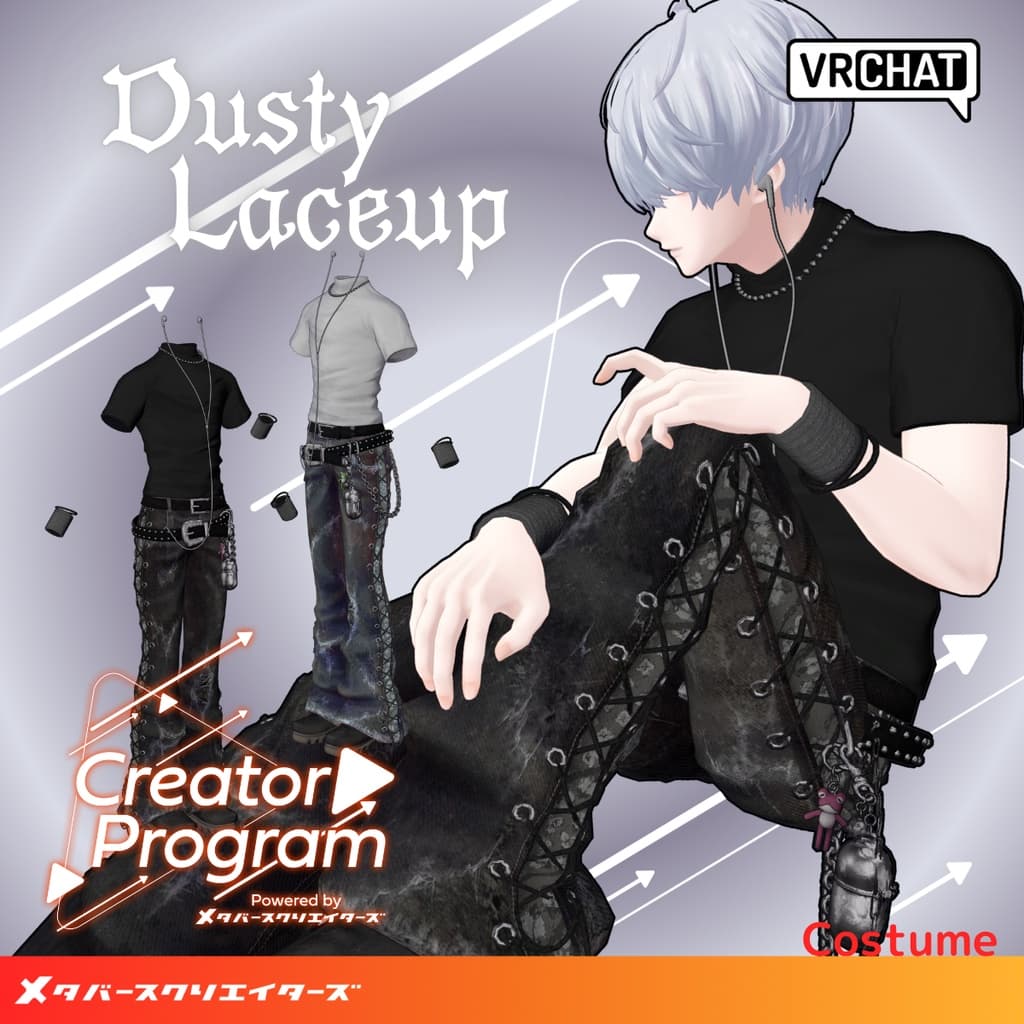
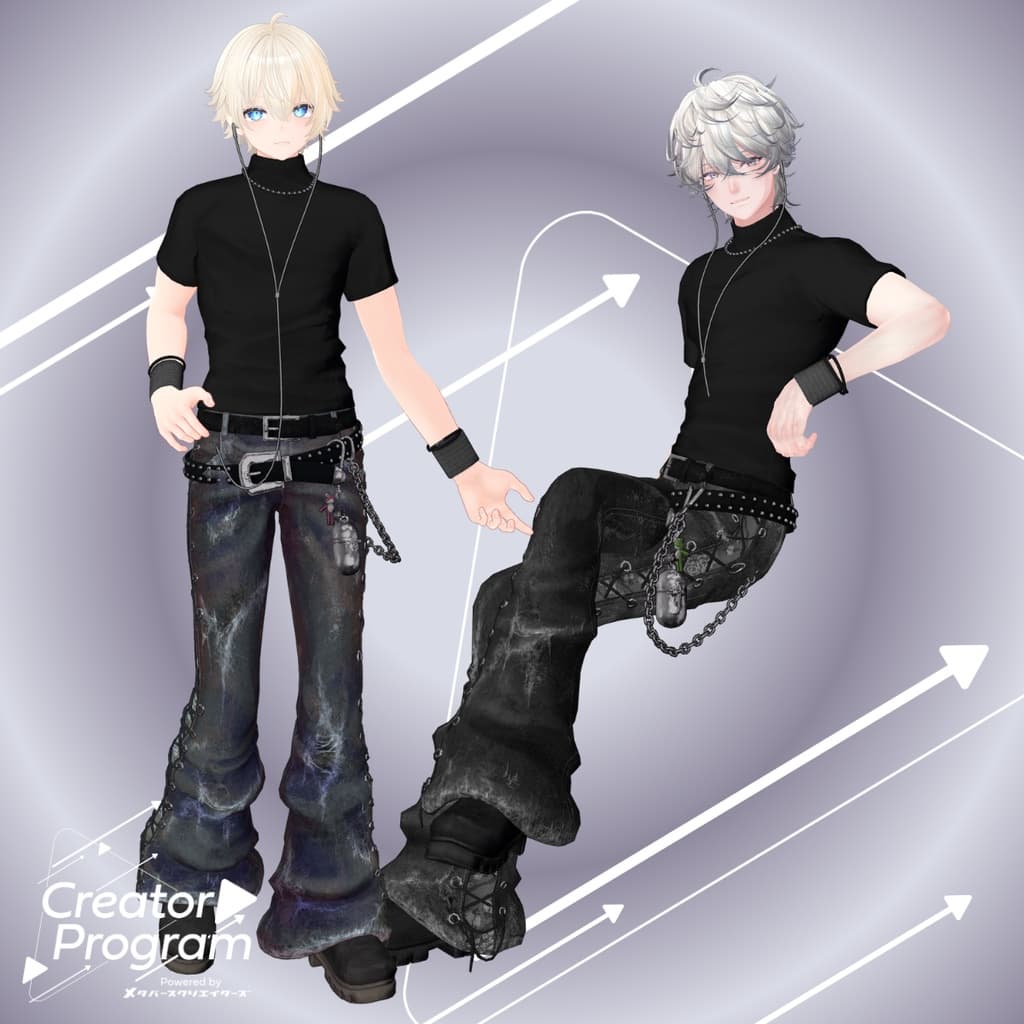
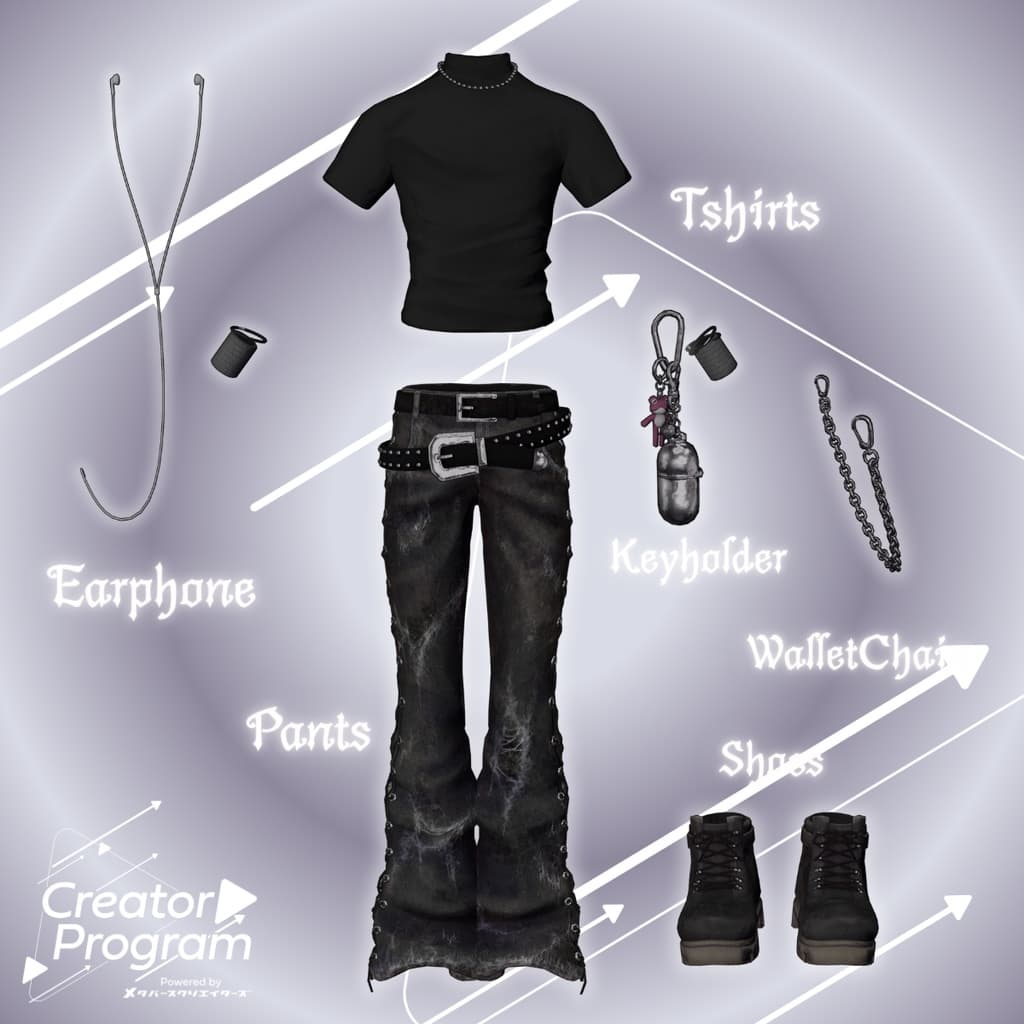
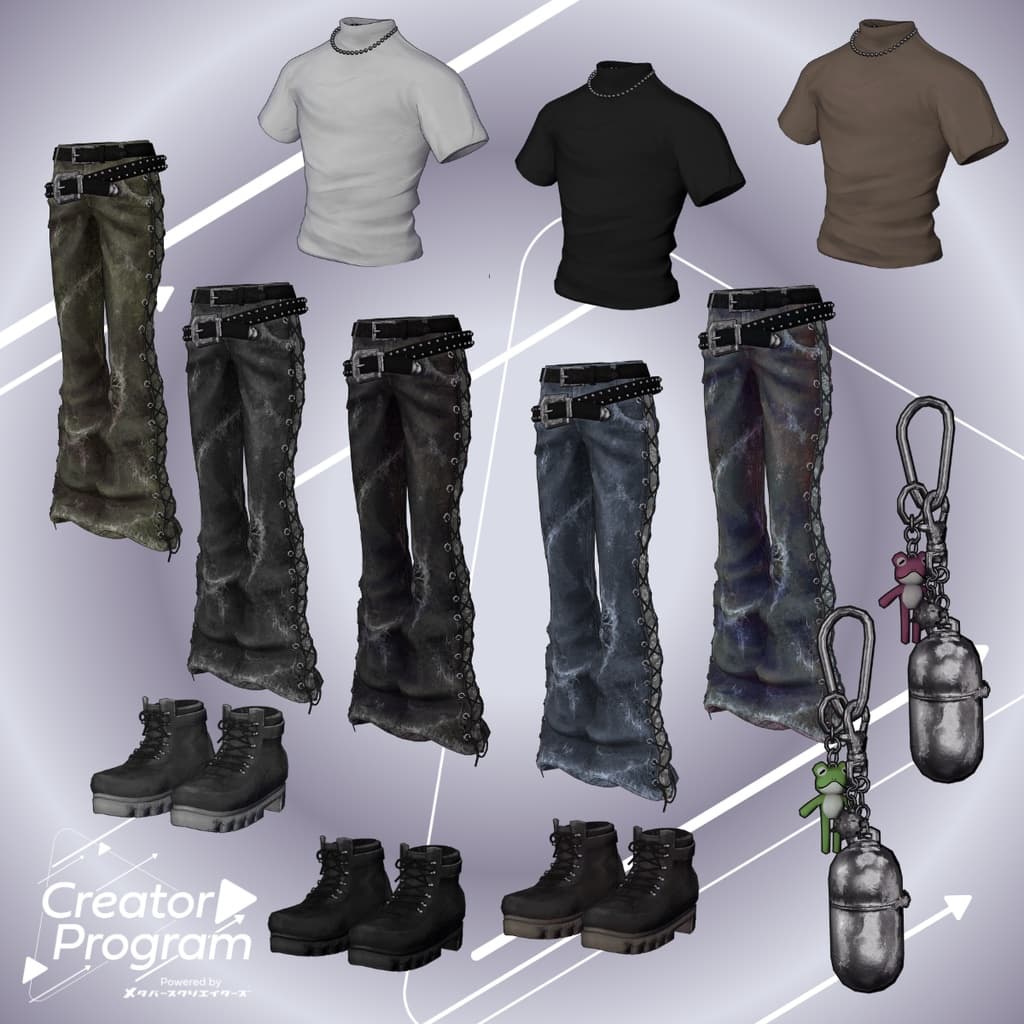
説明
◆ DustyLaceUp ◆
Creator: imya
This outfit was created as part of the “Creator Program” project.
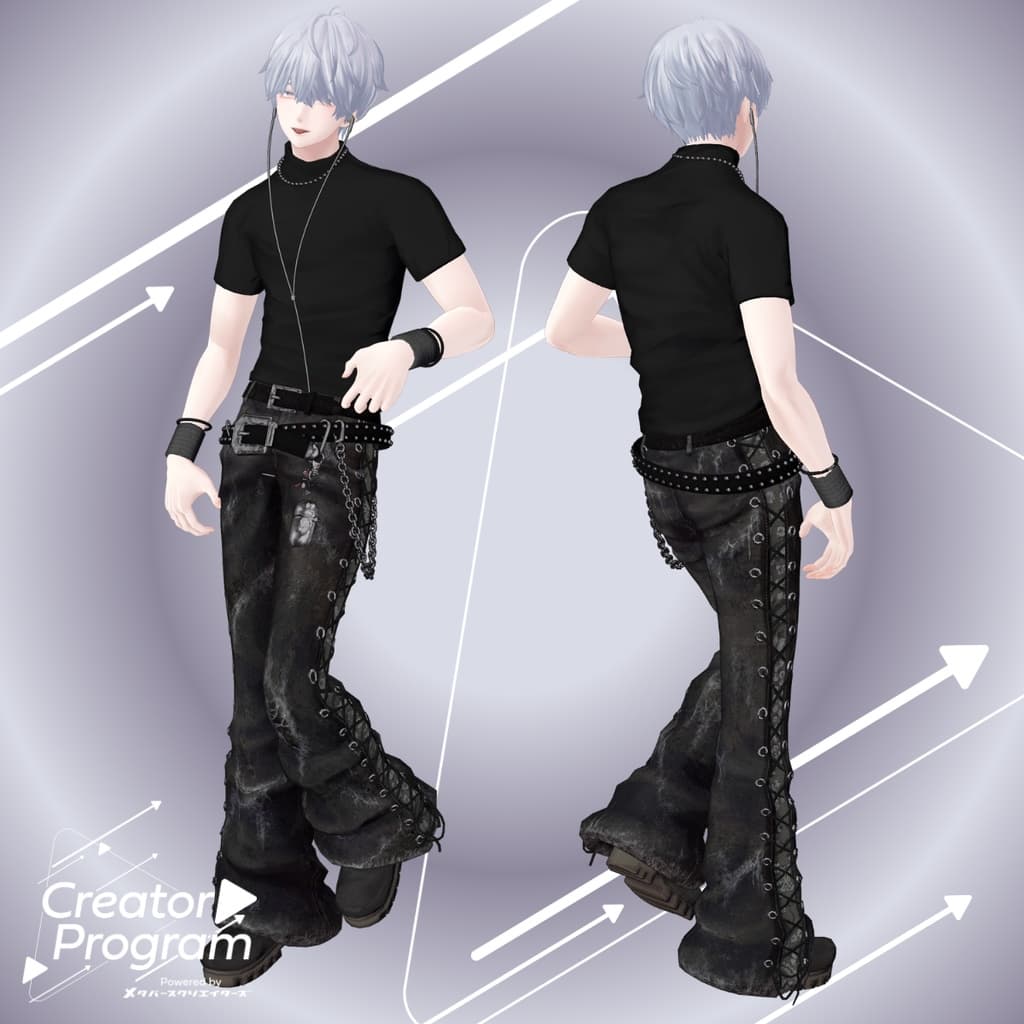
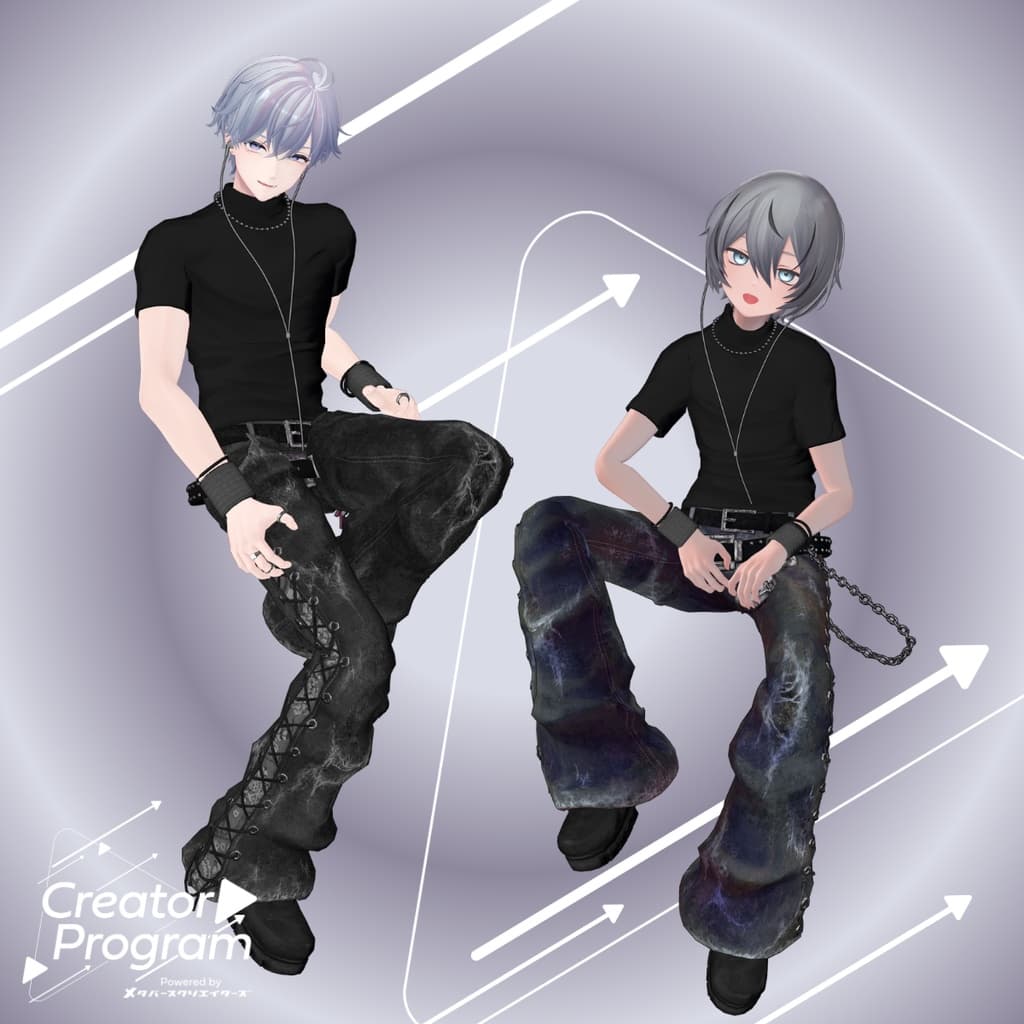
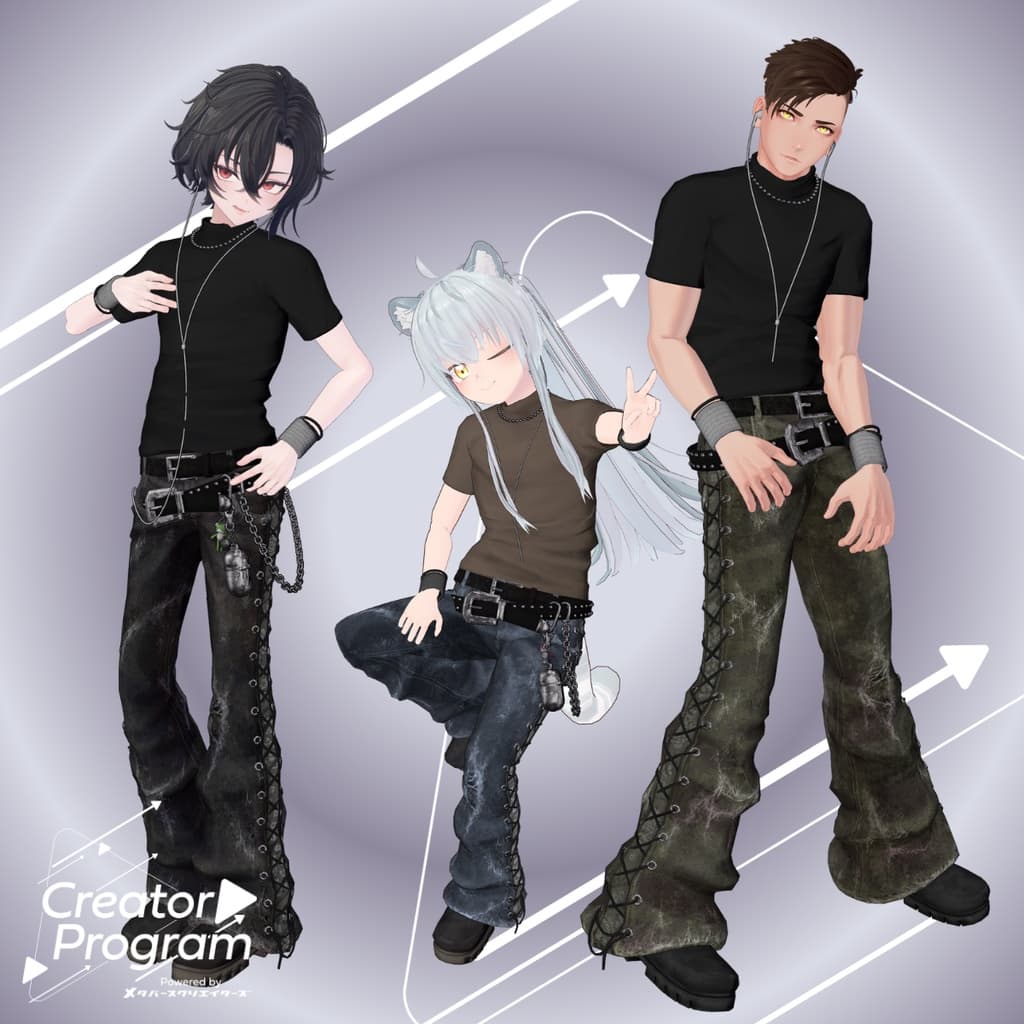
A simple, fitted T-shirt paired with cute lace-up flare pants makes for a stylish coordination.
※This product is a clothing model for avatars. The avatar body itself is not included. ※Due to the nature of downloadable products, returns and refunds are not possible. Please read and agree to the product description and terms of use before purchasing.
◆ Item Overview
Contents
DustyLaceUp◯◯.Unitypackage (◯◯ indicates the variation name)
PSD file for editing
ReadMe.txt (this document)
Shader Used
liltoon https://lilxyzw.booth.pm/items/3087170
Required Asset
Modular Avatar https://modular-avatar.nadena.dev/ja/docs/intro
Model Data
△Polygon count: total 38,549 polygons ├ TShirts: 6,253 polygons ├ Pants: 16,102 polygons ├ Keyholder: 3,242 polygons ├ WalletChain: 5,230 polygons ├ Shoes: 6,338 polygons └ Earphone: 1,384 polygons
Meshes: 6
Materials: 4
PB Components: 4
PB Colliders: 2
Constraints: 2
Import folder Assets > MetaverseCreators_CP > IMTHRA > DustyLaceUp
◆ Compatible Avatars
Minase VRChat Avatar #Minase3D https://booth.pm/ja/items/4013951
【Original 3D Model】Komano https://booth.pm/ja/items/5260363
【Kuuta】Original 3D Model #Kuuta3D https://booth.pm/ja/items/4897493
Original 3D Model “Shachiku no Tsuranari-san” (Chinmeshitei Common Body) https://booth.pm/ja/items/5498540
【Original 3D Model】Bokusei (PlusHead Body) https://booth.pm/ja/items/5727810
“Hyakko” - by Niyami https://booth.pm/ja/items/6328134
【Original 3D Model】Kanata & Konata #BLUESTELLA https://bluestella1127.booth.pm/items/6813995
【Original 3D Model】Hanka https://studioyono.booth.pm/items/6970249
※When dressing the outfit, shape keys that hide the base body (making it rod-like) are used.
◆ Installation Steps
Set the latest VRC SDK in VCC.
Install the required assets (liltoon, Modular Avatar) in VCC.
Import the latest package of the avatar body.
Import this outfit’s package.
Drag and drop the avatar (or the outfit/customization prefab, if available) into the Scene Hierarchy.
Hide or set to Editor Only any unnecessary clothing (default outfits or underwear) as needed.
Drag and drop “UNTHRDLayerSet_AvatarName.Prefab” directly under the avatar.
Upload the avatar via VRC SDK.
※This outfit uses the “MA Shape Changer” function of Modular Avatar. When the outfit prefab is placed under the avatar, the avatar’s shape keys will automatically activate: slimming down the body or hiding mesh parts that would interfere with the outfit. If you want to use only part of the outfit, you can delete unnecessary “MA Shape Changer” settings attached to the outfit parent object.
※For +Head avatars, differences in mesh names (this data is set as PlusHead) may prevent the component from working correctly. In such cases, please adjust manually by renaming the mesh or toggling shape keys.
※If parts of the body are unintentionally slimmed down after dressing, reset the corresponding body shape key to 0 and check that the body is displayed correctly.
◆ Recoloring
Replace the outfit’s material directly by drag-and-dropping the desired color variation material from DustyLaceUp > Common > Material onto the model. You can also use the included PSD file to modify colors to your preference.
◆ Terms of Use
https://drive.google.com/drive/folders/1qRMXoIxM1ZgacBPfwOigQRtXP1vCbNMn?usp=sharing
※Please comply with the terms of the base avatar when using.
◆ Production Environment
Modeling: Blender Ver4.2.8
Texturing: Substance 3D Painter, Photoshop
Setup: Unity Ver2022.3.22f1 VRChat SDK - Avatars Ver3.8.1 (VCC) liltoon 1.10.3 ModularAvatar 1.12.5
◆ Credits
Creator: imya
Twitter/X: https://x.com/i_16Ya8
BOOTH: https://i16ya8.booth.pm/ (Personal BOOTH)
Support & Inquiries https://discord.gg/bmw3PWE37M