

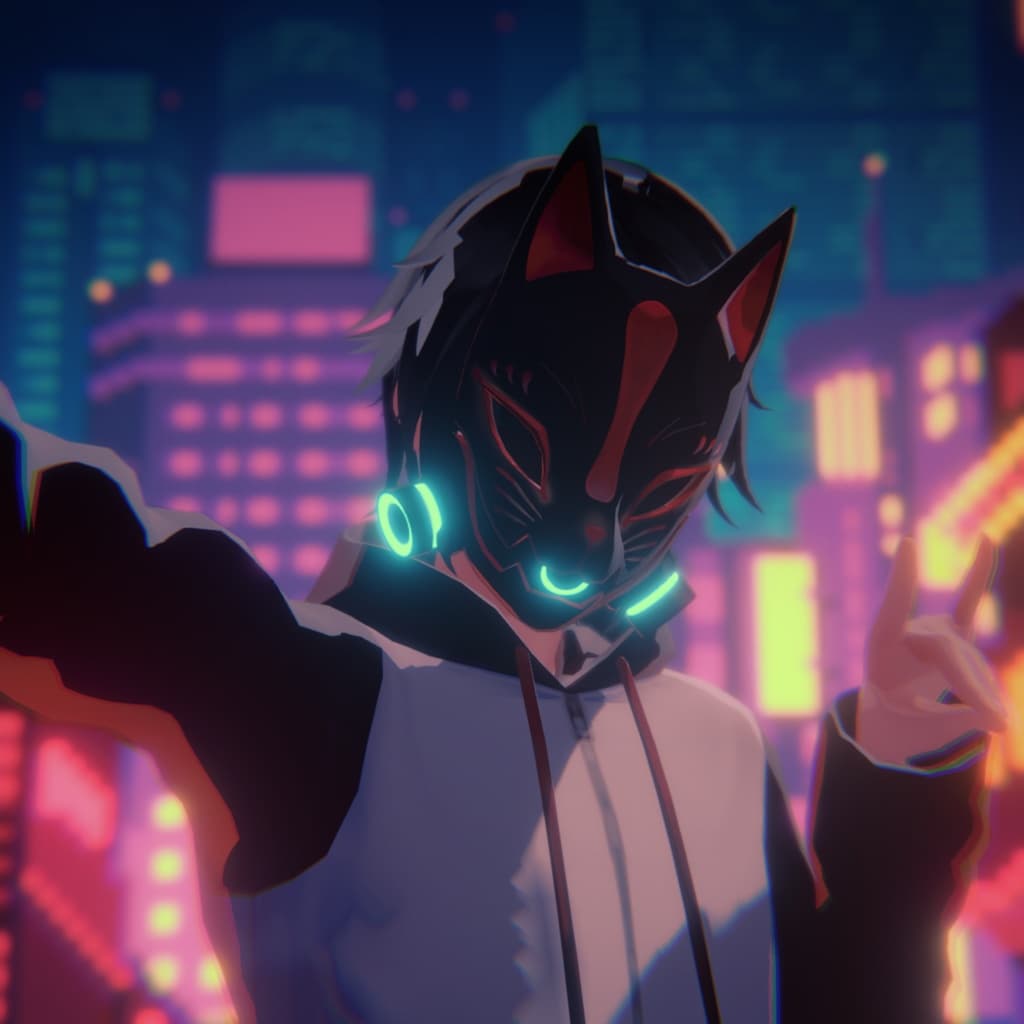
【VRC想定】狐面サイバーガスマスク【3Dアクセサリー】
 ❖翠ハル商店❖オリジナル3Dモデル「雪斗」販売開始しました!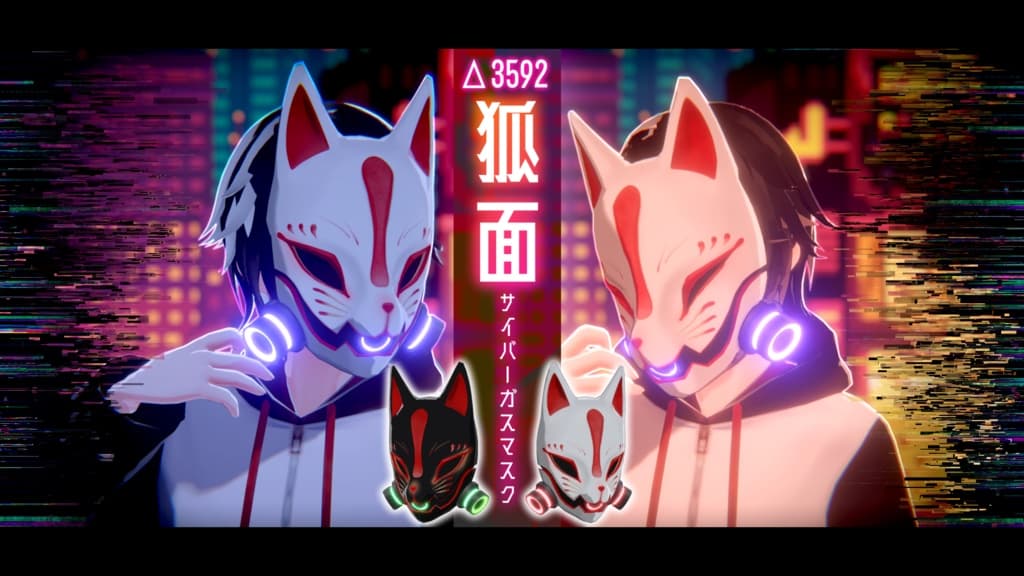
説明
❖翠ハル商店❖【第一弾】狐面サイバーガスマスク
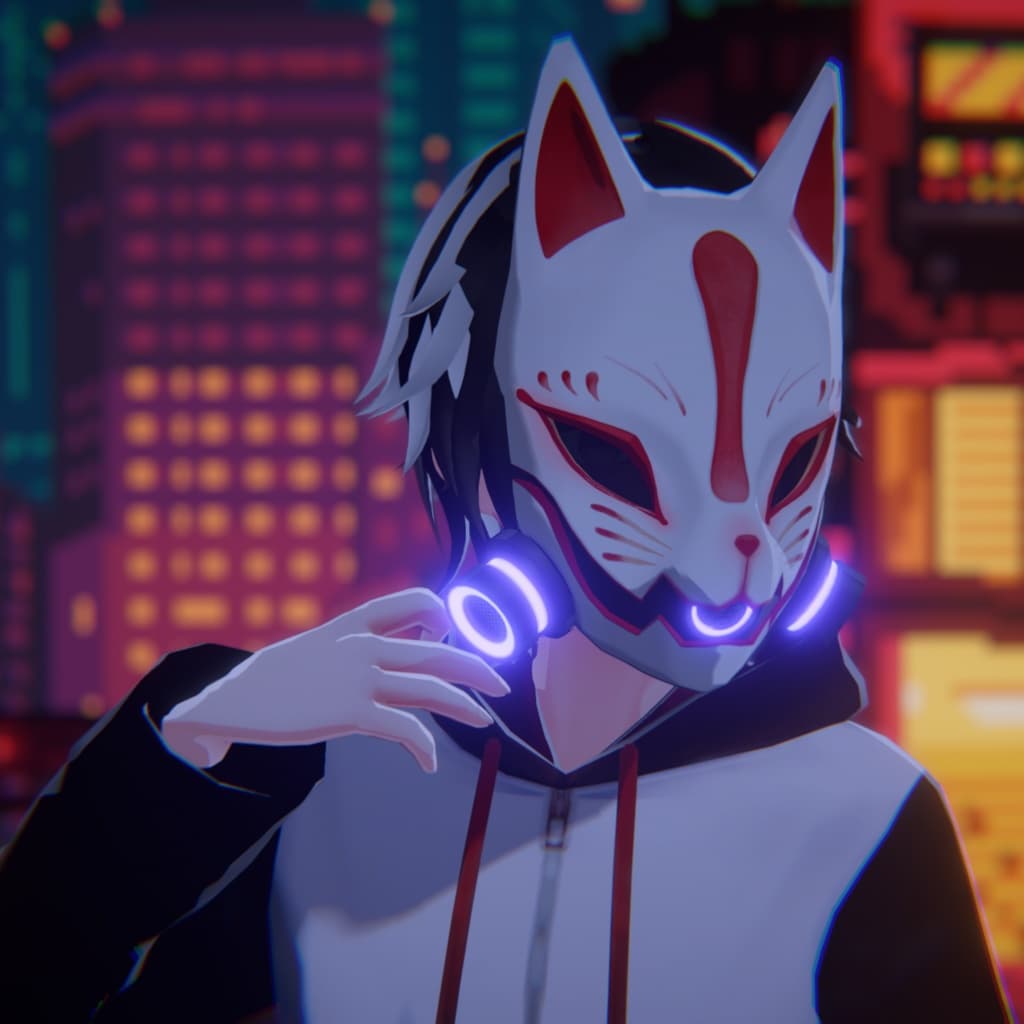
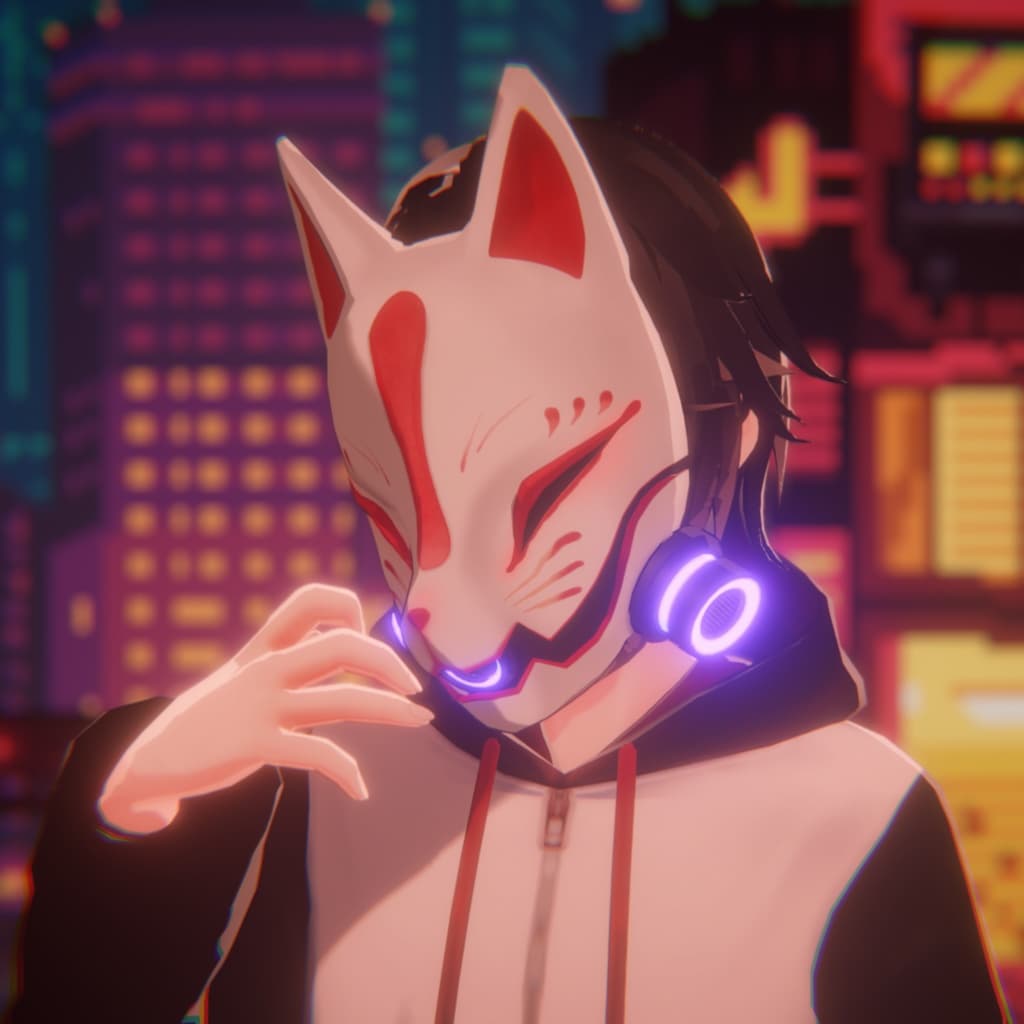
狐面×サイバー×ガスマスクのVRC想定の3Dアクセサリーになります。 ファッションアイテムとして、ハロウィンや夏祭りなどのイベントに、様々な場面で活用していただけると嬉しいです。
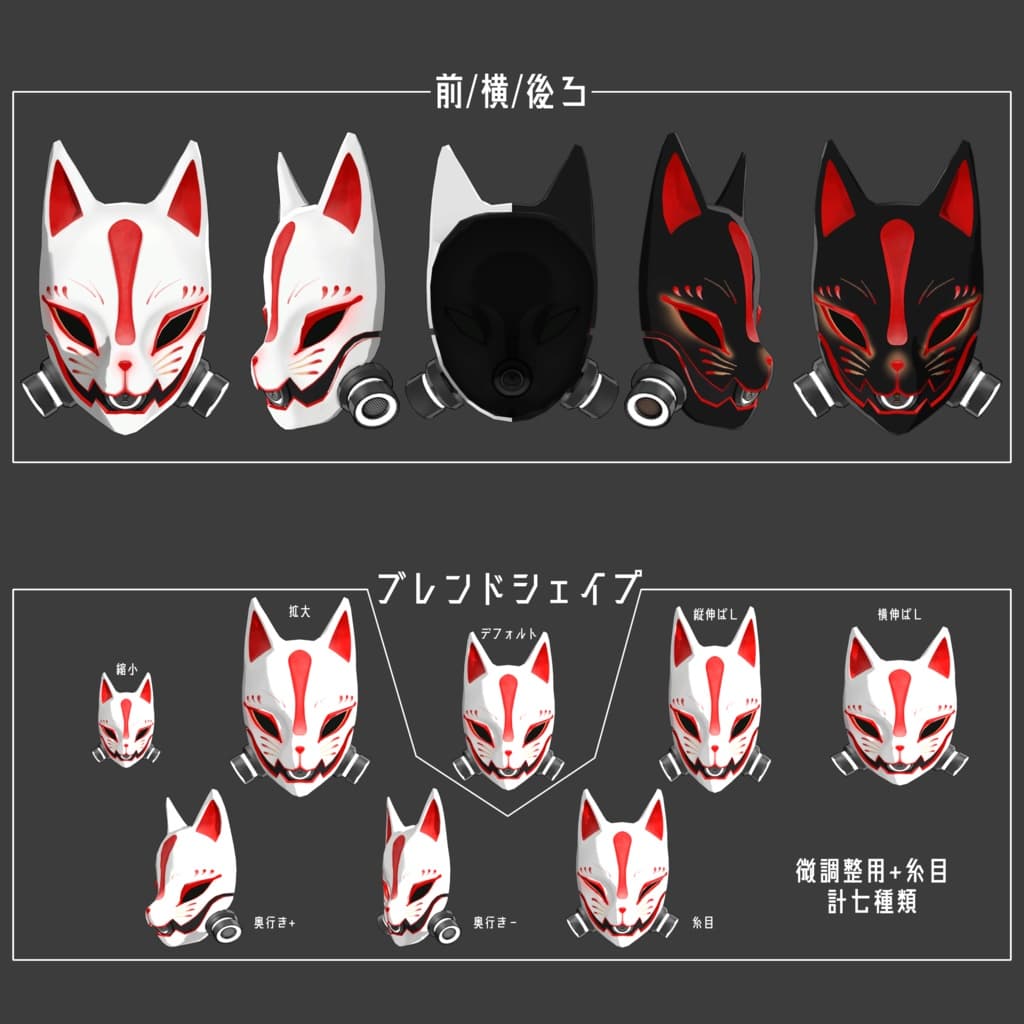
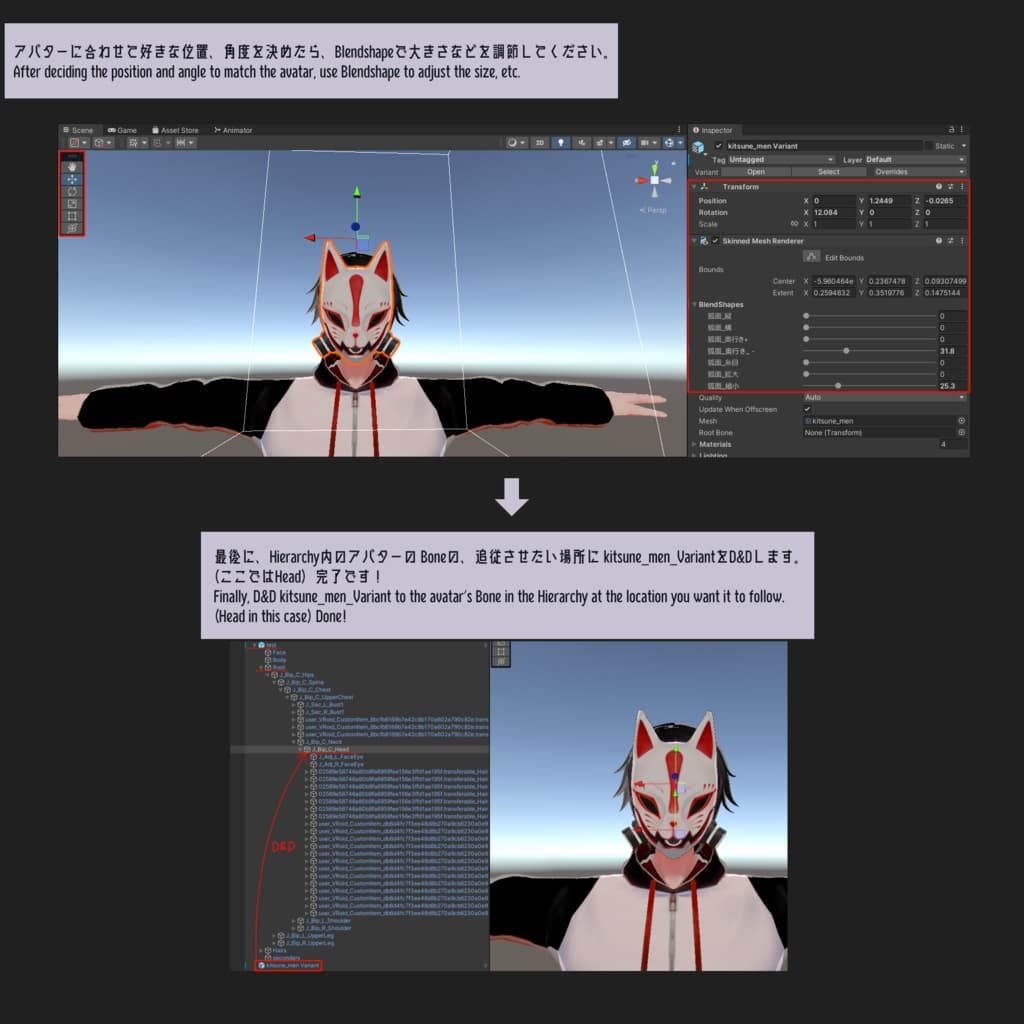
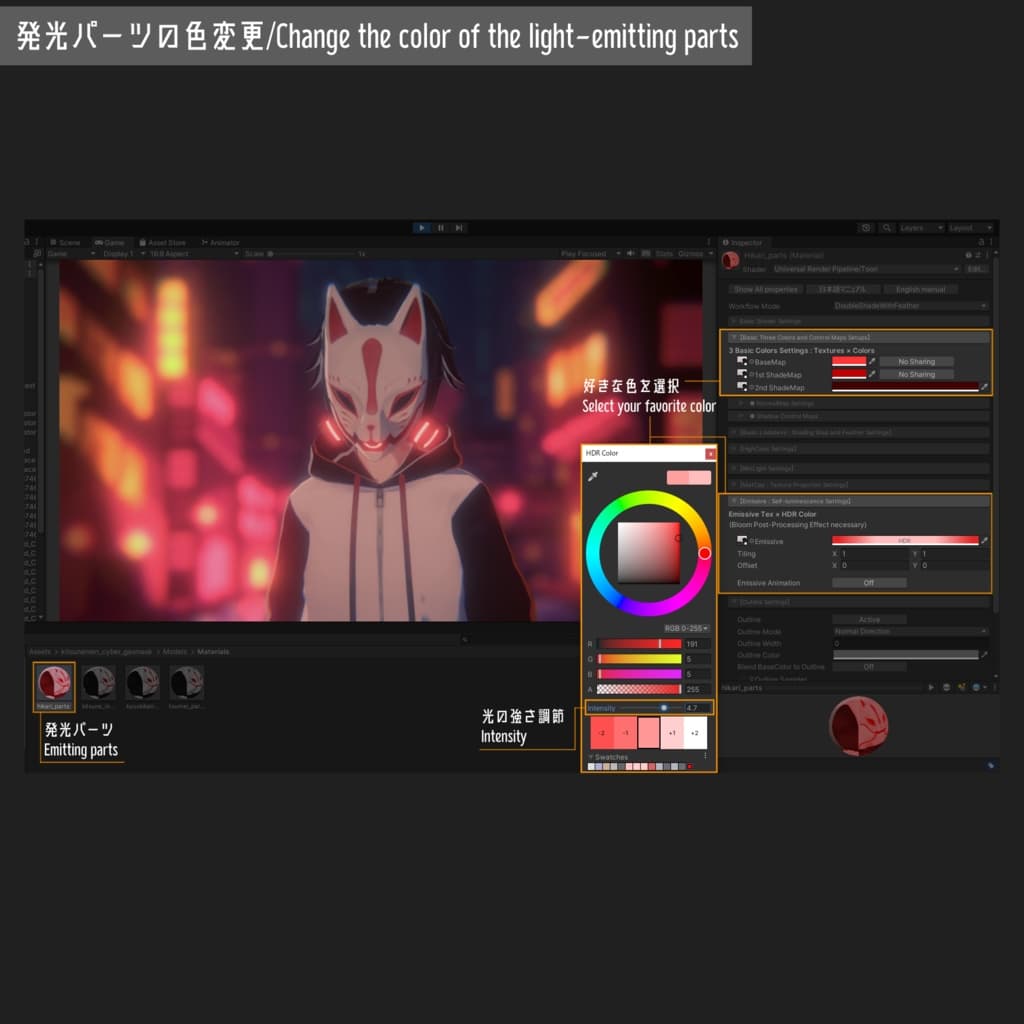
微調整用のblendshapeをいくつかと、ちょっとした表情変化として糸目のblendshapeを用意しています。(画像参照) 発光パーツは自由な色に光らせることが可能です。
❕必ず利用規約に目を通していただいた上での使用をお願いいたします❕ ❕サンプル画像のアバター及び背景は本商品に含まれておりません❕
・使用Unityバージョン…2021.3.11f1(このバージョン以外での動作確認はしておりません) ・使用モデル…VRoid自作テスト用モデル ・使用シェーダー…UnityChanToonShaderVer2 ・サンプル画像に使用させていただいた背景Asset… https://onl.la/7SzfJ9f ・サンプル画像のように光が拡散していたり背景のボケ感のある画作りをしたい場合はPostprocessingを使用してください。
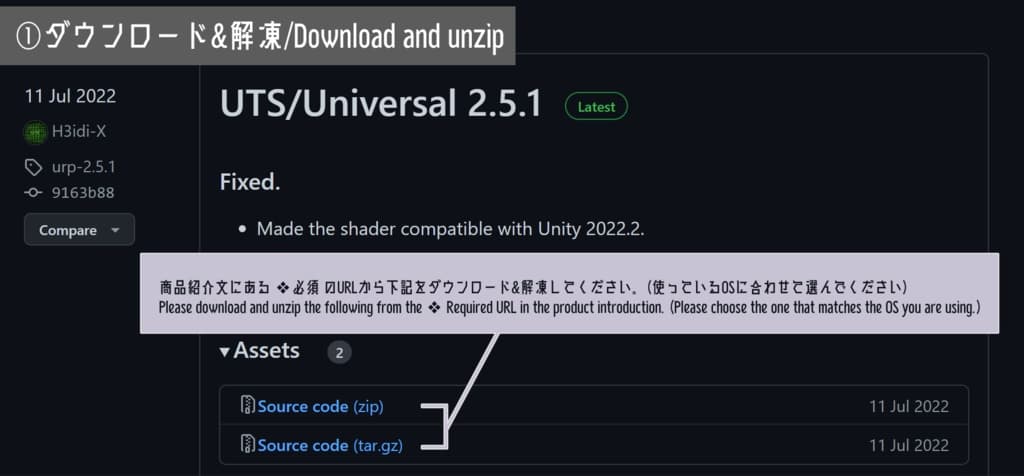
❖必須 ・UnityChanToonShaderVer2(バージョンによってはテクスチャ表示がピンク色のエラーになるので下記からのDLをお願いします。) URL→ https://github.com/unity3d-jp/UnityChanToonShaderVer2_Project/releases
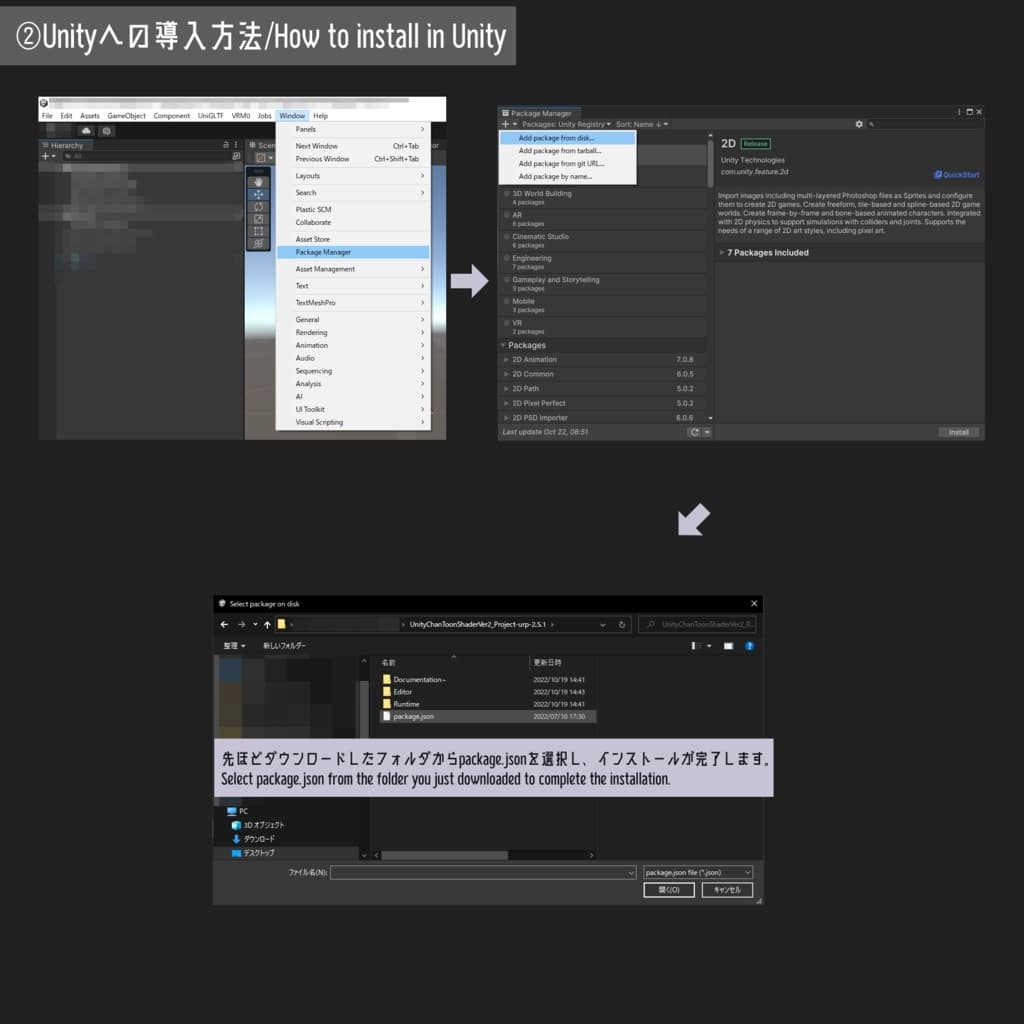
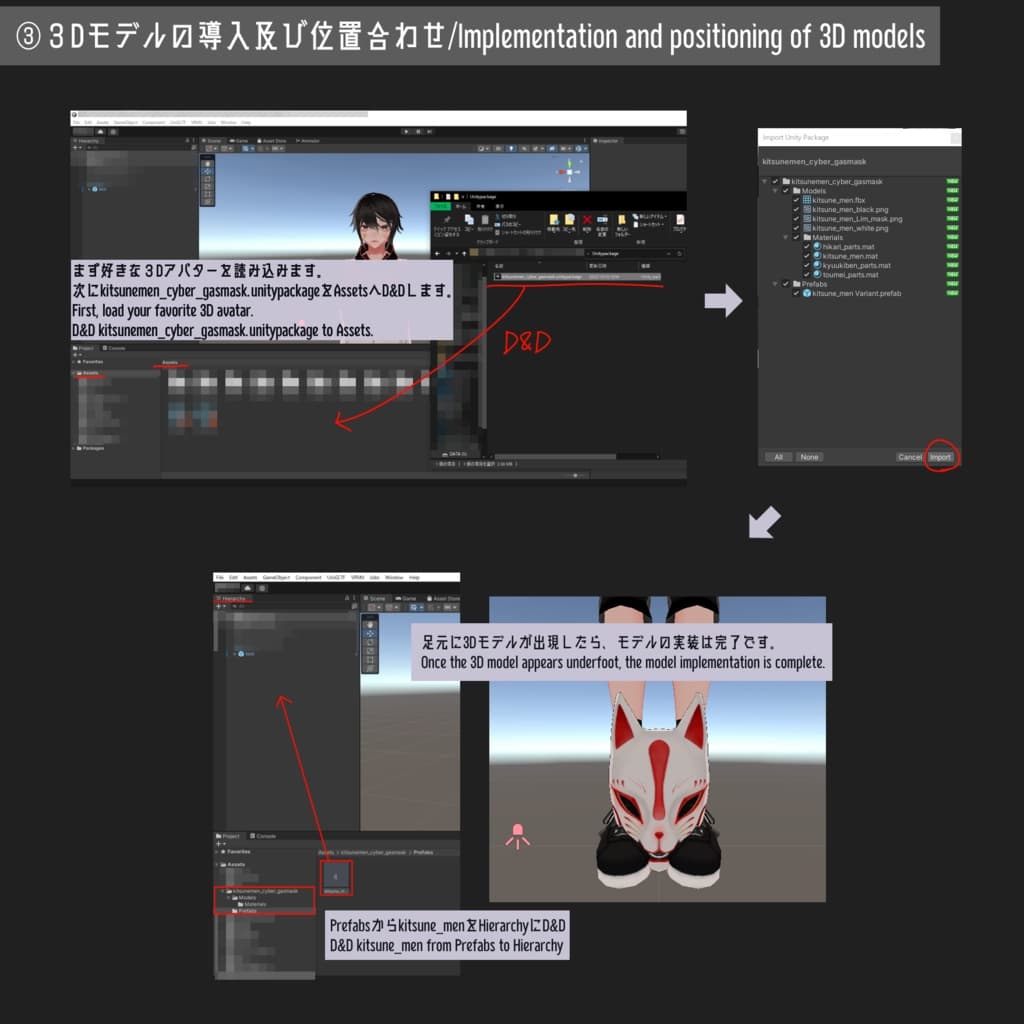
❖使用方法 ・3D(URP)でプロジェクトを作成し、上記の必須をUnityに入れた後、UnityPackageをD&Dしてください。 ・デフォルトでは白テクスチャを適用してあります。黒テクスチャにしたい場合はMaterialsにて各テクスチャの差し替えをお願いします。 ・発光パーツはまず自分の光らせたい色にメインカラー、影色などを設定してからEmissiveで色調整をした後Intensityを調節して光らせてください。 (光を拡散させたい場合はPostprocessingのBloomが必要)
❖内容物 ・UnityPackage×1 ・テクスチャ2048×2048pxel(3枚+改変用Clipstudio/Photoshopデータ) ・Blendshape(計7種類) ・FBXデータ×1 ・サンプル画像&動画(使用方法含む) ・利用規約(日本語と英語)
❖ポリゴン数 狐面サイバーガスマスク△3592
❖Suiharu Store❖ [Part 1] kitsunemen cyber gasmask
It will be a 3D accessory with VRC assumption of fox mask x cyber x gas mask. We hope it can be used as a fashion item, for events such as Halloween and summer festivals, and for various other occasions.
We have prepared some blendshape for fine tuning and also blendshape for eyes as a small change of expression. (See image) The luminous parts can be made to glow in any color.
❕Please be sure to read the terms of use before using this product. ❕The avatars and backgrounds in the sample images are not included in this product.
Unity version used...2021.3.11f1(We have not confirmed the operation with other versions than this one.) Model used...VRoid's own test model Shader used...UnityChanToonShaderVer2 Background Asset used for the sample image... https://onl.la/7SzfJ9f If you want to have diffused light or blurred background as in the sample image, please use Postprocessing.
❖ Required UnityChanToonShaderVer2(Please download from the following link because some versions of UnityChanToonShader may cause a pink error when displaying textures.) URL → https://github.com/unity3d-jp/UnityChanToonShaderVer2_Project/releases
❖How to use Create a project with 3D(URP), put the above required items into Unity, and then D&D the UnityPackage. The default texture is white. If you want to use black texture, please replace each texture in Materials. For luminous parts, first set the main color, shadow color, etc. to the color you want to light up, then adjust the color with Emissive, and adjust the Intensity to light up the parts. (If you want to diffuse the light, you will need to use Postprocessing's Bloom.)
❖Contents ・UnityPackage×1 ・Textures 2048x2048pxel (3 sheets + Clipstudio/Photoshop data for modification) ・Blendshape (7 types in total) ・FBX data x 1 ・Sample images and videos (including how to use) ・Terms of Use (Japanese and English)
❖Number of polygons Fox face cyber gas mask △3592