

【3Dモデル】new!ゆらゆらHalloweenイヤリング【PB対応】
 rabishop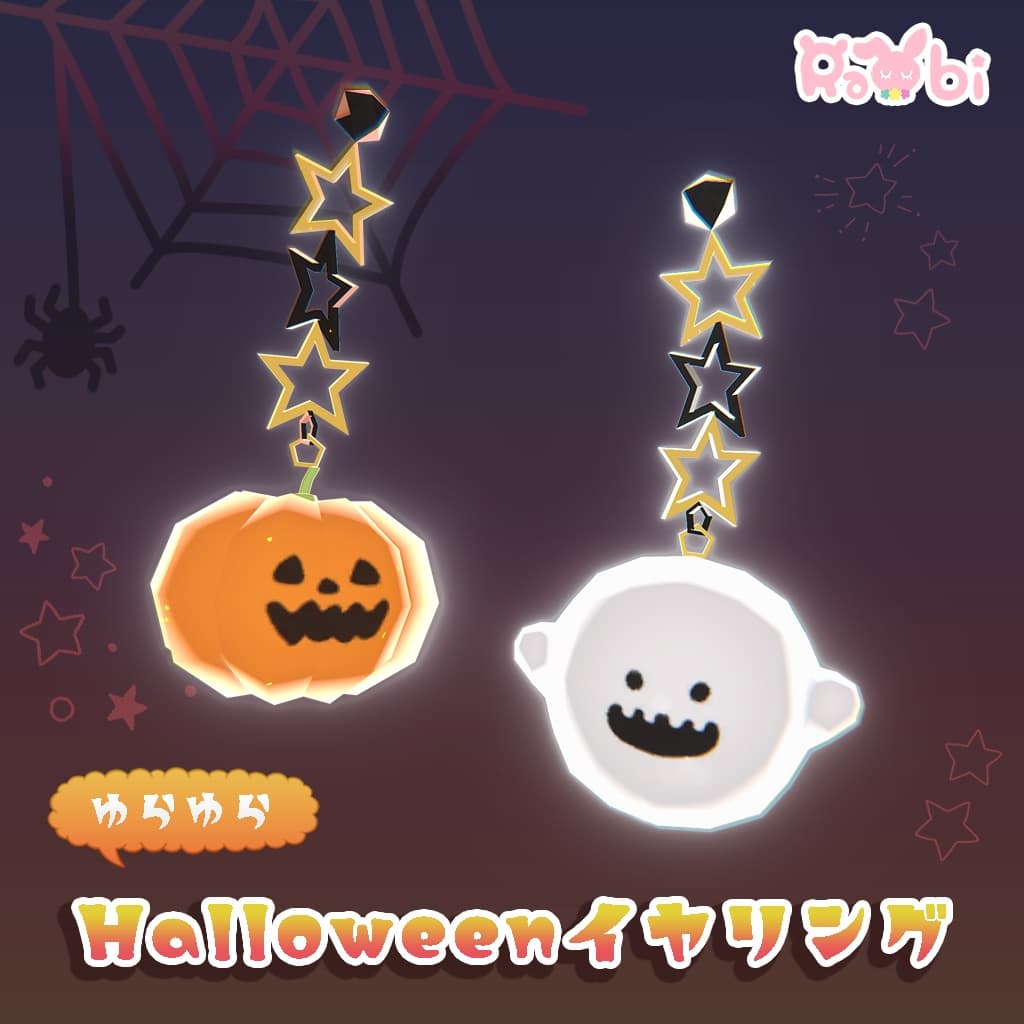
説明
【3Dモデル】new!ゆらゆらHalloweenイヤリング【PB対応】 制作者_Creator ひの(hino) ※アバターは商品に含まれていません。 Avatar is not included in the product.
✦2024/09/30 にPB対応、マテリアルを調整して新しくなりました!✦
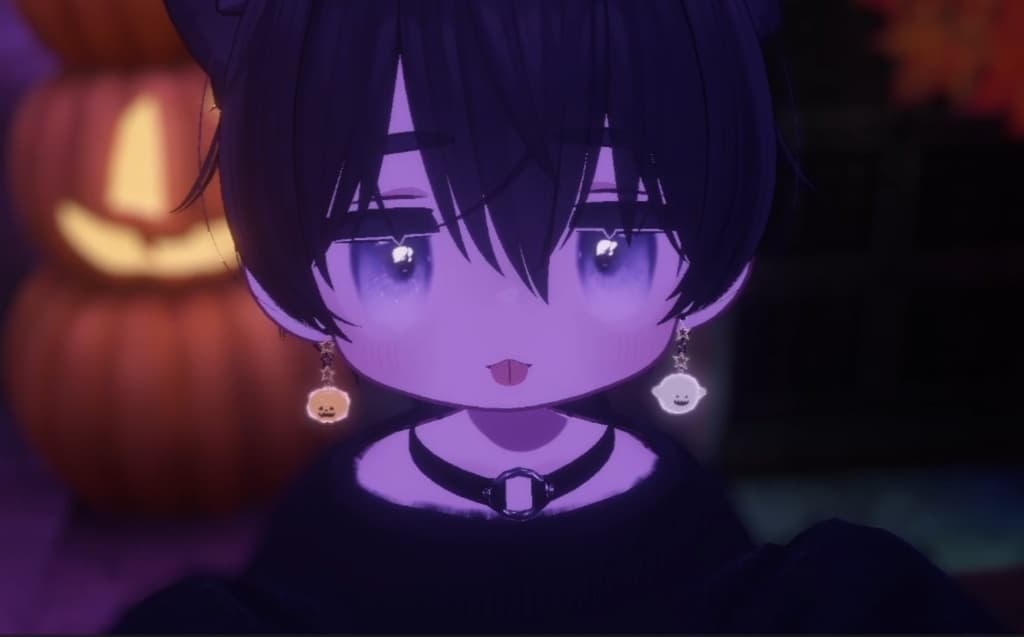
ハロウィン改変間に合わない...!大変そう...! そんな時は耳にさり気なくハロウィン要素をプラスしてみませんか?
耳の位置に合わせてHeadの中に入れるだけなのでどのアバターにもつけられます。
✦商品内容✦-Product Contents- ・halloweenEarrings_ver1.0.0 ・PSD ・textures.png ・rabi 3Dモデル利用規約 -rabi 3Dmodel_Terms of Service-
✦商品仕様✦-Product Specifications- ・ポリゴン数 ghost△576polygons,pumpkin△596polygons ・シェーダー-Shader- lilToon ・PB設定済み ・ボーン数 4 ・暗いところで光ります ・おばけは半透明です。
✦Trick or Treat!版について✦ 内容はフルセットと変わりません。作者がお菓子をたくさん買います。 The contents are the same as the full set. The author buys a lot of candy.
✦導入方法✦ -How to Upload- ※アバターが既に用意されている前提での説明になります。
・lilToonをimportしてない場合は下記URLからダウンロードしてimportしてください。 https://booth.pm/ja/items/3087170
①Asetts → Import Package → Custom PackageからhalloweenEarrings_ver1.0.0をインポート。
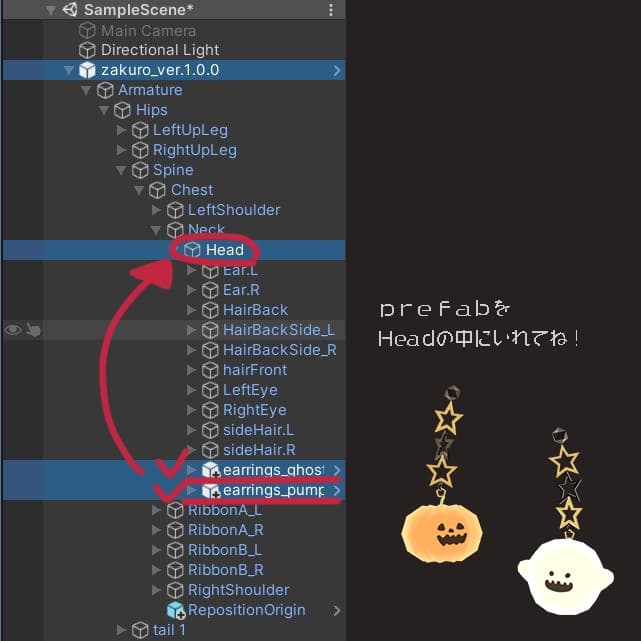
②ProjectタブのAssets→earrings→ghost/pumpkinプレハブを Hierarchyに移動して、アバターの▼を押して、イヤリングをArmature→Hips→Spine→Chest→Neck→HeadのHeadの中に移動します。
③イヤリングの位置と大きさをInspectorタブのTransformで調整したら終了です!
※This explanation assumes that you have already prepared an avatar.
- Import HalloweenEarrings_ver1.0.0 from Asetts → Import Package → Custom Package.
2)In the Project tab, go to Assets→earrings→ghost/pumpkin prefab. Go to Hierarchy and press ▼ on your avatar to move the earrings into the Head of Armature→Hips→Spine→Chest→Neck→Head.
3)Adjust the position and size of the earring with Transform in the Inspector tab, and you're done!
✦rabi 3Dモデル利用規約 https://drive.google.com/file/d/1tRuJ1FRg4ltLlWLySlTiqVOOhY_N-Pfq/view?usp=drive_link
✦rabi 3Dmodel_Terms of Service https://drive.google.com/file/d/1kWDEZy55xPUfvnmK_-hpDIerworPTURa/view?usp=drive_link
✦rabi 3D 모델 이용 약관 https://drive.google.com/file/d/1QmCPqhzMuXjZrbfT1IKlA9EfgLhABshB/view?usp=drive_link
✦rabi 3D model 中文版 https://drive.google.com/file/d/1QpG1t_U15Z2CjtHEWKlkudBxsocrEkqX/view?usp=drive_link
✦更新履歴 2021/10/01 販売開始 2024/9/29 ver.1.0.1 PB対応とマテリアル調整を行いました。