

【無料版あり】VRoid Aライン・メッシュネックワンピース7色セット / A-line Mesh Neck Dress in 7 colors
 Lily Rue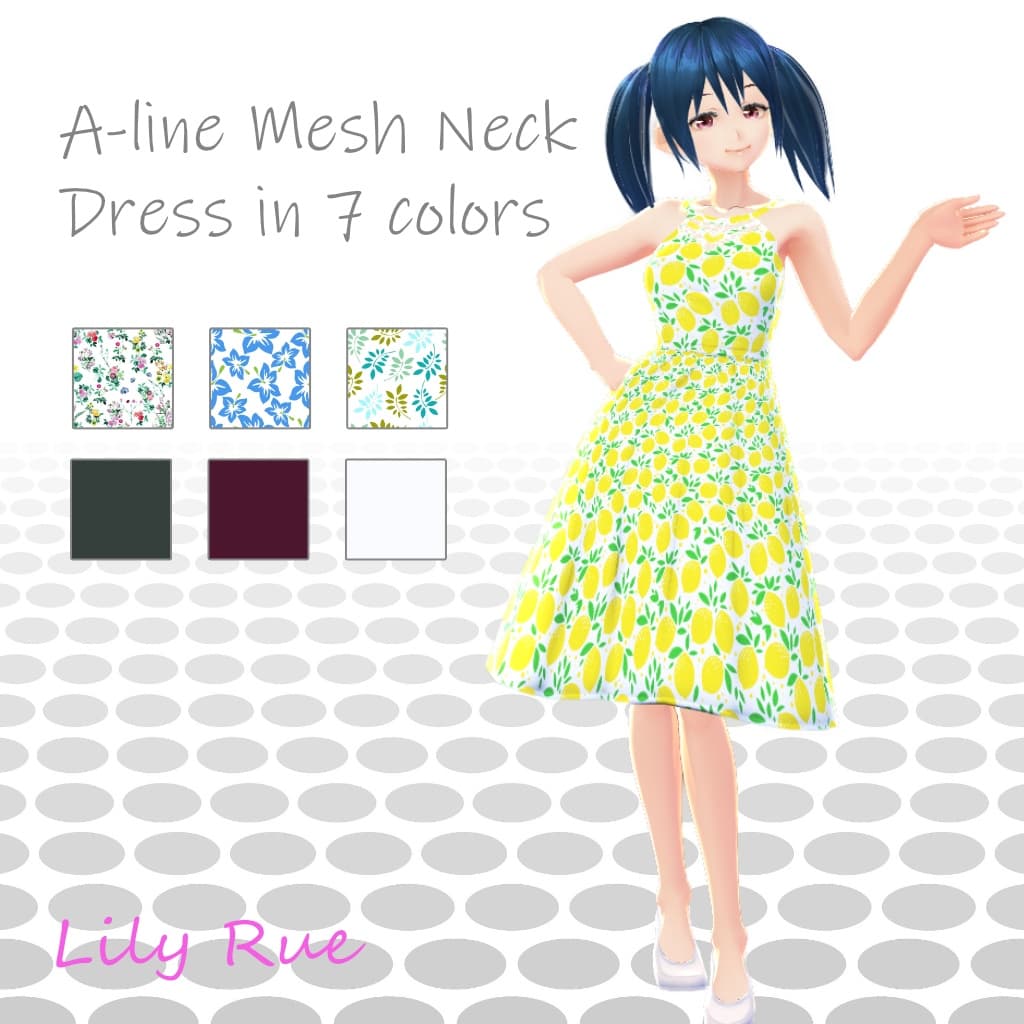
説明
【VRoid】Aライン・メッシュネックワンピース7色セット A-Line Mesh Neck Dress version 1.00
See below for the English translation.
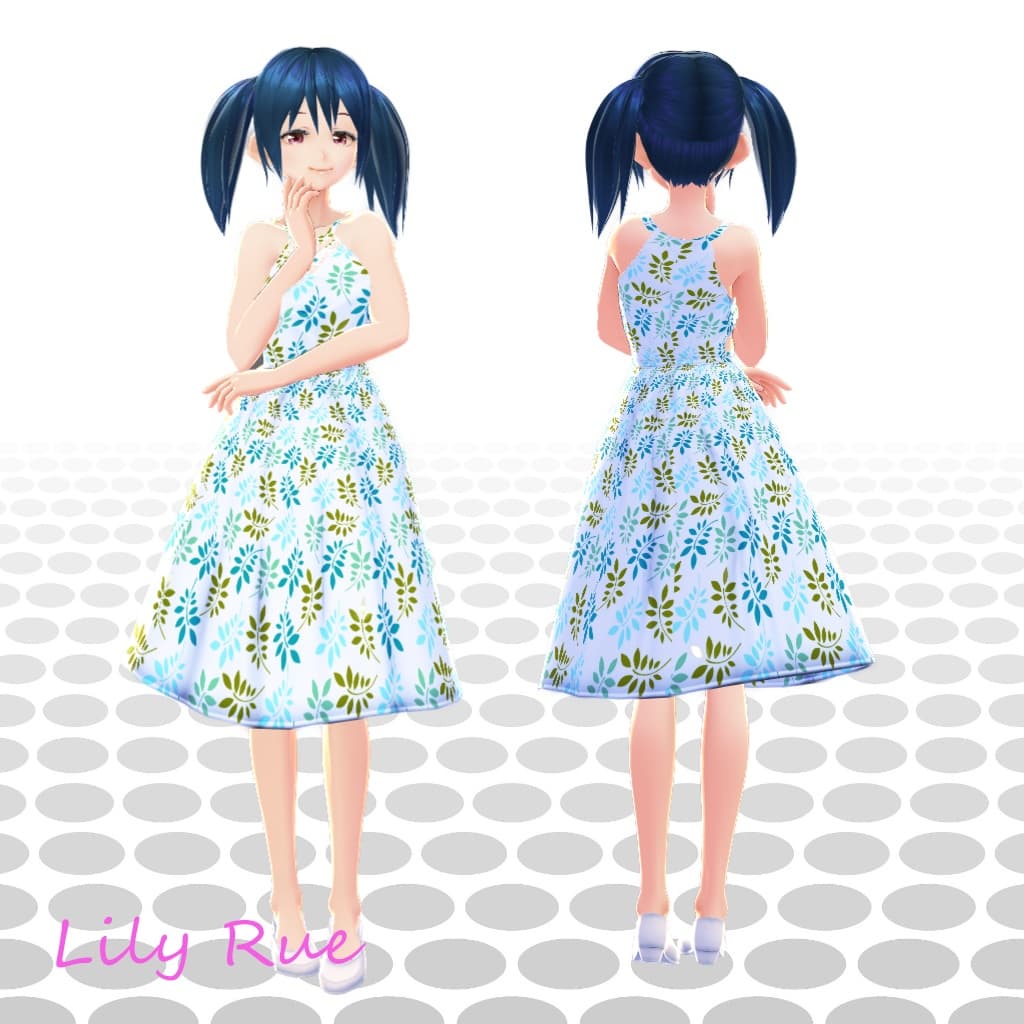
Vroid Studioのワンピースにインポートして使用できるテクスチャ素材です。 色(柄)は7種類あります。※試用版は白1色のみとなります。 ダウンロードしたZIPの中にテクスチャ画像ファイルが入っています。 商品画像にあるモデルデータと靴は含まれておりません。
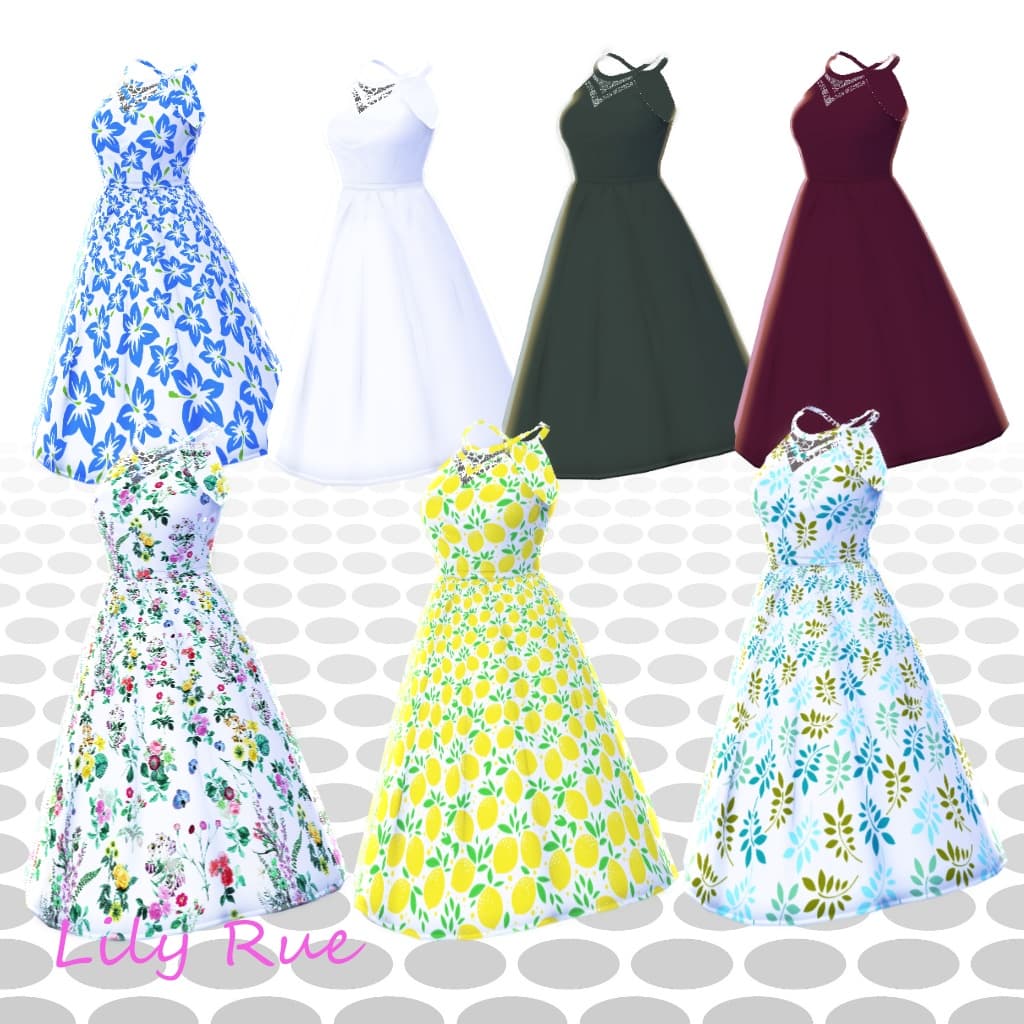
【内容物】 ※試用版は1色のみ(白)です ・ Aラインメッシュワンピース(花) x 1 A_Line_Mesh_Neck_Dress-flowers_1_0_0.png ・ Aラインメッシュワンピース(ブルーの花) x 1 A_Line_Mesh_Neck_Dress-flowersBlue_1_0_0.png ・ Aラインメッシュワンピース(グリーン) x 1 A_Line_Mesh_Neck_Dress-green_1_0_0.png.png ・ Aラインメッシュワンピース(リーフ) x 1 A_Line_Mesh_Neck_Dress-leaves_1_0_0.png ・ Aラインメッシュワンピース(レモン) x 1 A_Line_Mesh_Neck_Dress-lemon_1_0_0.png ・ Aラインメッシュワンピース(白) x 1 A_Line_Mesh_Neck_Dress-simpleWhite_1_0_0.png ・ Aラインメッシュワンピース(ワインレッド) x 1 A_Line_Mesh_Neck_Dress-winered_1_0_0.png ・説明書 readme.txt
【使い方】
- 「衣装編集」タブの中の「上半身」からワンピースを選択。
- 同じく「衣装編集」タブでワンピースの「テクスチャ」タブを選択し、レイヤーにテクスチャをインポートしてください。
- 「スカートの長さ」を80、「スカートをすぼめる」を60に設定(お好みで設定は変更してください)。 ※テクスチャのデフォルト画像は非表示に設定してください。
※詳しい操作方法は下記公式ヘルプページをご参照ください。 VRoid Studio 使い方・便利なテクニック集 > 基礎編 - 各編集画面詳細 > 衣装編集 https://vroid.pixiv.help/hc/ja/articles/360012340534-衣装編集
【利用規約】 ・著作権は放棄しません。 ・データを改変、翻案、編集することや、二次的なデータを作成すること:可 ・個人が行う営利目的の活動に利用すること:可 ・このデータを利用する際のクレジット表記を省略すること:可 ・性的表現での利用:可 ・暴力表現での利用:可 ・複製・再配布・データ改変した物の配布:不可 ・使用によるトラブル等には一切責任を負いません。 ・ご使用により発生した損害や損失について、一切の責任を負わないものとします。
【VRoid】A-line Mesh Neck Dress in 7 colors A_Line_Mesh_Neck_Dress version1.00
The contents include texture materials for VRoid Studio. The texture images are in the downloaded ZIP file. A model data and shoes in the product images are not included.
[Contents] NOTE: The Trial version includes only 1 color (White color).
- A-line mesh neck dress with flower print x 1 A_Line_Mesh_Neck_Dress-flowers_1_0_0.png
- A-line mesh neck dress with blue-flower print x 1 A_Line_Mesh_Neck_Dress-flowersBlue_1_0_0.png
- A-line mesh neck dress with green color x 1 A_Line_Mesh_Neck_Dress-green_1_0_0.png.png
- A-line mesh neck dress with leaves print x 1 A_Line_Mesh_Neck_Dress-leaves_1_0_0.png
- A-line mesh neck dress with lemon print x 1 A_Line_Mesh_Neck_Dress-lemon_1_0_0.png
- A-line mesh neck dress with white color x 1 A_Line_Mesh_Neck_Dress-simpleWhite_1_0_0.png
- A-line mesh neck dress with winered color x 1 A_Line_Mesh_Neck_Dress-winered_1_0_0.png
- User's manual readme.txt
[Usage] 1- Go to "Clothing Editor" tab and select "Onepiece" from Tops. 2- Select the "Texture" tab of the "Onepiece" and import the texture into the layer. 3- Set the "Skirt Length" to 80 and the "Straight Skirt" to 60 (You may change the settings as you like). Note: Default image in Texture tab must be invisible.
Please refer to the official help page below for detailed instructions. https://vroid.pixiv.help/hc/en-us/articles/360012340534-Clothing-Editor
[Terms of Use]
- The copyright is not abandoned.
- The Data can be modified, adapted, edited, and secondary data can be created.
- You may use this data for personal commercial activities.
- You may omit the credit line when you use this data.
- You may use this data with sexual expressions.
- You may use this data with violent expressions.
- Distribution of duplication, redistribution, and altered data is Not allowed.
- I assume/take no responsibility or liability for any damage or loss caused through our service.