

[VRCワールド] お絵描きシステム (Paintbrush prefab)
 ちくわ屋
ちくわ屋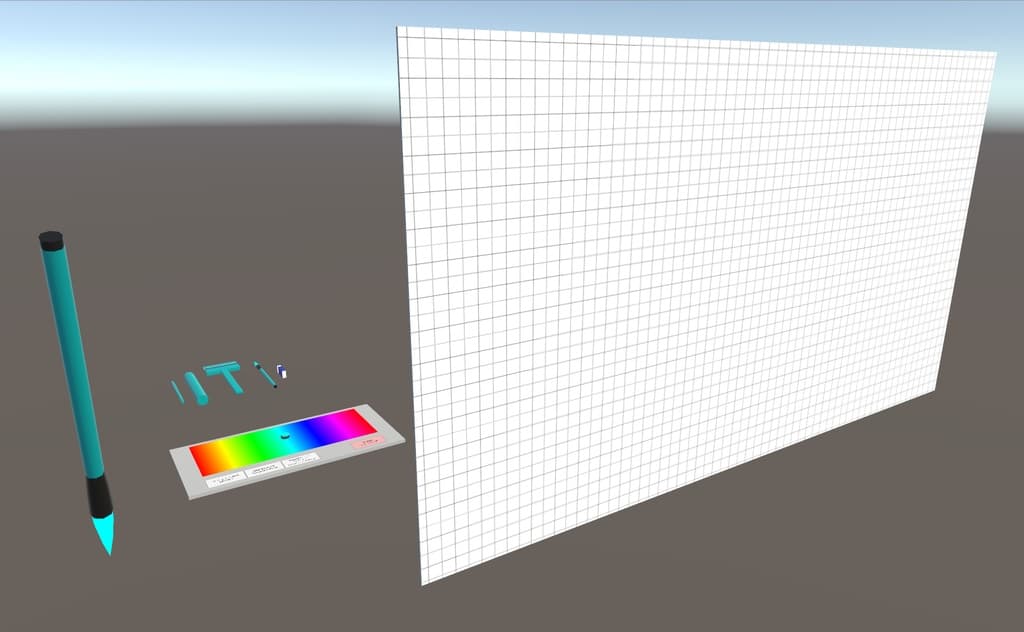
説明
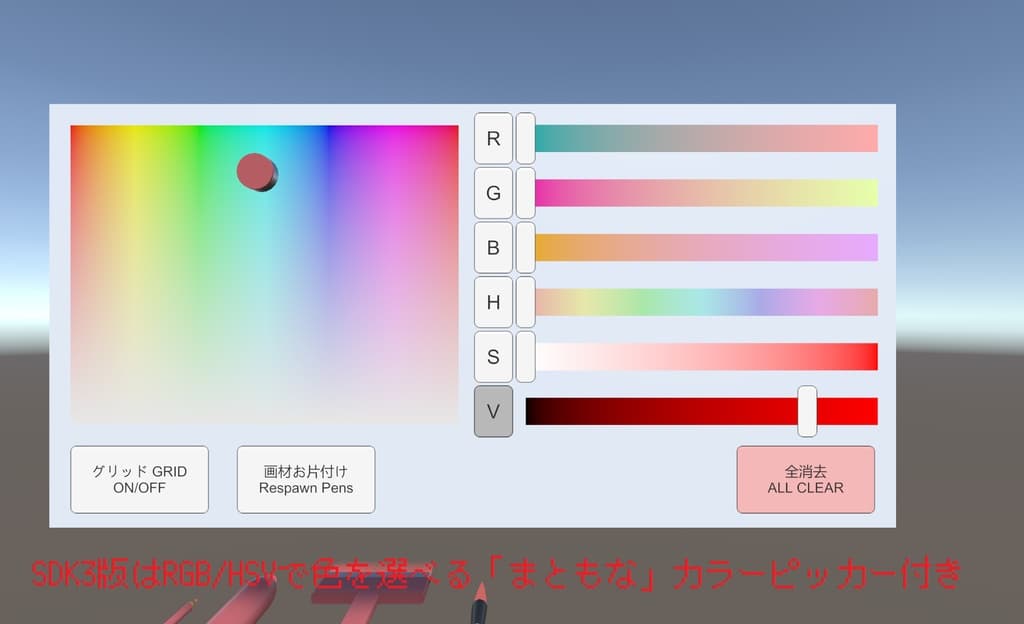
■ お絵描き用UnityPackage 私のワールド「Just Paint and Chill」に設置されているお絵描きシステムを調整してPrefabにしたものをSDK3対応化しました。
■ 設置方法 ワールド用プロジェクトに奈良坂さんの tmp-fallback-fonts-jp を導入してください。 → https://github.com/Narazaka/tmp-fallback-fonts-jp Dynamic Bone を先にインポートしてからUnityPackageをインポートし、 Assets/OEKAKI/OEKAKI_SDK3.prefab をワールドの適当な場所に置いてください。
v1.01からは2個以上置いても正常に動作するようになりました。
■ 更新履歴 2025/06/26 v1.01 UIのテキスト表示をTextからTextMeshProUGUIにしました。 カラーピッカーの同期処理を大幅に改善しました。 複数設置しても別々に動作するようになりました。 グリッドの表示をシェーダーで行うよう変更しました。
2021/05/04 v1.00 初回版
English
Paintbrush UnityPackage
This is an SDK3-compatible prefab version of the drawing system placed in my world "Just Paint and Chill", adjusted and packaged for reuse.
How to place it into your world
Please install Narazaka's tmp-fallback-fonts-jp into your world project: → https://github.com/Narazaka/tmp-fallback-fonts-jp Import Dynamic Bone first, then import this UnityPackage. After that, place Assets/OEKAKI/OEKAKI_SDK3.prefab somewhere in your world.
From version 1.01 onward, it works properly even if you place multiple instances.
Update History
2025/06/26 v1.01 Changed UI text from Text to TextMeshProUGUI Greatly improved the color picker synchronization Now works independently when multiple instances are placed Changed the grid rendering to use a shader
2021/05/04 v1.00 Initial release
以下のワールドで実際に試せます。 SDK2: https://vrchat.com/home/launch?worldId=wrld_94b99d19-ce1e-4257-ac71-a916b66cf3fa SDK3: https://vrchat.com/home/launch?worldId=wrld_a9b84b91-fadb-46a0-a9b4-a0ebd3793135 ちくわ屋備品置き場 https://vrchat.com/home/launch?worldId=wrld_fab75199-fbc5-407a-8fa0-40204ab2d278