

ZeroCleaner
 zerovx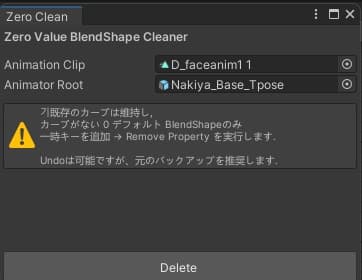
説明
[概要]
希望するアニメーションの0値を全て削除するアセットです。
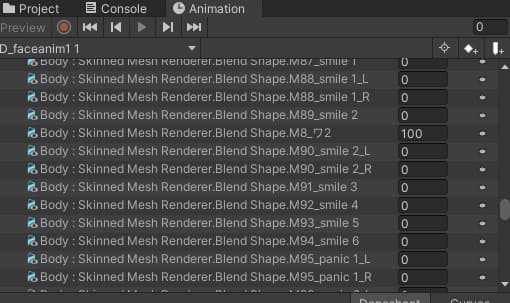
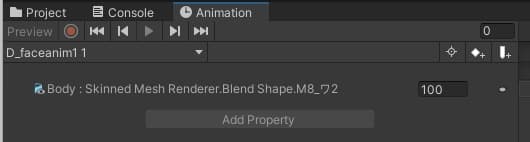
基本表情アニメーションなどで0値を除去し、設定値があるものだけを残したい場合に使用できます。一つ一つRemove Propertyする必要がありません。
[利用方法]
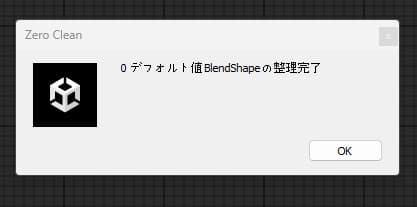
Unityにインストール後、ツールバーに生成されたZerocleanをクリック。アニメーションとキャラクターをドラッグ&ドロップし、削除ボタンを押すだけで簡単に動作完了。 ! バックアップ必須 !
自身で使用する目的で作成したため完璧ではないかもしれませんが、概ね動作するはずです。
二次販売、再配布を禁止します。 機能に関するお問い合わせは受け付けておりません。
[개요]
원하는 애니메이션의 0 값을 모두 삭제해 주는 에셋입니다.
기본 표정 애니메이션 등에서 0 값을 제거하고 설정값이 있는 것만 남기고 싶을 때 사용할 수 있습니다. 일일이 Remove Property 하지 않아도 됩니다.
[이용 방법]
유니티에 설치 후, 툴바에 생성된 Zeroclean을 클릭. 애니메이션과 캐릭터를 드래그 앤 드롭한 뒤 딜리트 버튼을 누르면 간단히 작동 완료. ! 백업 필수 !
스스로 사용하기 위한 용도로 만든 것이기 때문에 완벽하지 않을 수 있습니다만 대체로 작동할 것입니다.
2차 판매, 재배포를 금지합니다. 기능에 대한 문의는 받고 있지 않습니다.
[Overview]
This asset removes all 0 values from your desired animations.
Use it when you want to eliminate 0 values from base facial animations, leaving only those with set values. No need to manually Remove Properties one by one.
[Usage]
After installing in Unity, click the Zeroclean button created in the toolbar. Drag and drop the animation and character, then press the Delete button to complete the operation. ! Backups are essential !
This was created for personal use and may not be perfect, but it should generally work.
Resale and redistribution are prohibited. We do not accept inquiries regarding functionality.