

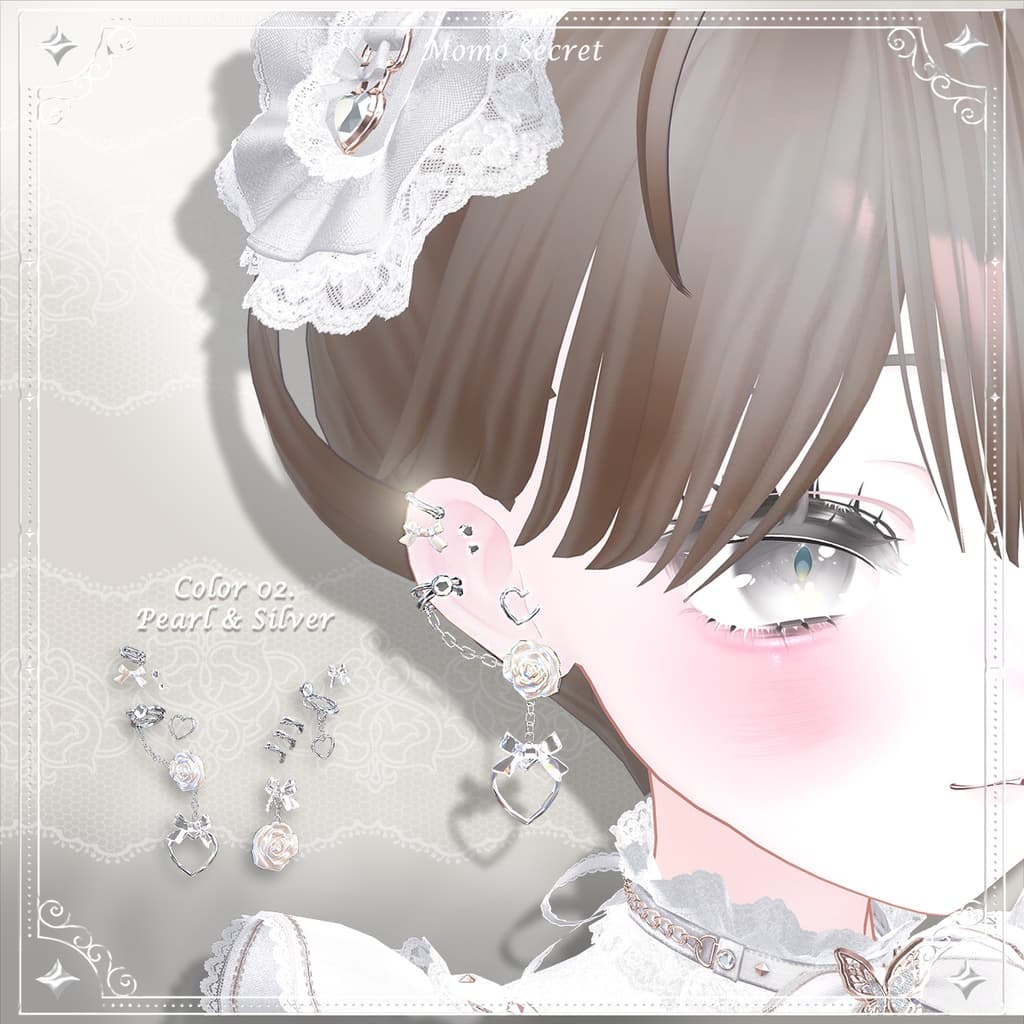
【7色 / 各パーツON-OFF対応】Rose Piercings (ローズピアス)
 Momo Secret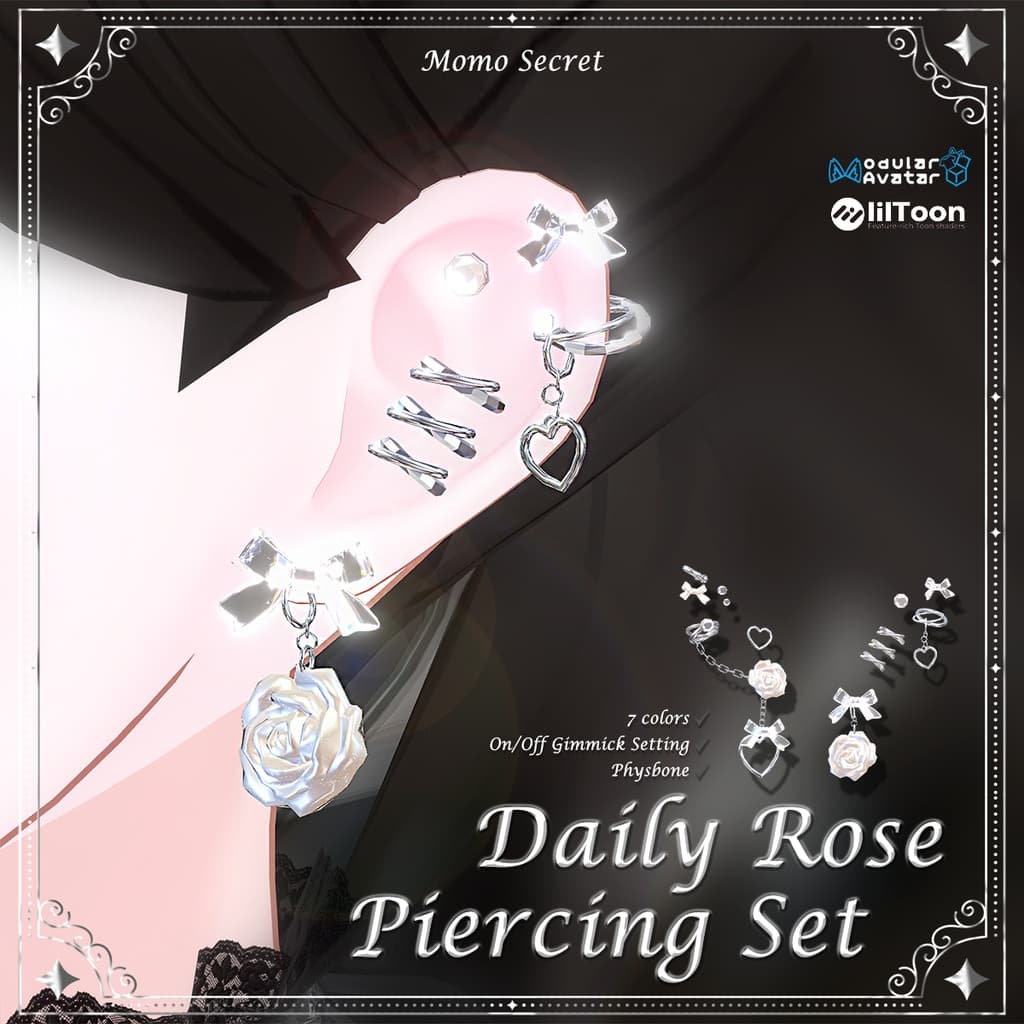

説明
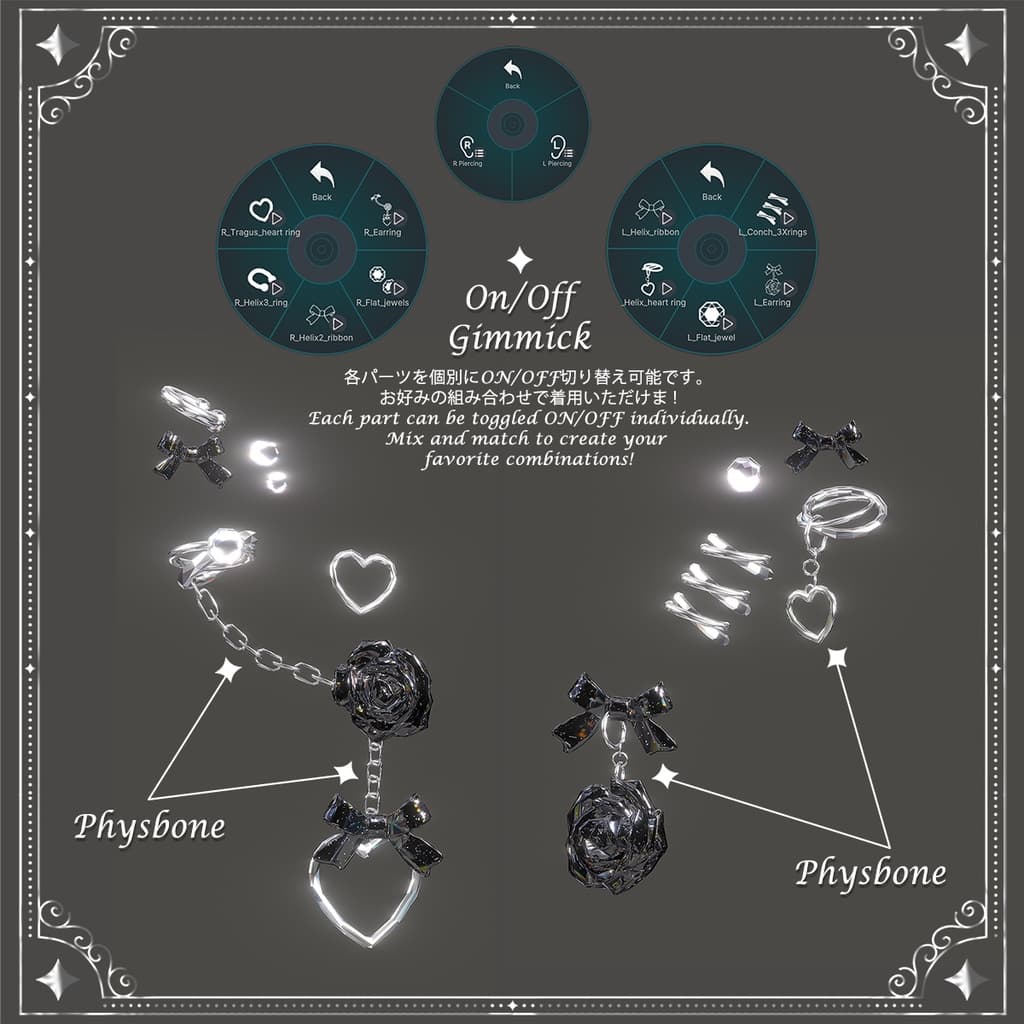
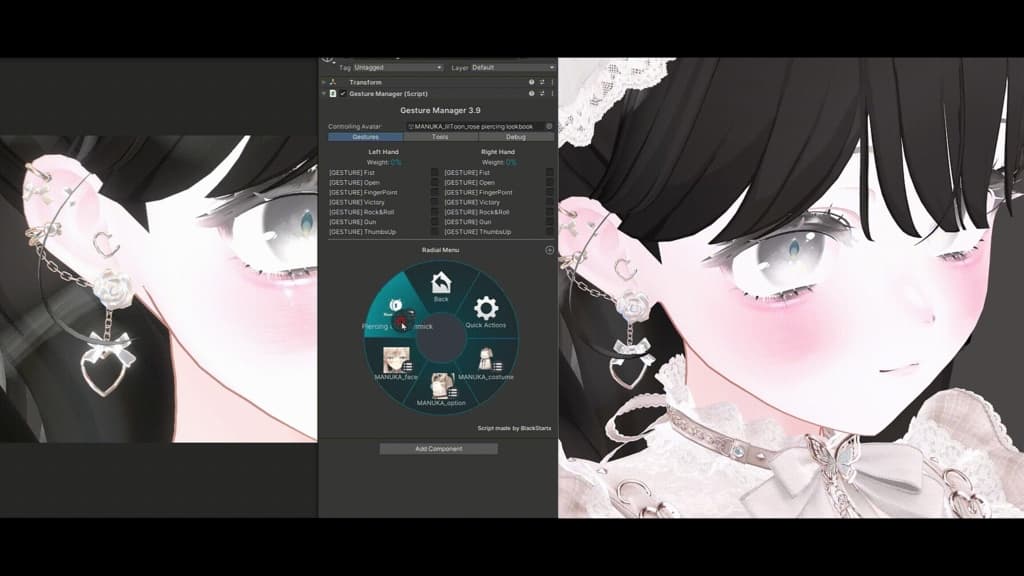
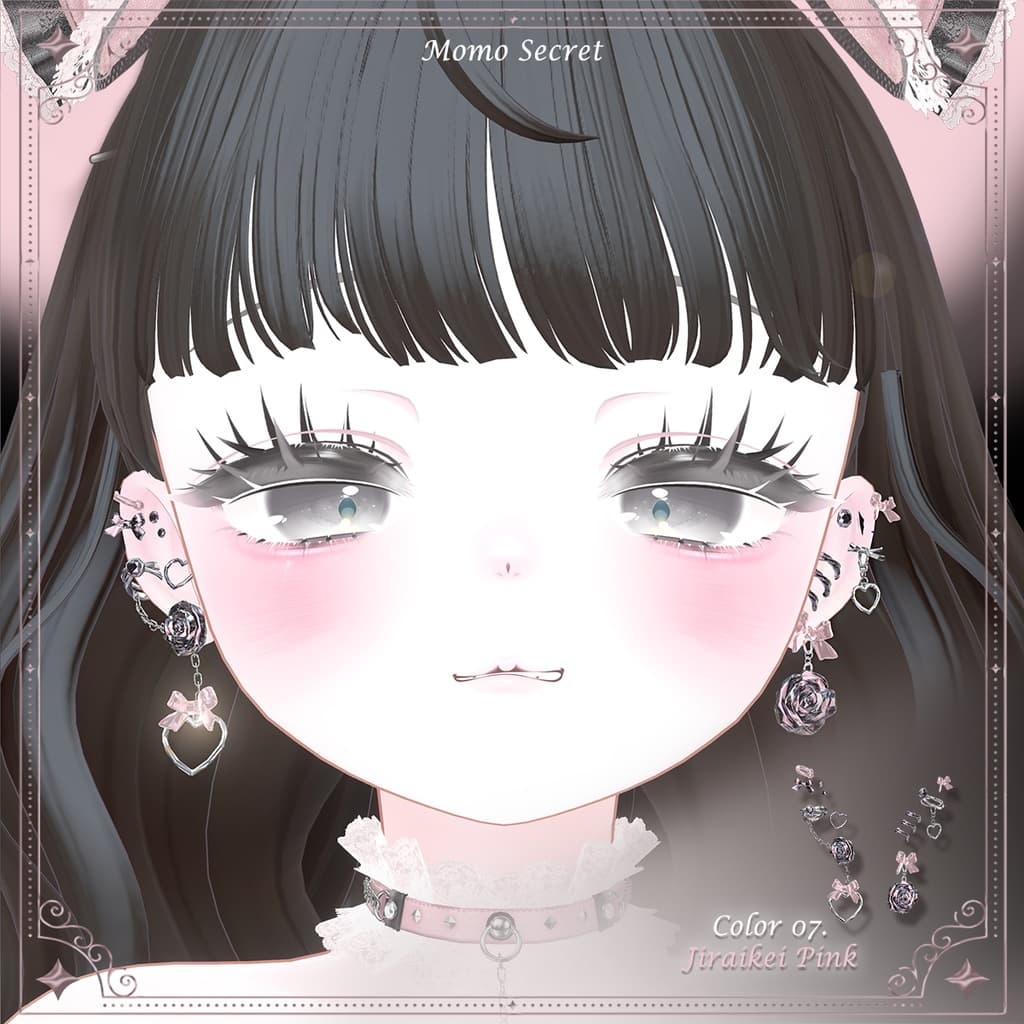
「マヌカ (Manuka)」専用のローズピアスセットです🤍 3枚目の画像(GIF)をクリックすると、PhysBoneの動きやメニュートグル機能をご確認いただけます! ❌ 本商品にはピアスのみが含まれており、衣装やヘアスタイルは付属しておりません ❌
마누카를 위한 로즈 피어싱 세트입니다🤍 3번 이미지 gif를 누르면 physbone 과 메뉴 토글 기능을 미리 볼 수 있습니다! ❌해당 상품 구매 시 피어싱만 제공되며, 의상과 헤어는 포함되어 있지 않습니다❌
This is a Rose Piercing Set designed specifically for avatar "Manuka"🤍 Click the 3rd image (GIF) to preview the PhysBone movement and menu toggle features! ❌ This product includes only the piercings. The outfit and hair shown in the images are not included ❌
.⠀⠀∧_∧ (。・~・。)つ━☆・*。 ⊂ ノ ‧⁺ ⊹˚.⋆
商品説明は日本語・韓国語・英語の順に表記されています。 설명은 일본어-한국어-영어 순으로 표기되어 있습니다. The description is provided in the order of Japanese, Korean, and English.
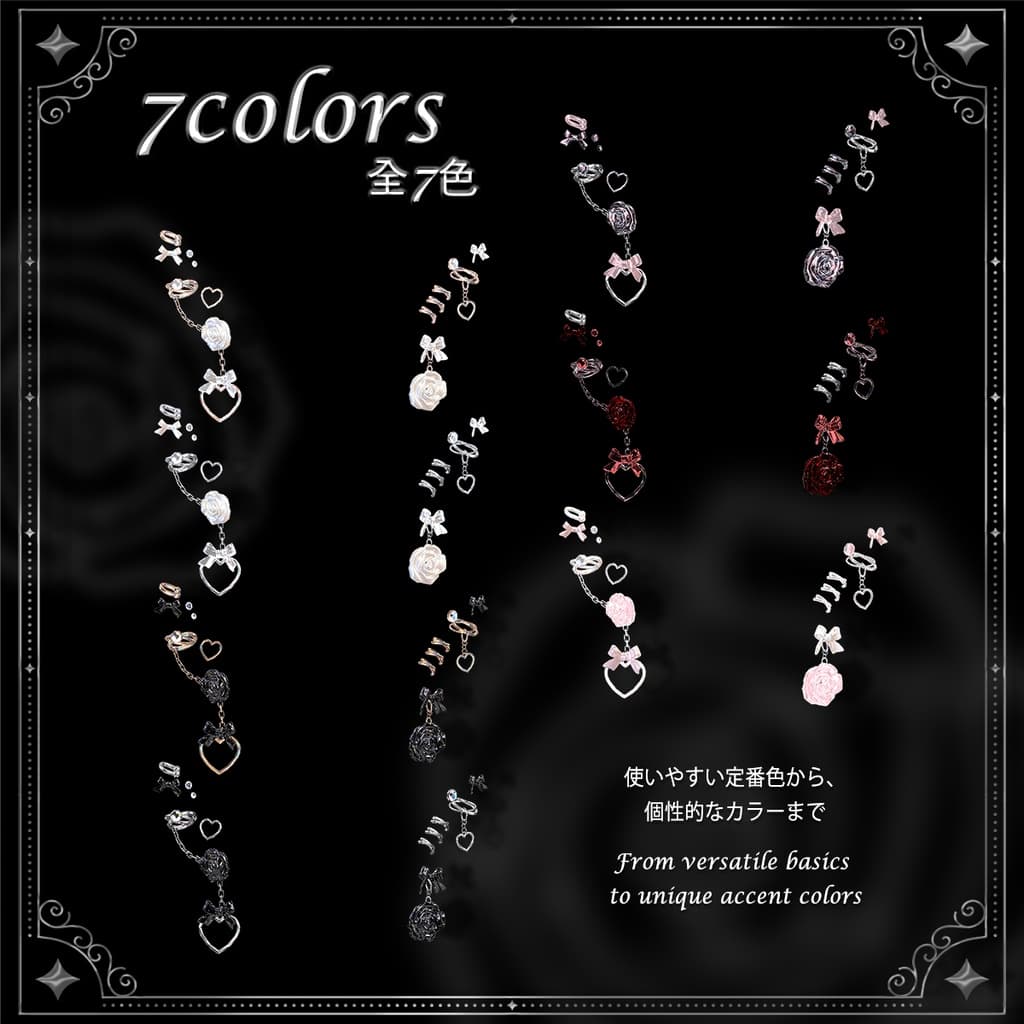
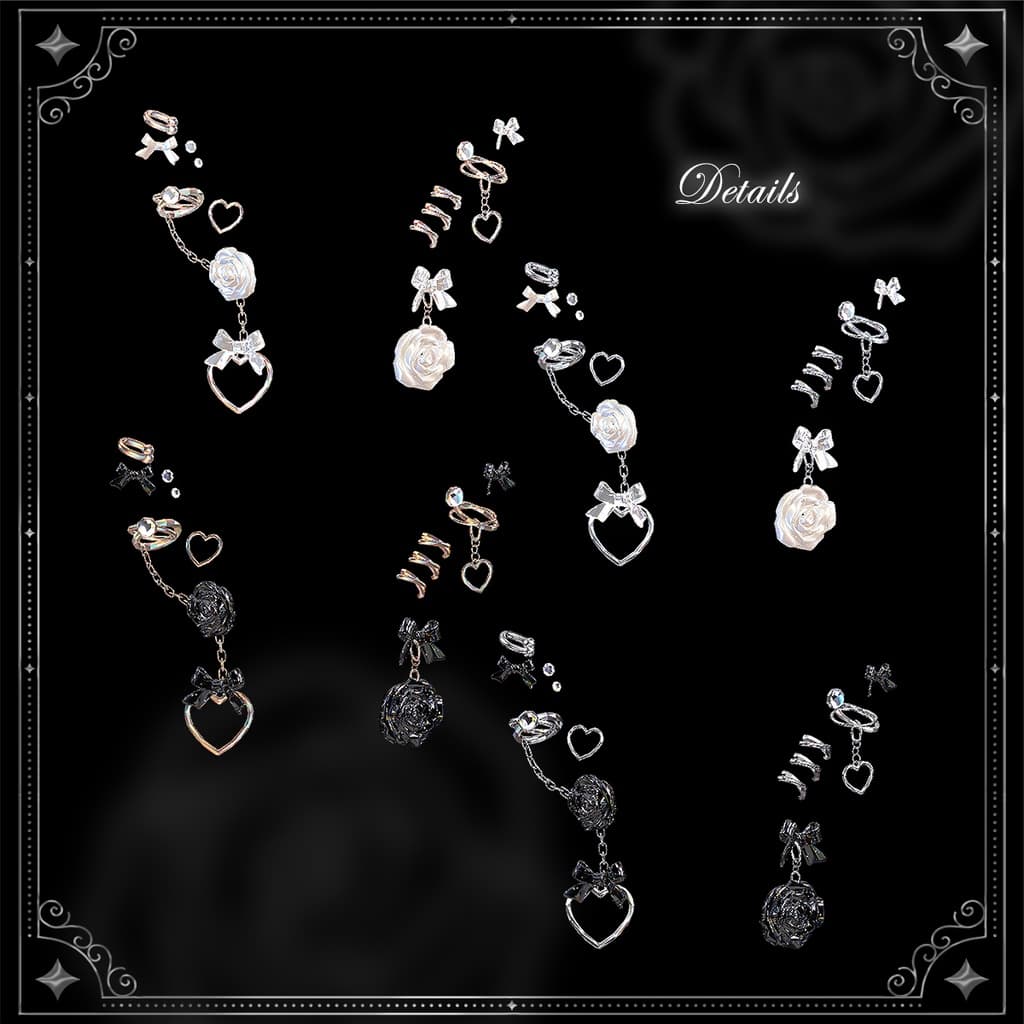
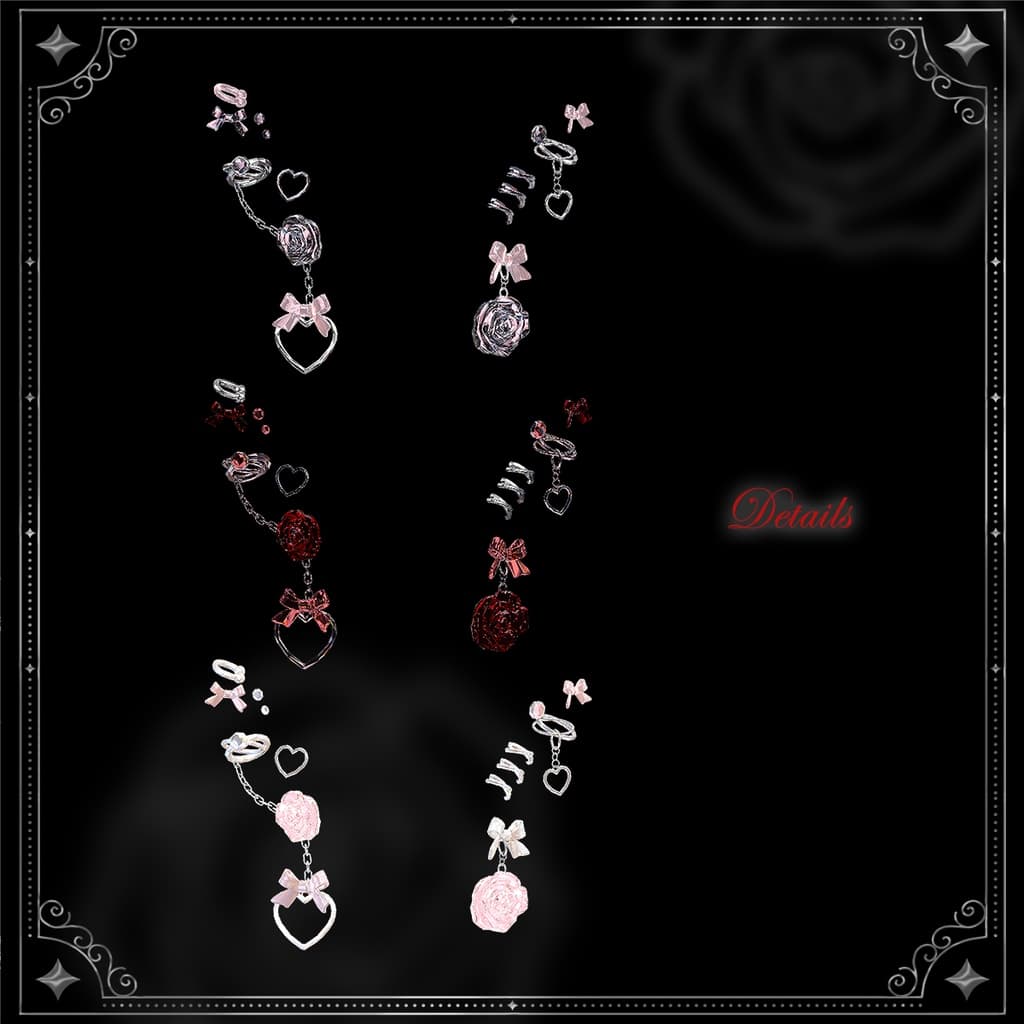
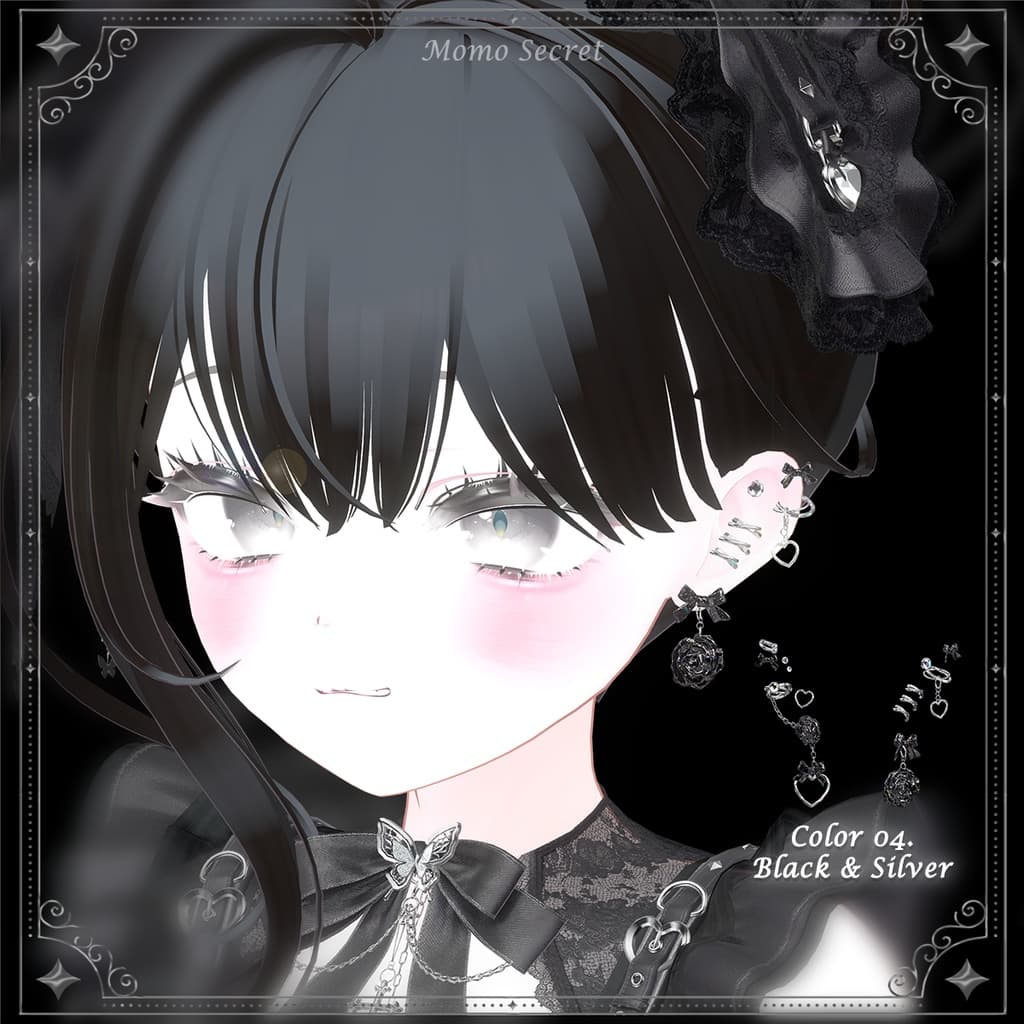
︶⊹︶︶୨୧︶︶⊹︶︶⊹︶︶୨୧︶ 日本語 ︶⊹︶︶⊹︶︶୨୧︶︶⊹︶︶⊹︶ 【特徴】 ✔ 7色のPrefabを提供 ୨୧ パールホワイト&ローズゴールド ୨୧ パールホワイト&シルバー ୨୧ ブラック&ローズゴールド ୨୧ ブラック&シルバー ୨୧ レッド&ブラック ୨୧ ピンク&ホワイト ୨୧ 地雷系ピンク ✔ MA Modular Avatar 対応 (ドラッグ&ドロップで装着可能) ✔ VRC PhysBone 設定済み ✔ メニュートグルギミック設定済み すべてのピアスパーツを個別にON/OFF可能 ლ(╹◡╹ლ)
【対応アバター】 ※今後アップデートで追加予定 ✔ マヌカ MANUKA https://jingo1016.booth.pm/items/5058077
【詳細情報】 ✔ ポリゴン数 : 11,000 tris ✔ マテリアル数 : Prefabあたり 2~5個 ✔ 使用シェーダー : lilToon https://lilxyzw.booth.pm/items/3087170
【内容物】 ✔ Unity Package ㄴ fbx ㄴ MANUKA_Prefabs ㄴ Matcap ㄴ Material ㄴ Menu icon
【導入方法】
- lilToonシェーダーをインポート
- MA Modular Avatarをインストール
- 本商品のUnity PackageをUnityにインポート(ドラッグ&ドロップ)
- <Prefabs>フォルダ内のPrefabファイルをHierarchy内のアバター直下にドラッグ&ドロップ
- ヒエラルキーでピアスのPrefabを右クリック > Modular Avatar > Setup Outfit を選択します。 ❗❗❗ もし「No merge target specified」というエラーが出た場合は... ❗❗❗(;´д`)ゞ
- ヒエラルキーでピアスのPrefabを選択 > インスペクター内の「MA Merge Armature」 > 「Merge Target」の欄に、ヒエラルキー内のアバターのPrefabをドラッグ&ドロップしてください。
【連絡先】 X (Twitter) : @MomoSecret_ https://x.com/MomoSecret_ 不具合やご質問がございましたら、いつでもお気軽にご連絡ください! o(><;)oo
︶⊹︶︶୨୧︶︶⊹︶︶⊹︶︶୨୧︶ 한국어 ︶⊹︶︶⊹︶︶୨୧︶︶⊹︶︶⊹︶
[특징] ✔ 7컬러 프리팹 제공 ୨୧ 펄 화이트&로즈골드 ୨୧ 펄 화이트&실버 ୨୧ 블랙&로즈골드 ୨୧ 블랙&실버 ୨୧ 레드&블랙 ୨୧ 핑크&화이트 ୨୧ 지뢰계 핑크 ✔ MA 모듈러 아바타 지원 (드래그 앤 드롭으로 입기) ✔ VRC PhysBone 세팅 완료 ✔ 메뉴 토글 기믹 세팅 완료
- 모든 피어싱 파츠 개별로 on/off 가능 ლ(╹◡╹ლ)
[대응 아바타] 추후 추가 업데이트 예정 ✔마누카 MANUKA https://jingo1016.booth.pm/items/5058077
[상세 정보] ✔ 폴리곤 : 11000 tris ✔ 머티리얼 : 프리팹 당 2~5개 ✔ 사용 쉐이더 : liltoon https://lilxyzw.booth.pm/items/3087170
[내용물] ✔ Unity Package ㄴ fbx ㄴ MANUKA_Prefabs ㄴ Matcap ㄴ Material ㄴ Menu icon
[설치방법]
- Liltoon 쉐이더 설치
- MA 모듈러 아바타 설치
- 해당 상품의 Unity Package 를 유니티로 불러온다 (드래그 앤 드랍 가능).
- <Prefabs>폴더의 Piercing 프리팹 파일을 하이라키의 아바타 하위로 드래그 앤 드랍한다.
- 하이라키에서 Piercing 프리팹 파일 > 우클릭 > Moudular Avatar > Setup Outfit ❗❗❗ 혹시 "No merge target specified" 오류가 난다면 ... ❗❗❗(;´д`)ゞ
- 하이라키에서 Piercing 프리팹 파일 클릭 > 우측 Inspector > MA Merge Amature > Merge Target 에 하이라키의 아바타 프리팹을 드래그 앤 드랍
[연락] X : @MomoSecret_ https://x.com/MomoSecret_ 문제가 있다면 언제든 연락 주세요!!! o(><;)oo
︶⊹︶︶୨୧︶︶⊹︶︶⊹︶︶୨୧︶ English ︶⊹︶︶⊹︶︶୨୧︶︶⊹︶︶⊹︶
[Features] ✔ 7 Color Prefabs Provided ୨୧ Pearl White & Rose Gold ୨୧ Pearl White & Silver ୨୧ Black & Rose Gold ୨୧ Black & Silver ୨୧ Red & Black ୨୧ Pink & White ୨୧ Jiraikei Pink ✔ MA Modular Avatar Support (Drag & Drop to wear) ✔ VRC PhysBone Settings Completed ✔ Menu Toggle Gimmick Included Individual ON/OFF for each and every piercing part!! ლ(╹◡╹ლ)
[Supported Avatar] Future updates planned ✔ Manuka (MANUKA) https://jingo1016.booth.pm/items/5058077
[Product Details] ✔ Polygon Count : 11,000 tris ✔ Materials : 2~5 per prefab ✔ Shader Used : lilToon https://lilxyzw.booth.pm/items/3087170
[Contents] ✔ Unity Package ㄴ fbx ㄴ MANUKA_Prefabs ㄴ Matcap ㄴ Material ㄴ Menu icon
[Installation Guide]
- Install the lilToon shader.
- Install the MA Modular Avatar.
- Import this product's Unity Package into your project (Drag & Drop).
- Drag and drop the prefab file from the <Prefabs> folder under your avatar in the Hierarchy.
- Right-click the Piercing prefab in the Hierarchy > Modular Avatar > Setup Outfit. ❗❗❗ If the "No merge target specified" error occurs... ❗❗❗(;´д`)ゞ
- Select the Piercing prefab in the Hierarchy > Go to the MA Merge Armature component in the Inspector > Drag and drop your Avatar prefab from the Hierarchy into the "Merge Target" field.
[Contact] X (Twitter) : @MomoSecret_ https://x.com/MomoSecret_ Please feel free to contact me if you encounter any issues! o(><;)oo