
Veylspan Portal
 canned-cat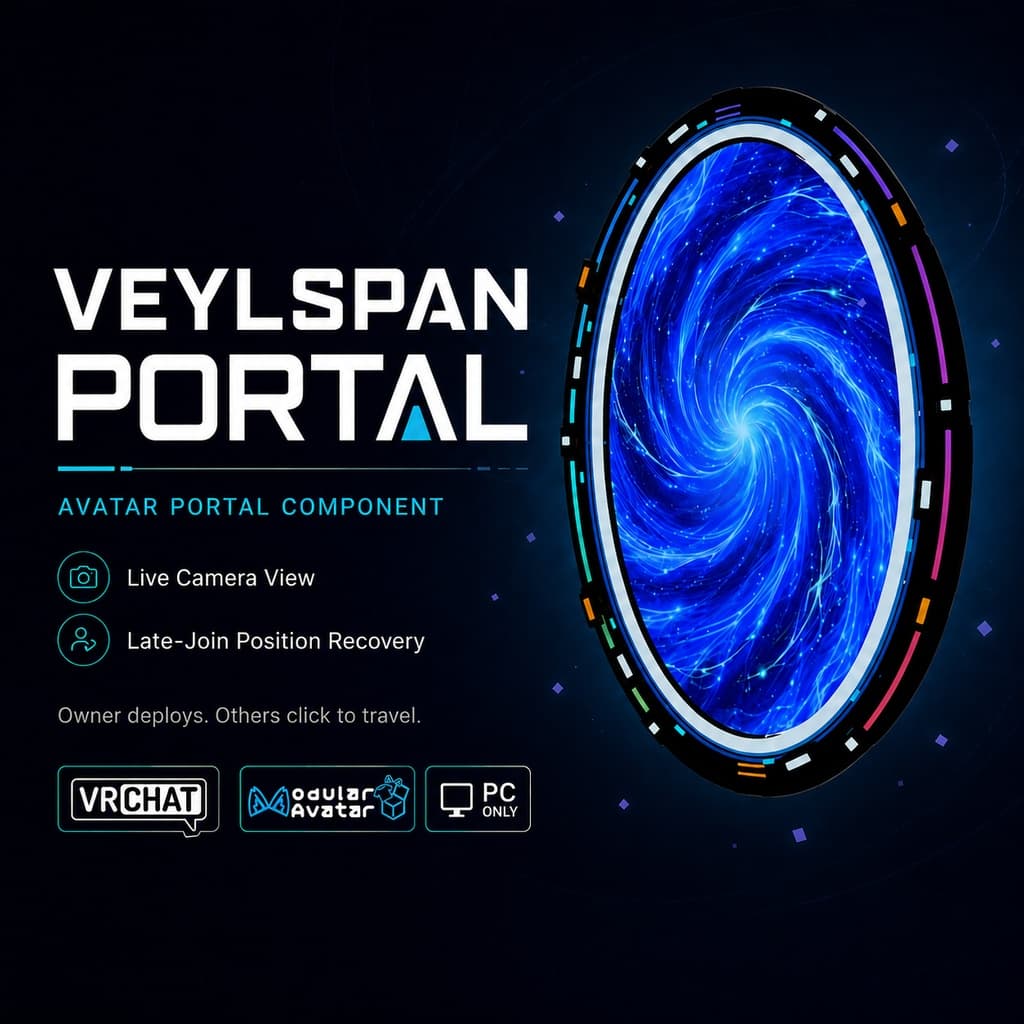
説明
【VRChat / Modular Avatar】Veylspan Portal|2地点をつなぐアバター用ポータルギミック【PC】
商品説明
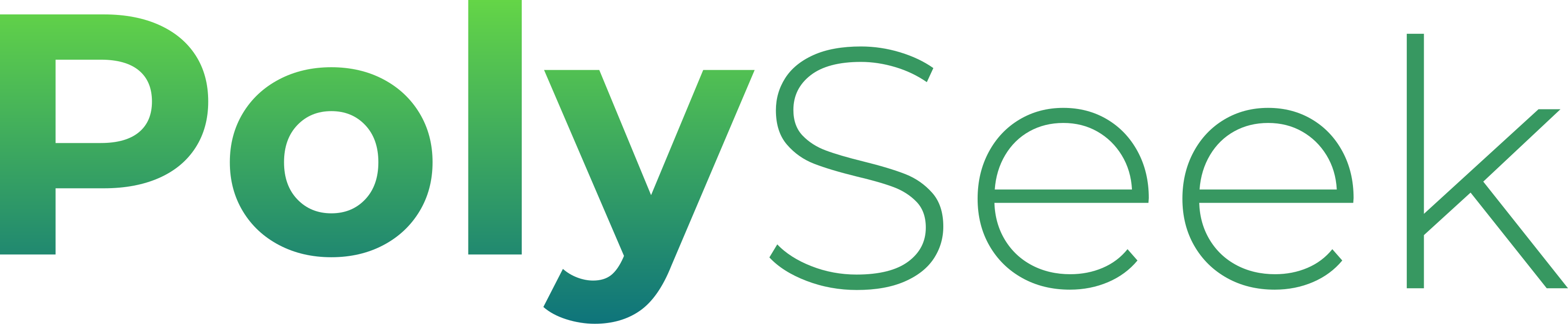
Veylspan Portal は、VRChat PC版向けの2地点間ポータルギミックです。アバターの使用者がエクスプレッションメニューから A・B のポータルをそれぞれ設置し、両方の展開が完了すると、ほかのプレイヤーがポータルをクリックして、同じワールドインスタンス内のもう一方のポータルへ移動できます。
ポータル内には、もう一方のポータルからのリアルタイムカメラ映像を表示できます。メカニカルなフレーム、回転機構、発光ライン、パーティクル、効果音が、フレンドとの集まりやロールプレイ、個人での動画撮影で、SF感あふれる登場シーンを演出します。
製品の特徴
- 2地点に設置して、クリックで移動:メニューから A・B のポータルを個別に設置・収納できます。ほかのプレイヤーが自分の意思でクリックして利用する仕組みで、ポータルの面を普通に歩いて通過するだけでは自動的にテレポートしません。
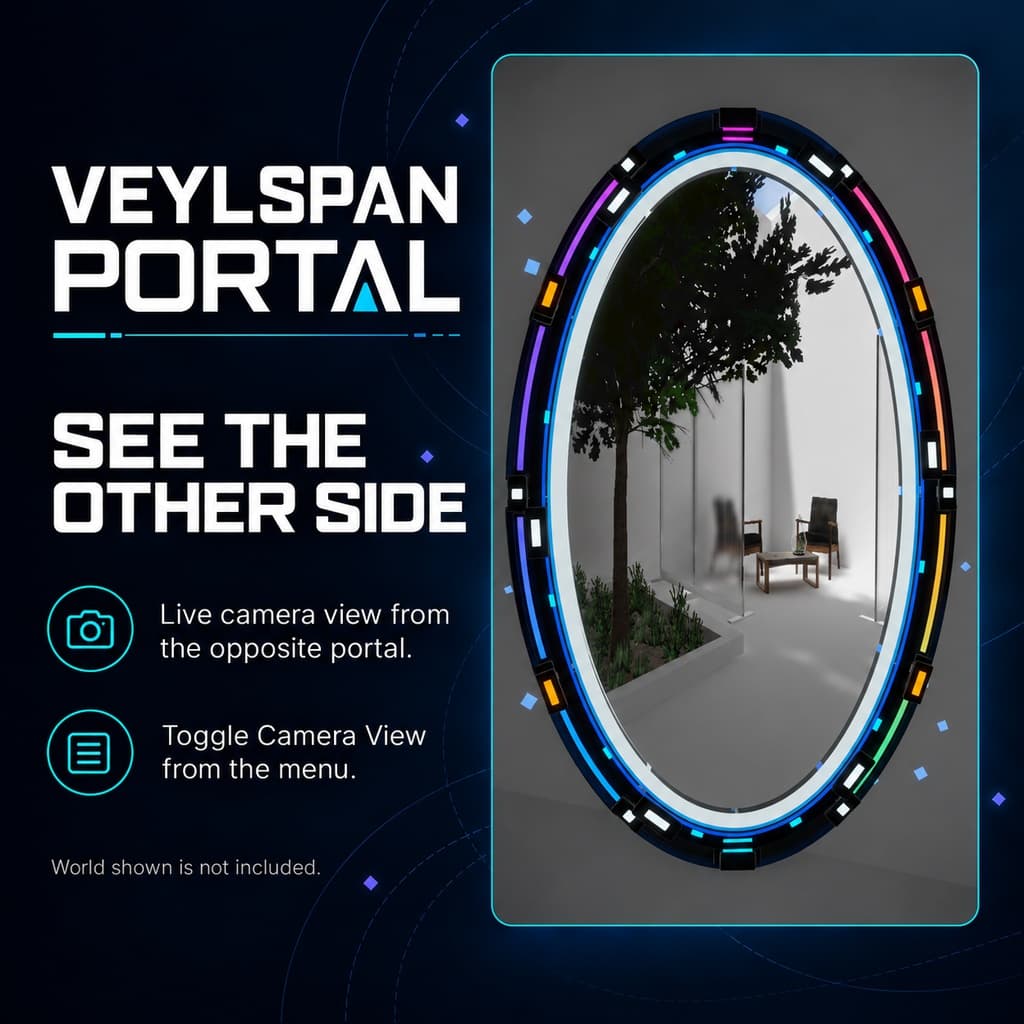
- 向こう側の様子を表示:もう一方のポータルからのリアルタイムカメラ映像を表示できます。Camera View をオフにすると、動く渦模様のポータル面を使用できます。
- 途中参加時の位置復元:あとから参加した場合やアバターを再読み込みした場合のポータル位置の復元に対応し、バックグラウンドで座標を継続的に補正します。
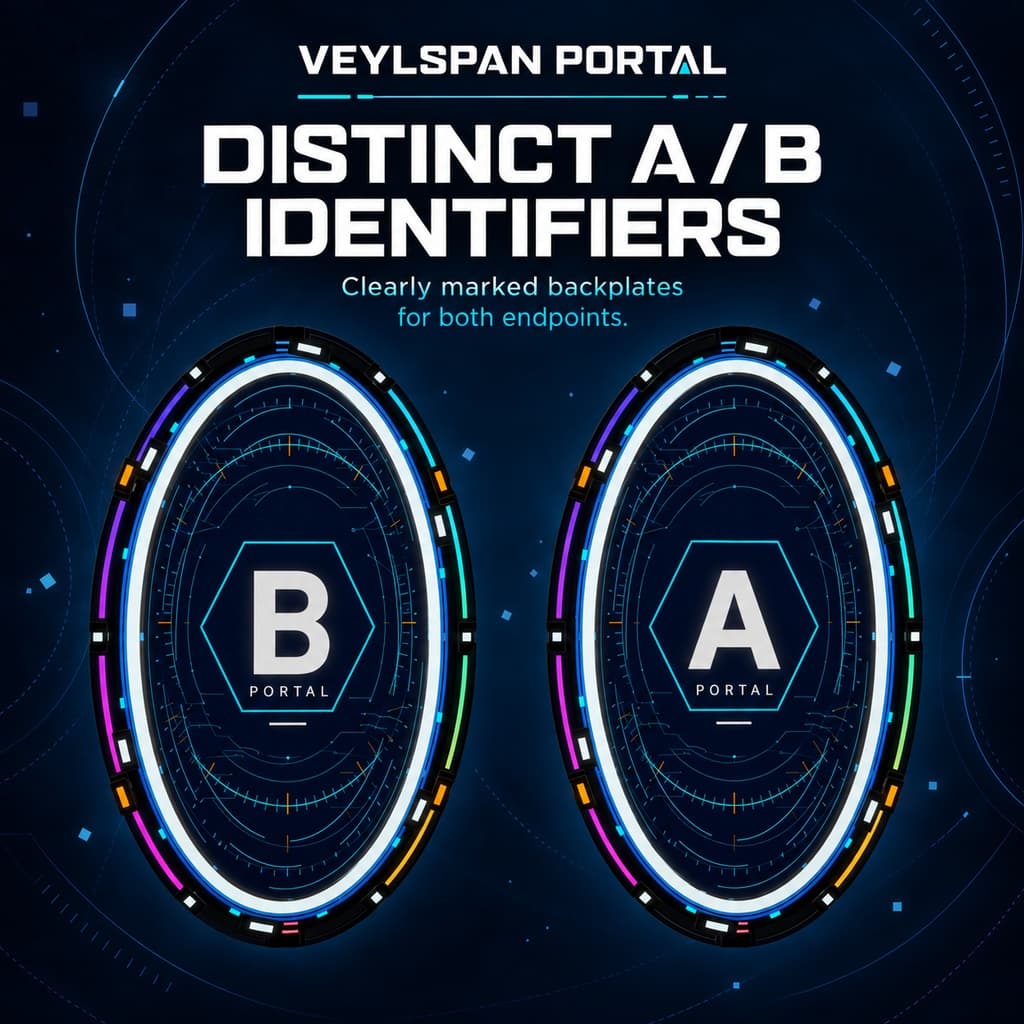
- SFメカニカルデザイン:回転機構、発光ライン、パーティクルによる演出を搭載。背面の A / B 表示で、どちらのポータルかを見分けやすくなっています。
- サウンドとテレポート演出:展開・収納・テレポート時の効果音を収録。テレポート時のパーティクルやサウンドを、周囲のプレイヤーにも同期できます。
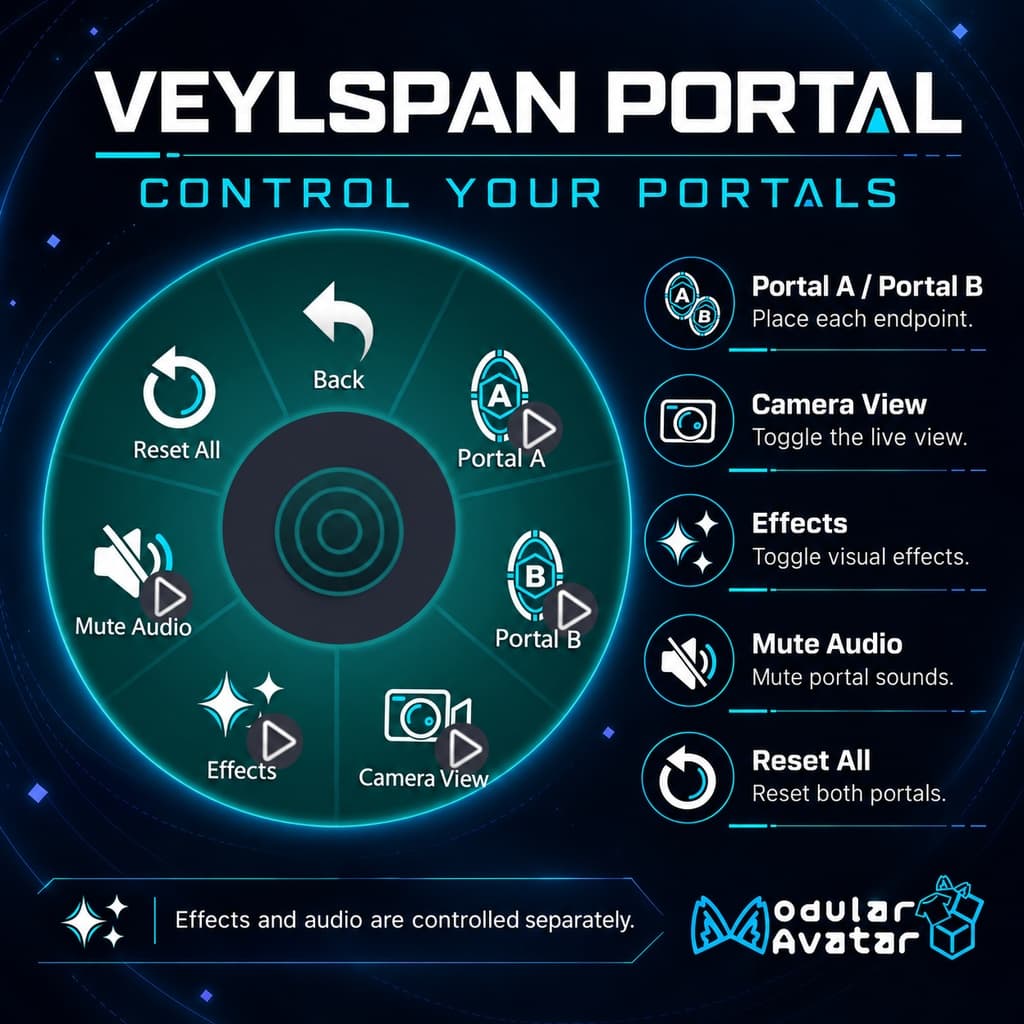
- 独立した切り替え:Camera View、Effects、Mute Audio で、リアルタイム映像・視覚エフェクト・サウンドをそれぞれ個別に操作できます。
- Modular Avatar で導入:必要な依存パッケージをインストールした後、Prefab を Humanoid アバターのルート直下に配置するだけで導入できます。本ギミックの Animator Controller を手動で統合する必要はありません。
使用方法
- 必要な依存パッケージをインストールし、unitypackage をインポートして、対象のアバターに合った導入用 Prefab を選択します。
- Prefab をアバターのルート直下に配置し、アバターをアップロードします。
- エクスプレッションメニューから Portal A と Portal B を設置します。
- 両方の展開が完了すると、ほかのプレイヤーがポータルをクリックして、もう一方のポータルへ移動できます。
ポータルは個別に収納できるほか、Reset All で両方を収納することもできます。
動作環境
- プラットフォーム:VRChat PC版 / Windows、Humanoid アバター。
- Unity:2022.3.22f1。
- VRChat SDK Avatars / Base:3.10.4。
- Modular Avatar:1.18.6、NDMF:1.14.8。
- Shader:Mochie's Unity Shaders Free Package v1.76。別途インストールが必要です。
- 本製品の同期パラメータ使用量:45 bits。アバターにすでに導入されているほかの機能も考慮し、パラメータ容量に十分な余裕を確保してください。
SDK、Modular Avatar、Mochie Shader は本商品に含まれません。同じ名前でも旧バージョンの Mochie Shader とは互換性がない場合があります。上記のバージョンをご使用ください。
同梱内容
- ポータルギミックの unitypackage。
- 標準の WD-On 導入用 Prefab、および WD-Off 用 Prefab。
- 必要なモデル、マテリアル、テクスチャ、アニメーション、メニュー、音声アセット。
- 英語のインストール・使用説明書、ライセンス文書。
商品紹介に登場するアバターやワールドは付属しません。
利用許諾
本商品は個人・非商用での利用に限ります。ライセンスで認められた範囲内で、ご自身の利用のために改変できます。元のデータおよび改変したデータの共有・転売・再配布は禁止です。商用利用や有償依頼などには、事前の書面による許可が必要です。 詳細な利用条件は、同梱のライセンス PDF に従ってください。
お問い合わせ・サポート
BOOTH:https://canned-cat.booth.pm/
Discord サポートコミュニティ:https://discord.gg/WEu3JCer3
【VRChat / Modular Avatar】Veylspan Portal | Dual-Endpoint Avatar Portal Component【PC】
Product Description
Veylspan Portal is a dual-endpoint portal component for VRChat on PC. The avatar wearer places endpoints A and B separately through the Expressions Menu. Once both portals have opened, other players can click a portal to travel to the other endpoint within the same world instance.
The portal can show a live camera view from the other end. Mechanical frames, rotating elements, illuminated accents, particles, and sound effects add a sci-fi flair to entrances at gatherings with friends, roleplay sessions, and personal video shoots.
Features
- Two endpoints, click-to-teleport interaction: Place or retract portals A and B independently through the menu. Other players choose to click and use them; simply walking through the portal surface does not automatically teleport anyone.
- See the other side: Display a live camera view from the opposite endpoint. When Camera View is turned off, an animated vortex surface can be used instead.
- Position recovery for late joiners: Supports restoring endpoint positions when players join later or reload the avatar, with ongoing coordinate correction in the background.
- Sci-fi mechanical design: Rotating structures, illuminated accents, and particle effects, with A / B identifiers on the back to make the endpoints easy to tell apart.
- Sound and teleportation feedback: Includes opening, closing, and teleportation sound effects, with support for synchronizing teleportation particles and sound feedback to observers.
- Independent controls: Camera View, Effects, and Mute Audio control the live view, visual effects, and sound separately.
- Modular Avatar installation: After installing the required dependencies, place the prefab directly under the Humanoid avatar root. There is no need to manually merge the component's Animator Controllers.
How to Use
- Install the required dependencies, import the unitypackage, and choose an installation prefab suitable for the target avatar.
- Place the prefab directly under the avatar root and upload the avatar.
- Deploy Portal A and Portal B through the Expressions Menu.
- Once both portals have opened, other players can click a portal to travel to the other end.
Each endpoint can be retracted independently, or both portals can be retracted using Reset All.
Requirements
- Platform: VRChat PC / Windows; Humanoid avatar.
- Unity: 2022.3.22f1.
- VRChat SDK Avatars / Base: 3.10.4.
- Modular Avatar: 1.18.6; NDMF: 1.14.8.
- Shader: Mochie's Unity Shaders Free Package v1.76, installed separately.
- Product synced-parameter budget: 45 bits. Make sure to leave enough parameter capacity for the other features already on your avatar.
The SDK, Modular Avatar, and Mochie Shader are not included with this product. Older Mochie shaders with the same names may not be compatible. Please use the versions listed above.
Included Content
- Portal component unitypackage.
- Default WD-On installation prefab and a WD-Off prefab.
- Required models, materials, textures, animations, menus, and audio assets.
- English installation and usage instructions, plus license documentation.
Avatars and worlds shown in the product presentation are not included.
License
This product is for personal, non-commercial use only. Modifications for your own use are permitted within the scope of the license. Sharing, reselling, or redistributing the original assets or modified versions is prohibited. Commercial use, paid commissions, and similar uses require prior written permission. The license PDF included with the product governs the full terms of use.
Contact and Support
BOOTH: https://canned-cat.booth.pm/
Discord support community: https://discord.gg/WEu3JCer3