

HK G11
 soranoiki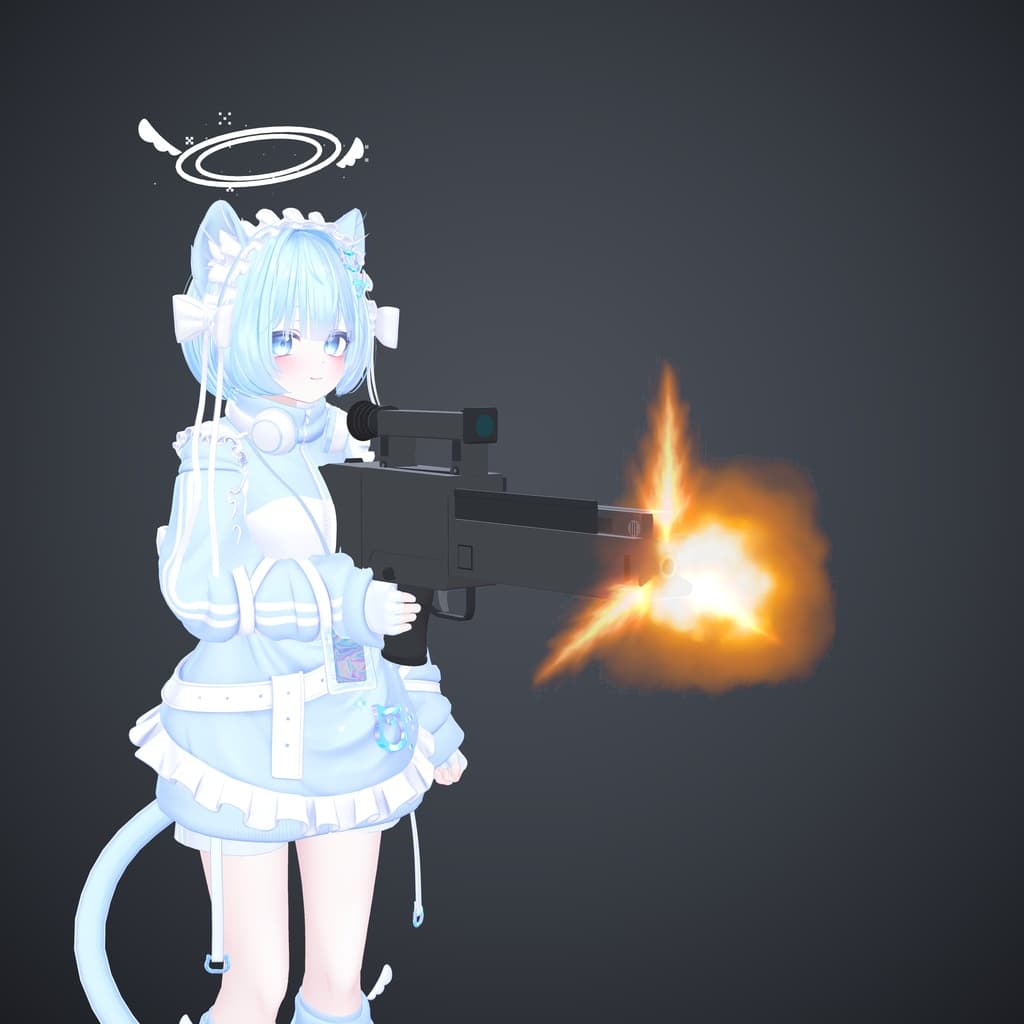
説明
===================================================== 日本語
[説明文] G11 Gun System(VRChat用 銃ギミック)
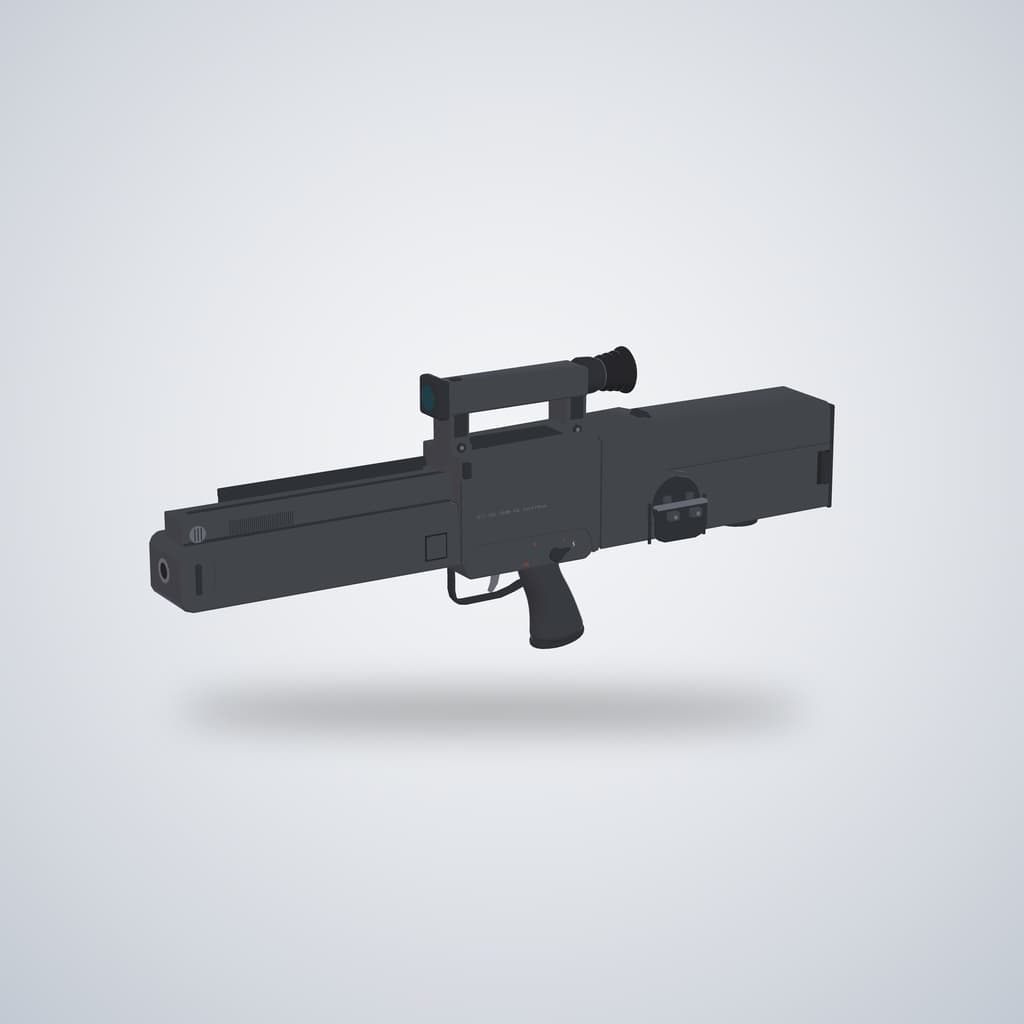
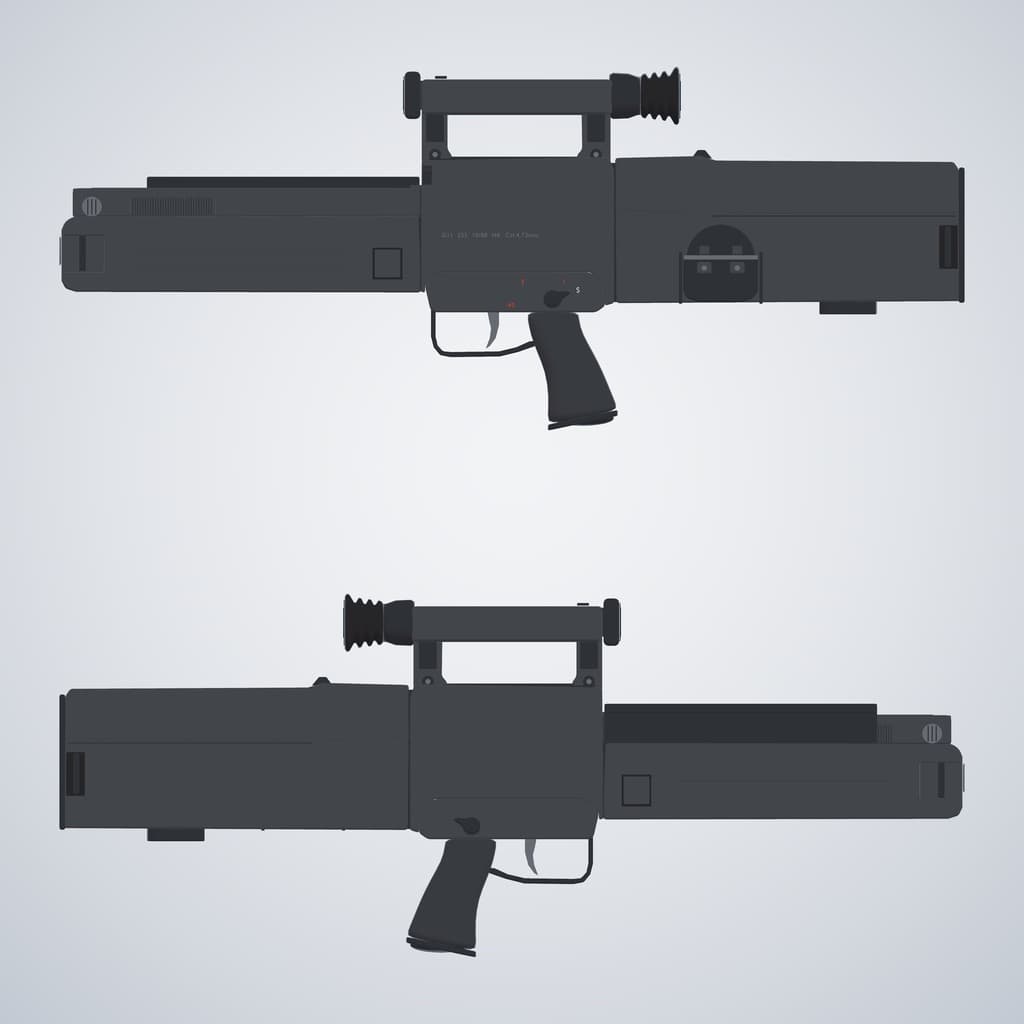
アバターで実際に撃てるG11ライフルです。Modular Avatar対応のプレハブを1つ入れるだけで導入できます。アバターにドラッグして、手の位置を合わせて、アップロードするだけです。
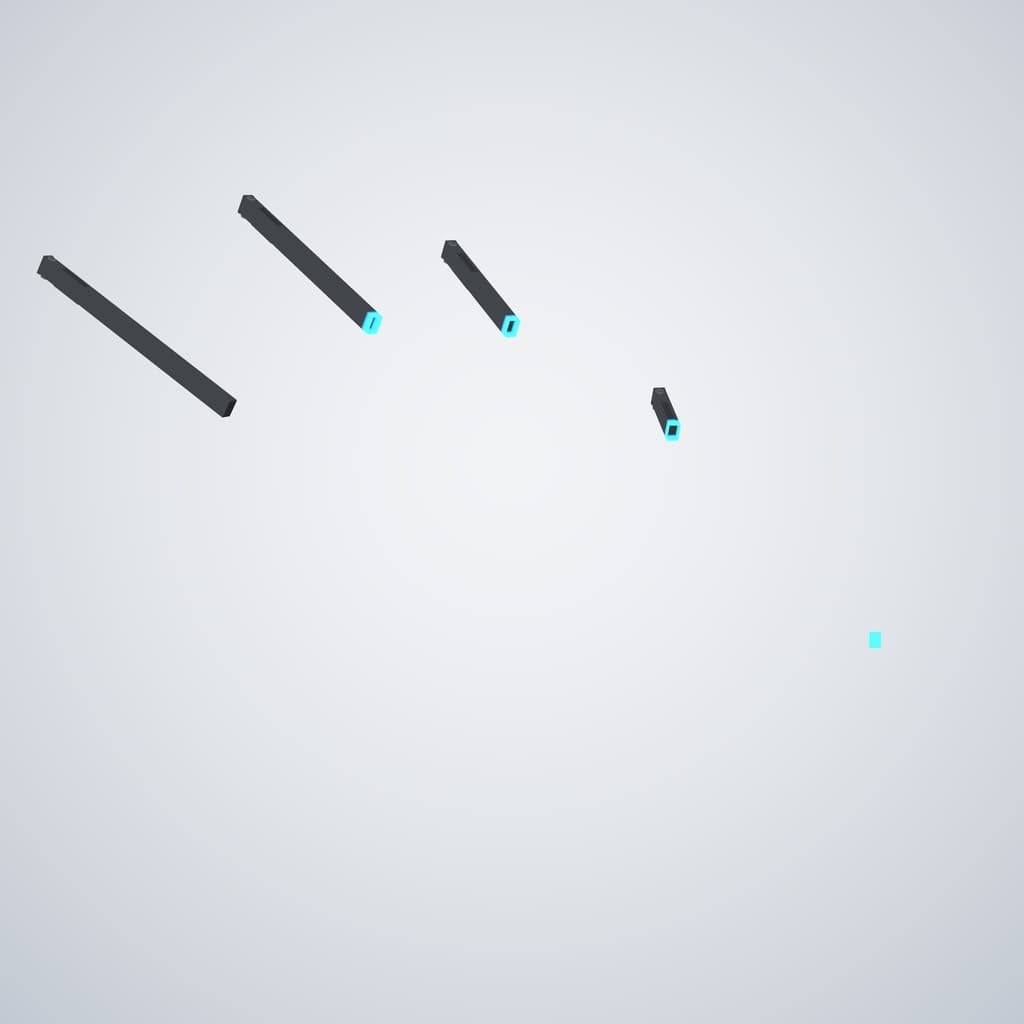
・射撃モード3種:単発/3点バースト/フルオート(毎分約460発) ・右手のグー(Fist)で射撃。デスクトップはメニューからも射撃できます ・マズルフラッシュ、曳光弾、着弾時の火花と煙、弾痕(最大8個) ・手動リロード:マガジンを抜いて投げ捨てる(空中で消えます)→ 腰から新しいマガジンを取る → 差し込む → クランクを回す ・マガジンはグーでもサムズアップでも掴めます ・射撃音・リロード音・クランク音(空間オーディオ) ・同期対応なので、他のプレイヤーにも見えて聞こえます
動作確認アバター:「ピューマのぷまちゃん」(#nemnem様) 導入マニュアル(PDF・12ページ・英語)付き
[Section: 動作環境] ・Unity 2022.3.22f1 ・VRChat SDK - Avatars 3.10.5以降 ・Modular Avatar 1.18.7以降 ・lilToon 2.3.4以降 ・Humanoidのアバター ・PC専用(Quest/Android非対応) ・パラメーターメモリ 38bit の空き ・任意:Gesture Manager(Unity上での動作確認用) ※これらのツールは同梱していません。VRChat Creator Companion(VCC)から導入してください。
[Section: 内容物] ・G11_Gun_System_v1.0.unitypackage(プレハブ、アニメーション、メニュー、サウンド、マテリアル、エフェクト) ・導入マニュアル G11_Gun_System_Setup_Manual.pdf(12ページ・英語)
[Section: 導入方法]
- unitypackage をインポートします。
- G11_AvatarModule.prefab をアバターのルートオブジェクトにドラッグします。
- 右手のグリップ、左手のマガジングリップ、腰のポケットの位置をアバターに合わせます。
- アップロードします。アニメーター・パラメーター・メニューは Modular Avatar が自動で追加します。 詳しい手順は画像付きでマニュアルに載っています。
[Section: 使い方] ・メニュー:G11 > Equip G11(装備)/Fire mode(射撃モード)/Fire (desktop)(デスクトップ射撃)/Fresh magazine(新しいマガジン)/Crank after reload(クランク) ・射撃:右手グー ・リロード:
- 左手グーまたはサムズアップでマガジンを掴む
- 銃から離れた位置で手を開いて投げ捨てる
- 腰のポケットで左手グーまたはサムズアップ(新しいマガジン)
- マガジンを銃に近づけて手を開く
- クランクのつまみで左手グー
[Section: 注意事項] ・メニューで Equip G11 をONにするまで、銃は表示されません。 ・G11_AvatarModule はアバターのルート直下に置き、名前を変えないでください(変えると音が鳴りません)。 ・パーティクルシステムを13個(トレイル・コリジョンあり)使用するため、PCのパフォーマンスランクは Poor または Very Poor になる可能性が高いです。 ・Avatar Optimizer(Trace And Optimize)との併用で動作を確認しています。
[Section: クレジット] ・エフェクト:メカ弾エフェクト Ver2.00(超兵器工房/メカ魂様) ・サウンド(CC0):The Free Firearm Sound Library(Still North Media)、Gun reload sounds(SpringySpringo)/OpenGameArt.org ・画像内のアバター:「ピューマのぷまちゃん」(#nemnem様)
[3D Props: 更新履歴] v1.0(2026/09/12)初回リリース
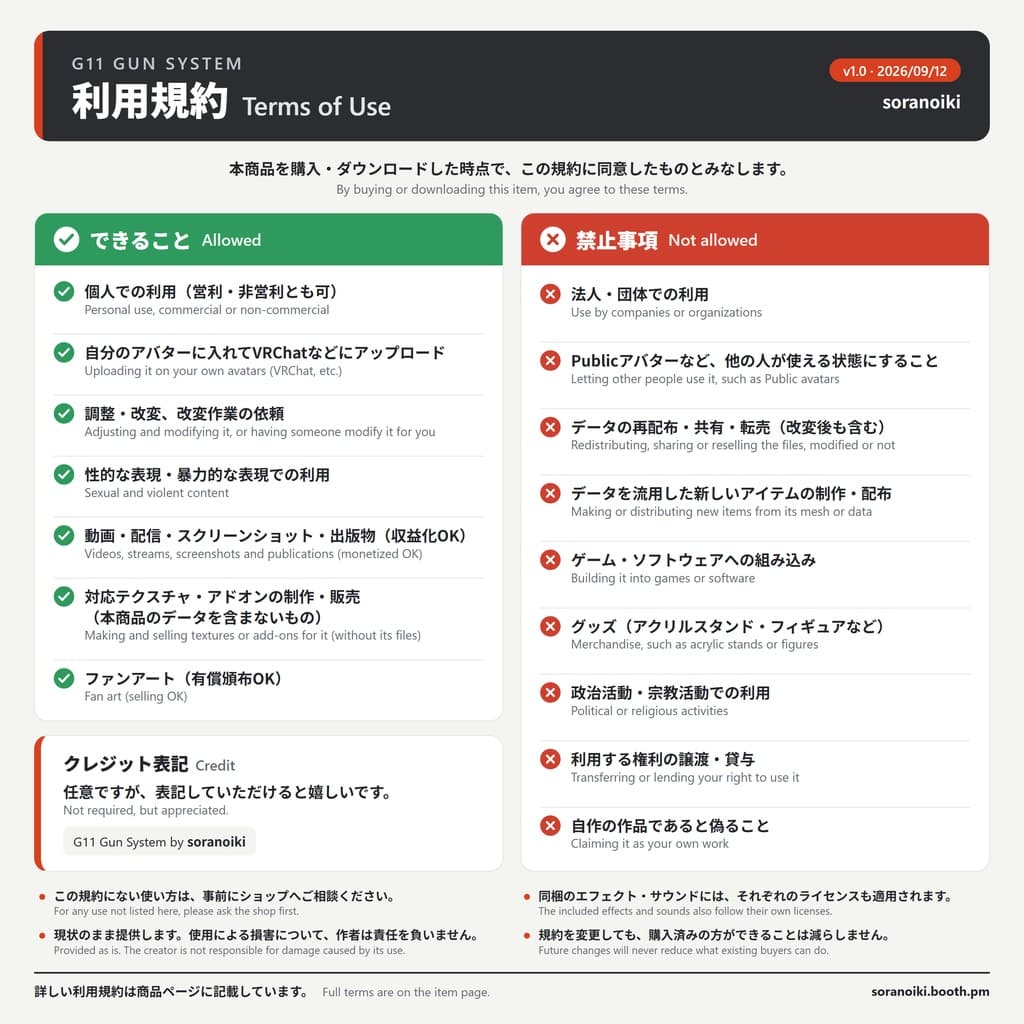
[3D Props: 利用規約] G11 Gun System(以下「本商品」)の利用規約です。本商品を購入・ダウンロードした時点で、この規約に同意したものとみなします。
できること ・個人での利用(営利・非営利を問いません) ・自分のアバターに入れて、VRChat などのサービスにアップロードすること ・自分で使うための調整・改変、および改変作業を他の人に依頼すること ・性的な表現、暴力的な表現での利用 ・動画・配信・スクリーンショット・出版物での利用(収益化を含む) ・本商品に合わせたテクスチャやアドオンの制作・販売(本商品のデータを含まないものに限ります) ・ファンアート(二次創作)の制作・公開・頒布(有償も可)
禁止事項 ・法人・団体での利用 ・本商品を入れたアバターを Public でアップロードするなど、他の人が使える状態にすること ・データの再配布・共有・転売(改変の有無を問いません) ・本商品のメッシュなどのデータを流用した、新しいアイテムの制作・配布 ・ゲームやソフトウェアへの組み込み ・グッズ(アクリルスタンドやフィギュアなど)への利用 ・政治活動・宗教活動での利用 ・本商品を利用する権利を、他の人に譲渡・貸与すること ・自作の作品であると偽ること
===================================================== English
[Description] G11 Gun System for VRChat
A fully working G11 rifle for your avatar. It installs as a single Modular Avatar prefab: drag it onto your avatar, fit the grips to your hands, and upload.
・3 fire modes: single shot, 3-round burst and full auto (about 460 rounds per minute) ・Fire with the right-hand Fist gesture, or from the menu on desktop ・Muzzle flash, tracer bullets, sparks and smoke on hit, and up to 8 bullet holes ・Hands-on reload: pull the magazine, throw it away (it dissolves in mid-air), grab a new one from your hip, insert it and turn the crank ・Grab magazines with a Fist or a Thumbs-up ・Shot, reload and crank sounds with spatial audio ・Synced, so other players see and hear everything
Tested with: "Puma-chan" (ピューマのぷまちゃん) by #nemnem Includes a 12-page setup manual (PDF, English)
[Section: Requirements] ・Unity 2022.3.22f1 ・VRChat SDK - Avatars 3.10.5 or newer ・Modular Avatar 1.18.7 or newer ・lilToon 2.3.4 or newer ・A humanoid avatar ・PC only (not compatible with Quest/Android) ・38 bits of free parameter memory ・Optional: Gesture Manager, for testing in Unity These tools are not included. Install them through the VRChat Creator Companion (VCC).
[Section: What's included] ・G11_Gun_System_v1.0.unitypackage (prefab, animations, menu, sounds, materials, effects) ・Setup manual G11_Gun_System_Setup_Manual.pdf (12 pages, English)
[Section: Setup]
- Import the unitypackage.
- Drag G11_AvatarModule.prefab onto your avatar's root object.
- Fit the right-hand grip, left-hand magazine grip and hip pocket to your avatar.
- Upload. Modular Avatar adds the animator, parameters and menu automatically. Step-by-step instructions with pictures are in the manual.
[Section: How to use] ・Menu: G11 > Equip G11 / Fire mode / Fire (desktop) / Fresh magazine / Crank after reload ・Fire: right-hand Fist ・Reload:
- Left Fist or Thumbs-up on the magazine
- Open your hand away from the gun to throw it
- Left Fist or Thumbs-up at the hip pocket for a new magazine
- Bring the magazine to the gun and open your hand
- Left Fist on the crank knob
[Section: Notes] ・The gun stays hidden until you turn on Equip G11 in the menu. ・Keep G11_AvatarModule directly under your avatar's root and don't rename it, or the sounds won't play. ・The effects use 13 particle systems (with trails and collision), so your avatar will likely rank Poor or Very Poor on PC. ・Tested together with Avatar Optimizer (Trace And Optimize).
[Section: Credits] ・Effects: Mecha Bullet Effects Ver 2.00 (メカ弾エフェクト) by 超兵器工房 (メカ魂) ・Sounds (CC0): The Free Firearm Sound Library (Still North Media) and Gun reload sounds (SpringySpringo), OpenGameArt.org ・Avatar in images: "Puma-chan" (ピューマのぷまちゃん) by #nemnem
[3D Props: Update information] v1.0 (2026-09-12) Initial release