

CCatTacticalShield
 canned-cat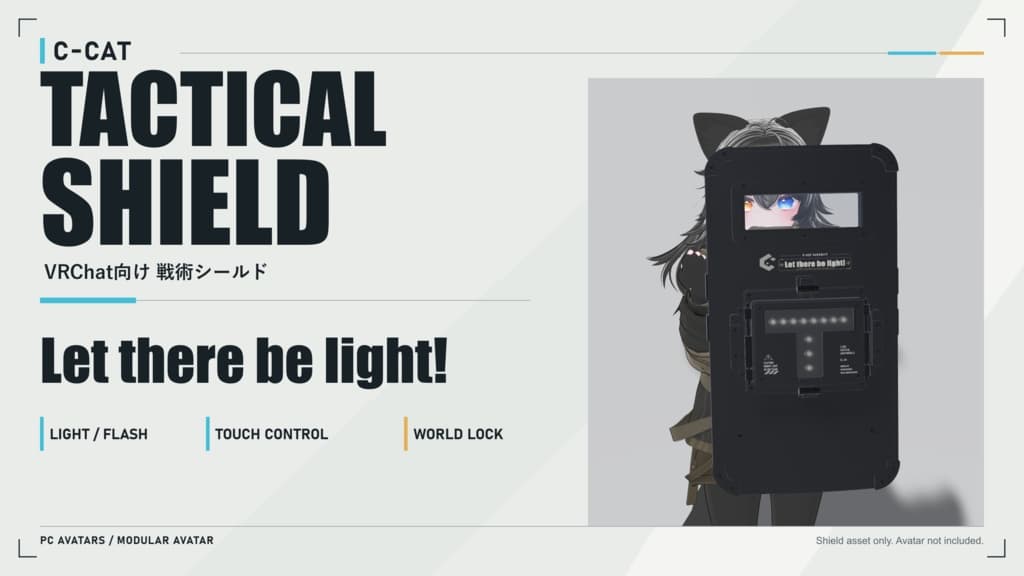
説明
C-CAT Tactical Shield Let there be light!
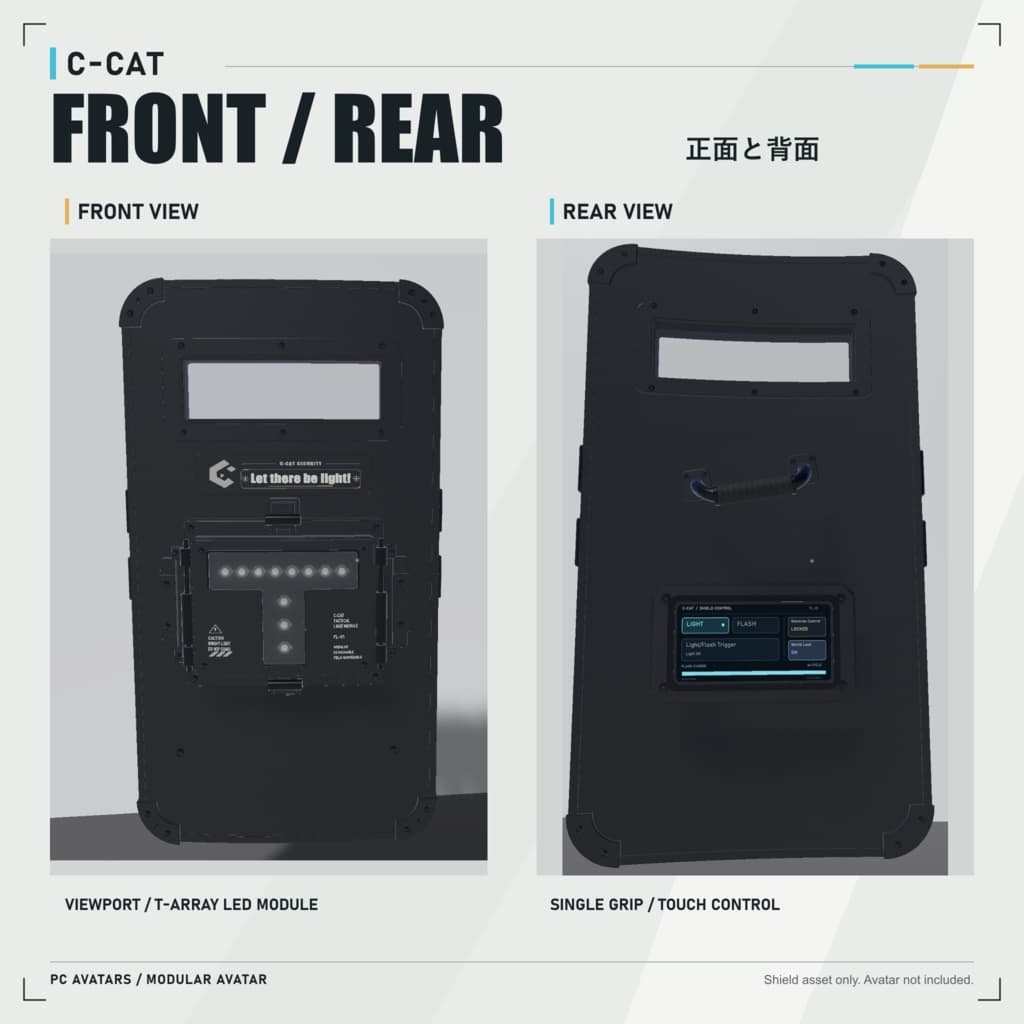
【日本語】 タッチパネル、T字型LED照明、指向性フラッシュを搭載した、PC版VRChat向けシールドです。Modular Avatar対応。PCVR・デスクトップの両方で操作できます。
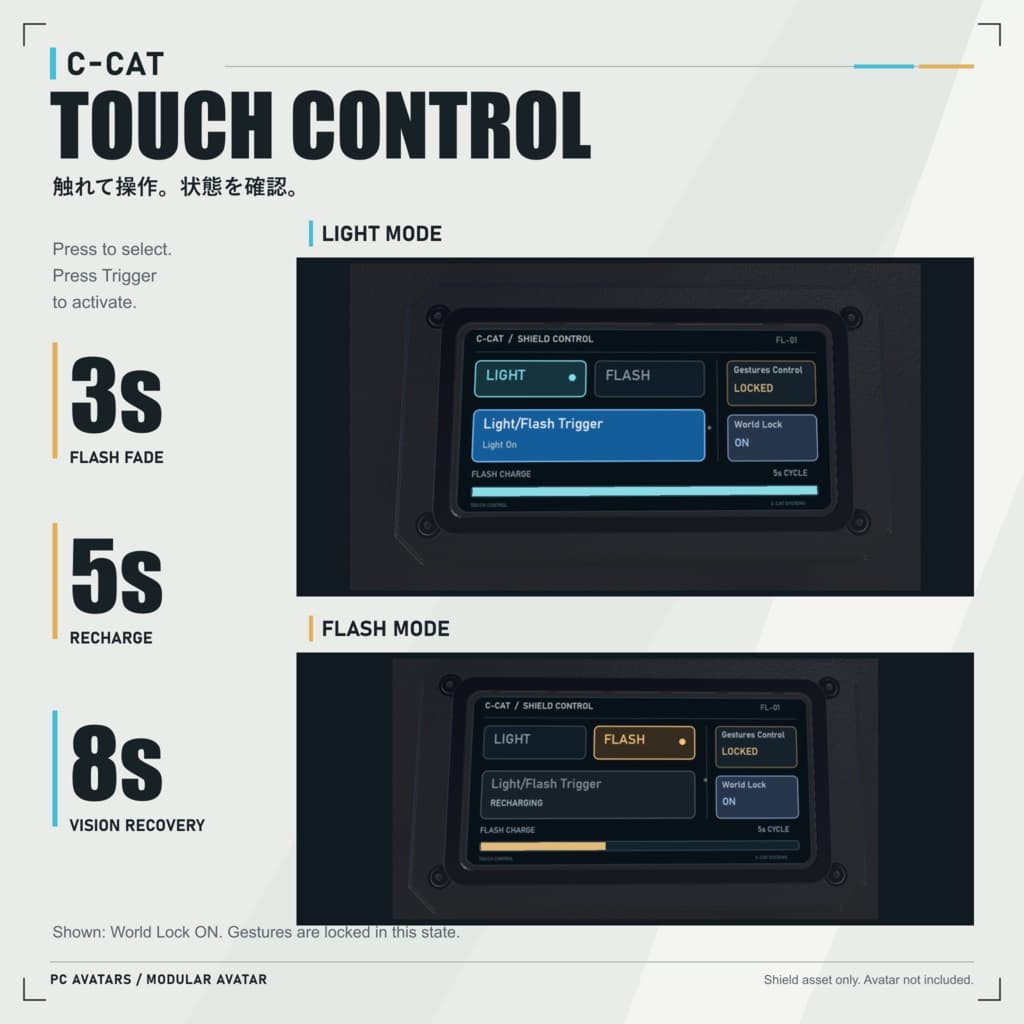
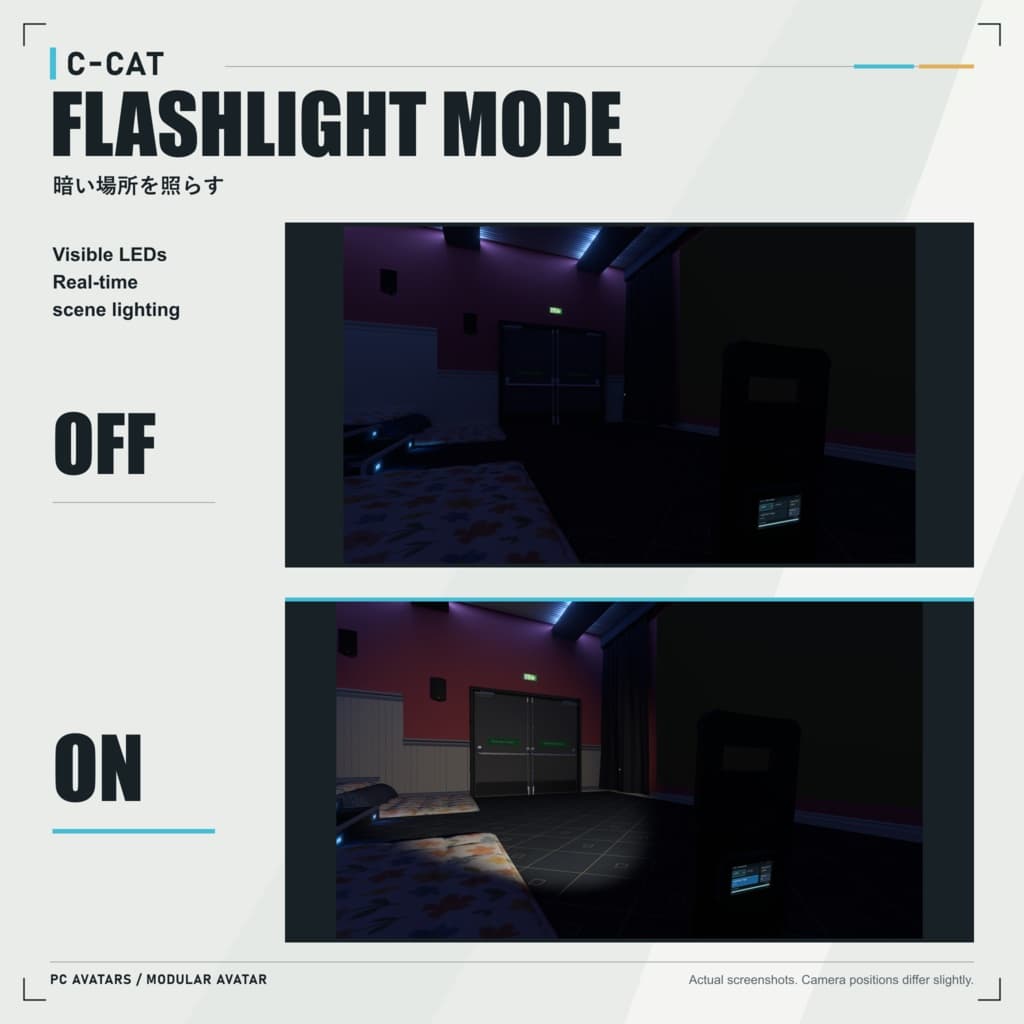
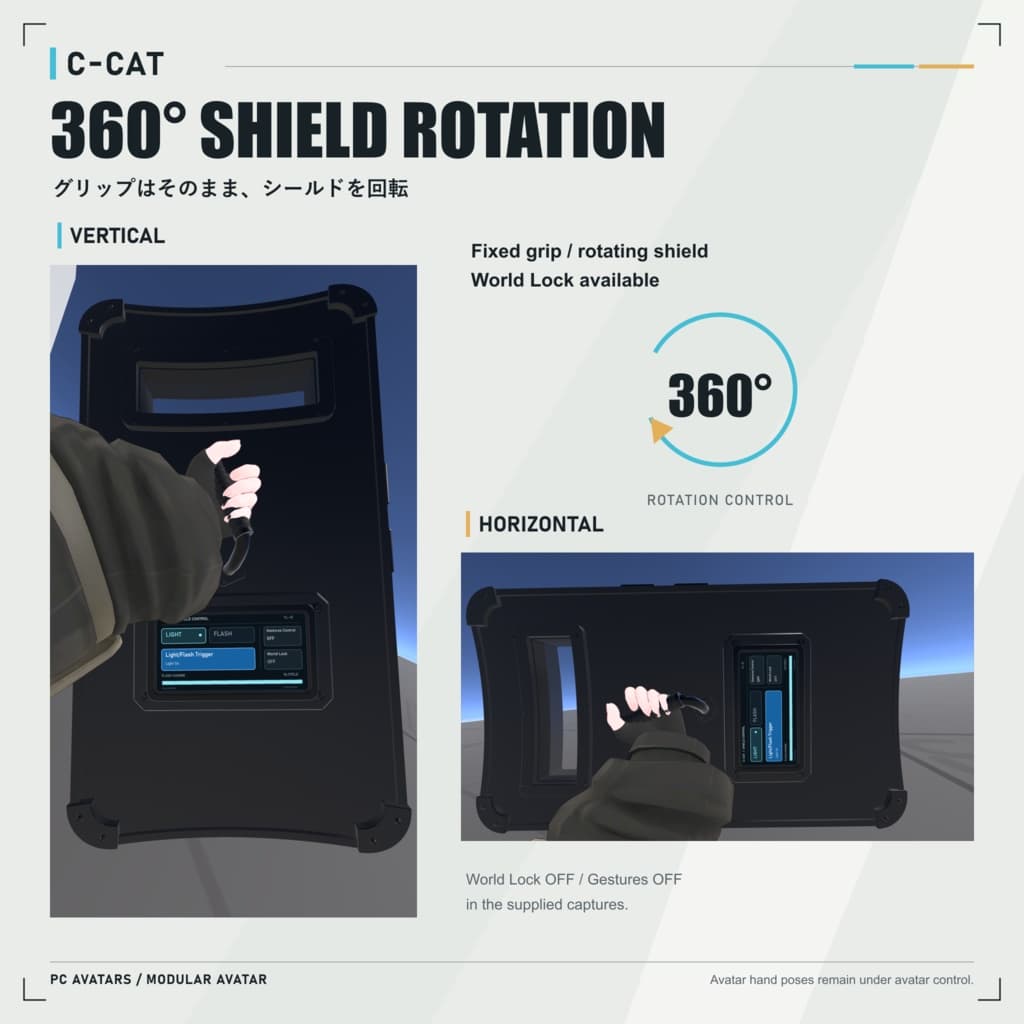
・照明:11個のLEDが点灯し、リアルタイムライトで周囲を照らします。 ・フラッシュ:強い光と光のにじみが約3秒で減衰。対象プレイヤーの視界は約8秒で回復します。再使用まで5秒。画面のチャージバーと発光・充電・完了音で状態を確認できます。 ・命中判定:発光時の距離と視線方向で判定します。命中後に離れたり背を向けたりしても効果は継続し、発光後に範囲へ入った人にはその回の効果は発生しません。 ・タッチ操作:LIGHT/FLASHでモードを選び、Light/Flash Triggerで照明のオン/オフ、またはフラッシュを発動。触れた瞬間に反応し、同じモードを再選択しても状態は変わりません。所有者本人の指にのみ反応します。 ・ジェスチャー・メニュー操作:左手を新たに握る操作、またはExpressionメニューのTriggerでも使用できます。押し続け・握り続けによる連射はありません。Disable Gesturesで握り操作を無効化できます。 ・ワールド固定:現在の位置と向きに固定し、解除すると左手に戻ります。固定中は握り操作が無効になりますが、タッチとメニュー操作は使用できます。 ・360°回転:グリップを固定したまま盾面を0~360°回転。縦持ち・横持ちを切り替えられます。 ・自動フィット:対応Humanoidの手に合わせて握持位置・角度・大きさを調整します。指のポーズは元のアバター設定を維持します。 ・パーティクル衝突:対応する粒子を遮るコライダーを搭載。相手側に適切なWorld/3D Collisionとレイヤー設定が必要です。
必要環境: PC向けAvatarプロジェクト、VRChat SDK Avatars、Modular Avatar。 制作環境:Unity 2022.3.22f1/SDK 3.10.4/MA 1.18.6。 NDMFはVCCまたはALCOMでMAを導入する際に自動で導入されます。個別のインストールは不要です。 自動フィットにはHumanoidの左手・人差し指と小指の付け根のボーン設定が必要です。特殊な手型は微調整が必要な場合があります。Quest/Android単体動作は非対応です。
パラメーター: 同期6個・20 bits(Bool×4、Int×1、Float×1)。ローカル専用2個を含め、Expression Parametersは合計8個です。ローカルのトリガー入力・ジェスチャー設定は同期容量を追加消費しません。20 bits以上の空きを確保してください。
導入・調整:
- VCCでAvatarプロジェクトを準備し、SDKとModular Avatarを導入します。
- 付属のUnityパッケージを一式インポートします。
- Prefabs内のMA用シールドPrefabをアバターのルート直下に配置します。
- Automatic Hand Alignmentで位置をプレビューし、Position Adjustment/Rotation Adjustment/Size Multiplierで微調整します。自動調整に対応しない場合はAutomaticをオフにし、GripPoseを手動で配置してください。
- SDKでビルド・テスト後、アップロードします。メニュー・パラメーター・FXはMAが統合します。
ゲーム内ではC-CAT Shield → Equip Shieldで装備し、モードを選んで発動します。握ったまま装備・呼び戻しした場合は、一度開いてから握り直してください。
シールドアセットのみ。アバター・衣装・撮影ワールドは付属しません。光・音・画面効果は閲覧側の設定やワールド描画に依存します。ワールド固定位置は通信遅延や途中参加で差が生じる場合があります。
【English】 A tactical shield for PC VRChat avatars with a touchscreen, T-shaped LED lighting, and a directional flash effect. Built for Modular Avatar, with PCVR and desktop controls.
• Flashlight: 11 LEDs illuminate with the real-time light to brighten your surroundings. • Flash: A bright burst and glow fade over about 3 seconds. Affected viewers recover their vision over 8 seconds. Recharge takes 5 seconds, with a screen progress bar, flash/charging sounds, and a ready tone. • Hit detection: Distance and viewing direction are checked at the flash instant. Moving or turning away after a hit does not cancel recovery. Entering the area afterward does not cause a delayed hit. • Touch controls: Select LIGHT or FLASH, then press Light/Flash Trigger to toggle the flashlight or fire one flash. Buttons act on contact; selecting the current mode again changes nothing. Only the owner's fingers operate the panel. • Gestures and menu: A new left-hand fist or the menu's Trigger activates the selected mode. Holding a button or fist does not repeat. Disable Gestures turns off fist input. • World Lock: Fix the shield at its current world position and orientation, then recall it to the left hand. Fist input is disabled while locked; touch and menu controls remain available. • Rotation: Rotate the shield 0–360° in its own plane while the grip stays fixed, switching between vertical and horizontal positions. • Automatic fit: Fits grip position, rotation, and shield scale to supported Humanoid hands while retaining the avatar's own finger poses. • Particle collision: Includes a collider for compatible particles. The other particle system must enable suitable World/3D collision and layers.
Requirements: PC Avatar project, VRChat SDK Avatars, and Modular Avatar. Development environment: Unity 2022.3.22f1 / SDK 3.10.4 / MA 1.18.6. NDMF is installed automatically with MA through VCC or ALCOM; no separate installation is needed. Automatic fit needs mapped Humanoid left-hand, index-root, and little-finger-root bones. Unusual hands may need adjustments. Standalone Quest/Android is not supported.
Parameters: 6 synced parameters using 20 bits: 4 Bool, 1 Int, 1 Float. With 2 local-only parameters, there are 8 expression parameters in total. Local trigger and gesture settings add no synced memory cost. Reserve at least 20 free synced bits.
Installation:
- Prepare an Avatar project in VCC and install the SDK and Modular Avatar.
- Import the complete supplied Unity package.
- Place the MA shield prefab from Prefabs directly under the avatar root.
- Preview Automatic Hand Alignment. Fine-tune Position Adjustment, Rotation Adjustment, and Size Multiplier. For unsupported rigs, disable Automatic and position GripPose manually.
- Build and test with the SDK, then upload. MA merges the menu, parameters, and FX controls.
In game, open C-CAT Shield → Equip Shield, select a mode, and trigger it. If already making a fist when equipping or recalling, release it before making a new fist to trigger.
Shield asset only; avatar, clothing, and demonstration worlds are not included. Light, audio, and screen effects depend on viewer settings and world rendering. World Lock placement may vary with network delay or late joining.