

[All Avatars] Cyber Hack (PC/VR)
 lenas
説明
CyberHack — Quickhack HUD for VRChat | Desktop & PC VR
Touch your wrist. Execute your next quickhack.
Bring a cyberpunk-inspired hacking interface to your avatar. CyberHack combines a HUD, wrist-mounted touch controls, and a rechargeable RAM system for immersive sci-fi roleplay.
Use a full-screen interface on desktop, or access your quickhacks through a wrist menu and head-following information display in PC VR.
✦ Features
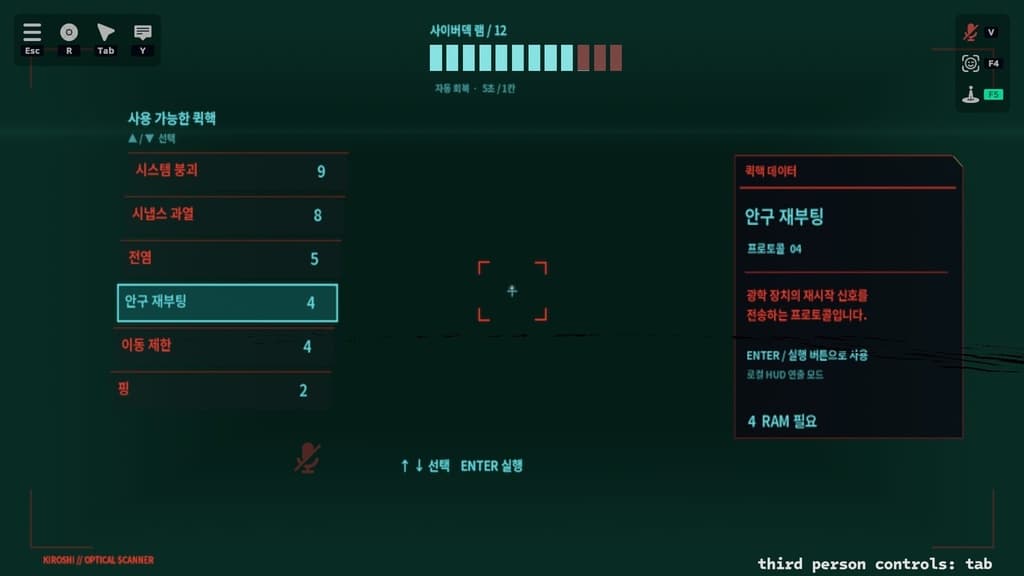
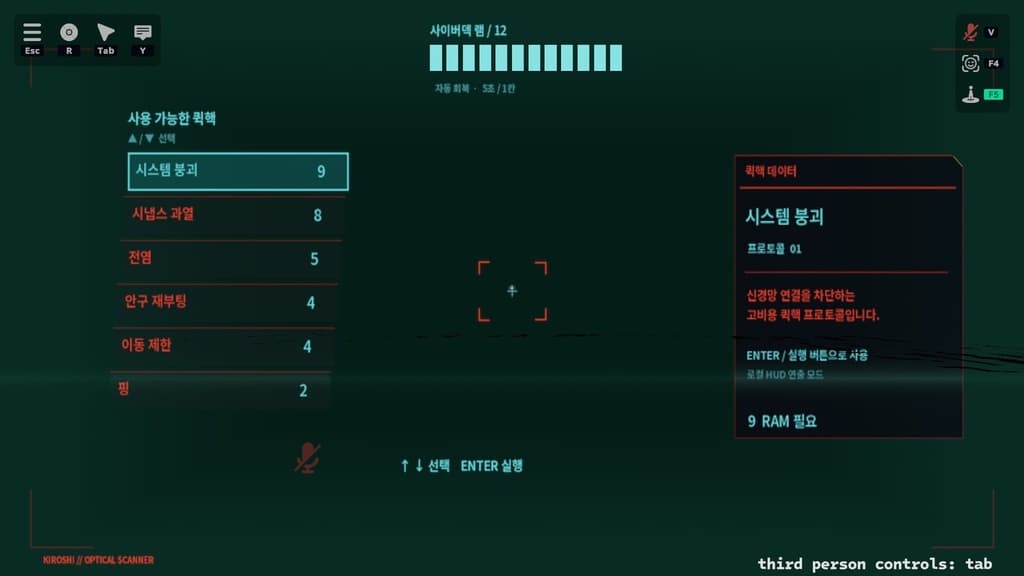
• Full-Screen Desktop HUD Browse quickhacks and view descriptions, RAM requirements, and available RAM.
• Dedicated PC VR Layout Keep RAM and quickhack information in view with a head-following display. Access six quickhacks through a staggered menu positioned near the inside of your left wrist.
• Right Index Finger Touch Controls Touch a wrist-menu item to select and execute it. Lift your finger before touching again to trigger another action.
• Visual & Audio Feedback Successful actions trigger cyan flashes, a brief button enlargement, and an electronic sound effect. Insufficient RAM triggers red feedback and a rejection sound.
• RAM Consumption & Recovery Manage up to 12 RAM slots, with different costs for each quickhack. RAM automatically regenerates at one slot every five seconds.
• HUD Toggle & Menu Controls Turn the HUD on or off, browse quickhacks, and execute actions through the Expressions menu.
• Optional Desktop Keyboard Controls Use the included OSC helper to navigate with ↑ / ↓ and execute with Enter.
✦ Included
Unity package / Integrated installer / HUD textures and shaders / Display prefab and materials / Sound effects / Keyboard helper / Korean installation guide
✦ Installation
- Import the package into a Unity project with the VRChat Avatars SDK installed.
- Select your avatar root in the Hierarchy.
- Open Tools → CyberHack 통합 설치.
- Click 원본에 전체 설치 / 업데이트 to install or update the selected avatar.
The installer generates the HUD and Animator setup for your avatar. Installation on a duplicate avatar is also available.
✦ Before You Use
• Designed for VRChat on Windows desktop and PC VR. Standalone Quest/Android is not supported. • Requires a humanoid avatar. Wrist-menu position, rotation, and scale may need adjustment for your avatar. • VR touch interaction requires the avatar’s right index finger Contact Sender to be enabled and correctly configured. • Optional keyboard controls require Python 3 on Windows and OSC enabled in VRChat. • Quickhacks are local visual and audio effects. They do not hack, damage, or control other players or worlds. • Compatibility with every avatar and VR headset is not guaranteed. Back up your project and use Build & Test before uploading.