

【11/2(月)まで限定販売】FIT VRChat — 画像とやさしい言葉のアバタードレスルーム
 FIT-GYEOL
説明
アバター専用衣装を着せる手順 https://youtu.be/akW9yQ1sT_c
アバターに衣装を着せてアップロード準備まで | https://youtu.be/wxUT96BVuTM
ヒールの高さに合わせて足を調整 https://youtube.com/shorts/Olj2m2qEhE8?feature=share
靴だけ・ドレスだけ色違いに!パーツ単位で色変更 https://youtube.com/shorts/CZtgRQ2OXVQ?feature=share
体型を変えても衣装がぴったり追従|FIT サイズ調整 https://youtube.com/shorts/LIaX89v-grE
【お知らせ】 テスト期間のため、11月2日(月)までの販売です。その後はご意見をもとに修正・アップデートを行います。不具合はBOOTHメッセージでお知らせください。 テストにご参加いただいた方には、現在開発中の機能を追加した上位版を、お求めやすい価格でご提供する予定です。
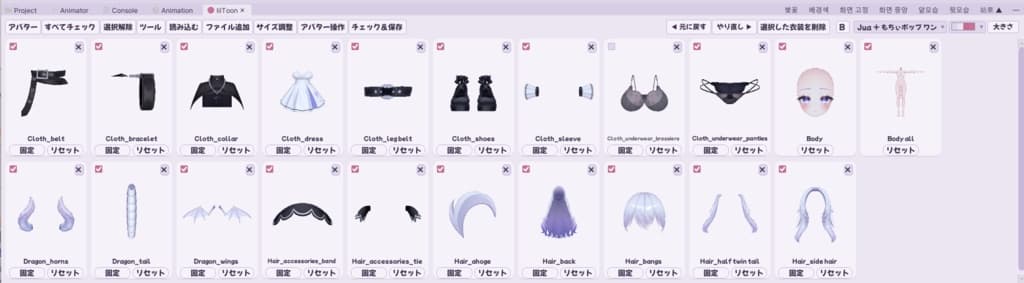
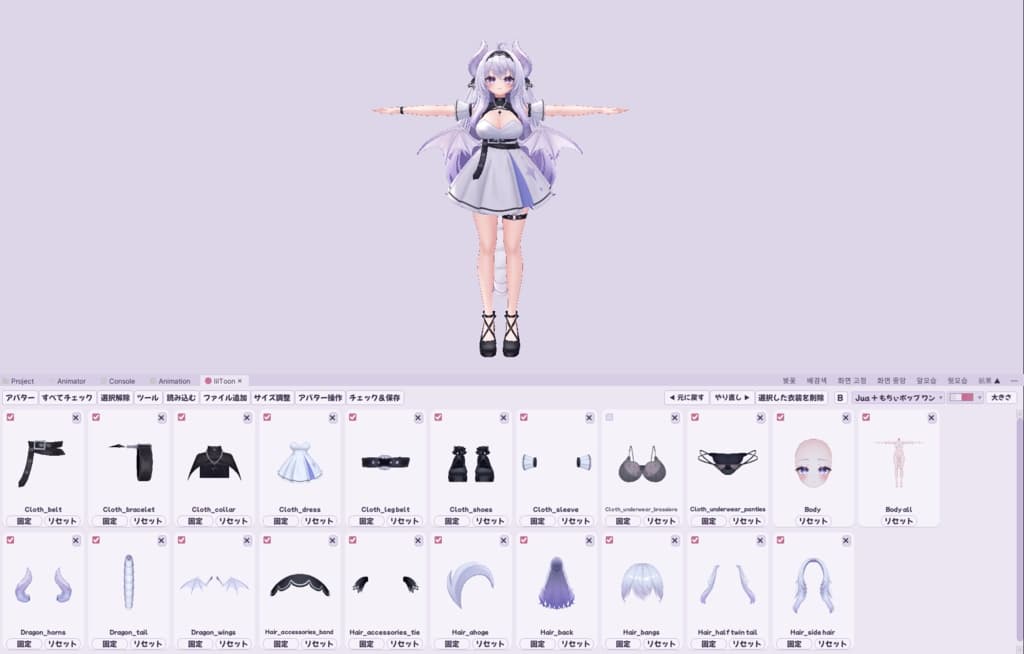
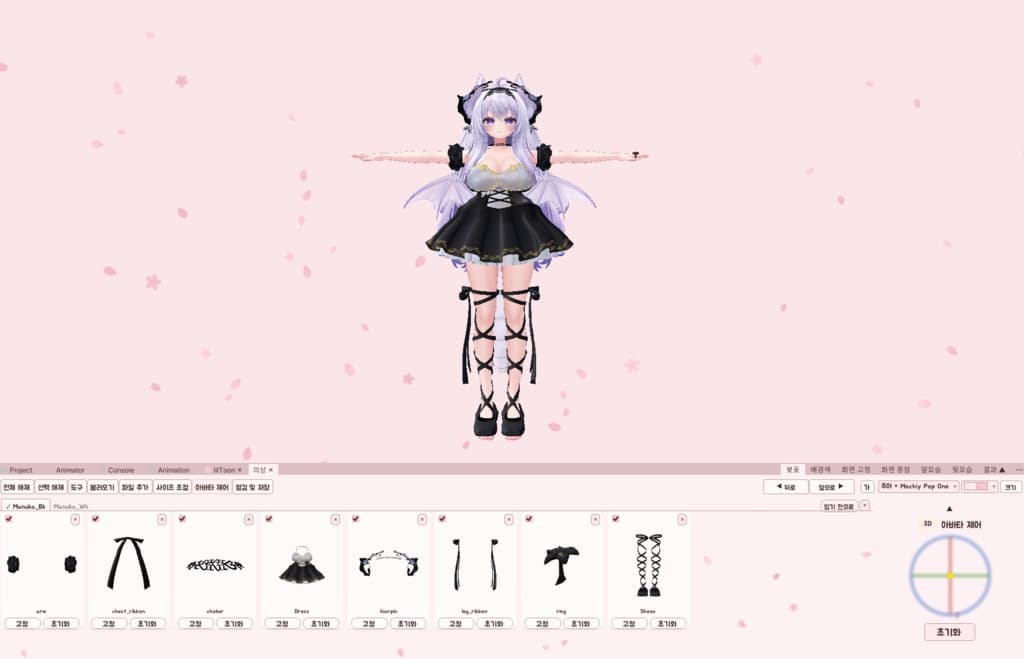
難しい用語と複雑な仕組みのUnityツールを、画像とやさしい言葉に変えたアバタードレスルームです。
■ 個人用と商用の違い ・個人用(非商用):アバター1体・衣装3つ・アクセサリー4つまで。 ・商用:数の制限なし。複数のアバターをタブで切り替え。「ファイルを保存」でアバターと衣装を1つの .unitypackage にまとめられます(FITなしでも開けます。シェーダーは必要)。依頼制作・販売に使えます。
■ 動作環境:Unity 2022.3.22f1 / VRChat SDK (Avatars) / VCC / Windows ■ 導入:「Assets > Import Package > Custom Package…」で .unitypackage を入れ、上のメニュー「FIT > ドレスルーム」で開きます。詳しい使い方は説明書にあります。 ■ ご注意 ・画面は日本語・英語・韓国語から選べます(最初は日本語)。 ・衣装の改変可否は各商品の規約に従ってください。まとめたファイルは、そのアバター・衣装の購入者にだけ渡してください。 ・作業はすべてご自分のPCの中で行います。VRChat Inc.とは関係ありません。 ■ 内容物:FIT(.unitypackage)、説明書(日本語・英語・韓国語) ■ 使用素材(商品画像のみ。データは含まれません) ・アバター:Airi(キュビ)https://booth.pm/ja/items/6082686 ・衣装:Manuka ballet clothes(todaycloth)https://booth.pm/ja/items/5654610 キュビ様、todaycloth様、素敵なアバターと衣装を心より感謝いたします。
――――――――――
[Notice] Test sale until Monday, November 2. After that we will fix and update based on your feedback. Please report bugs via BOOTH messages. Test buyers will be offered a future upgraded version, with new features now in development, at a special lower price.
An avatar Dress Room that turns Unity tools full of difficult terms and complex structures into images and easy words.
■ Personal vs Commercial ・Personal (non-commercial): up to 1 avatar, 3 outfits, 4 accessories. ・Commercial: no limits. Switch between several avatars with tabs. "Save File" packs avatars and outfits into one .unitypackage (opens without FIT; shaders needed). OK for commissions and sales.
■ Requirements: Unity 2022.3.22f1 / VRChat SDK (Avatars) / VCC / Windows ■ Install: "Assets > Import Package > Custom Package…", pick the .unitypackage, then open "FIT > Dress Room" from the top menu. See the manual for details. ■ Notes ・The tool is in Japanese, English or Korean (Japanese at first). ・Follow each outfit's own terms on editing. Only give packed files to people who bought those avatars and outfits. ・Everything stays on your PC. Not affiliated with VRChat Inc. ■ Contents: FIT (.unitypackage), manual (Japanese, English, Korean) ■ Credits (product images only, data not included) ・Avatar: Airi (キュビ) https://booth.pm/ja/items/6082686 ・Outfit: Manuka ballet clothes (todaycloth) https://booth.pm/ja/items/5654610 Heartfelt thanks to キュビ and todaycloth for the wonderful avatar and outfit.
――――――――――
【안내】 테스트 기간이라 11월 2일(월)까지만 판매해요. 그 뒤에는 의견을 반영해 고치고 업데이트할 예정이에요. 오류는 BOOTH 메시지로 알려 주세요. 테스트에 참여해 주신 분들께는 지금 개발 중인 여러 기능을 더한 상위 버전을 저렴한 가격에 드릴 예정이에요.
어려운 용어와 복잡한 구조의 유니티 도구들을 이미지와 쉬운 단어들로 바꾼 아바타 드레스룸이에요.
■ 개인용과 상업용의 차이 ・개인용(비상업): 아바타 1명, 의상 3개, 액세서리 4개까지. ・상업용: 수 제한 없음. 여러 아바타를 탭으로 바꾸기. 「파일 저장」으로 아바타와 옷을 .unitypackage 하나로 묶기 (FIT 없이도 열려요, 셰이더는 필요). 의뢰 작업·판매에 쓸 수 있어요.
■ 필요한 것: Unity 2022.3.22f1 / VRChat SDK (Avatars) / VCC / Windows ■ 설치: 「Assets > Import Package > Custom Package…」로 .unitypackage를 넣고, 위쪽 메뉴 「FIT > 드레스룸」으로 열어요. 자세한 사용법은 설명서에 있어요. ■ 알림 ・도구 화면은 일본어·영어·한국어 중에서 고를 수 있어요 (처음은 일본어). ・옷 개변 허용 여부는 각 상품 규약을 따라 주세요. 묶은 파일은 그 아바타·옷을 산 사람에게만 주세요. ・모든 작업은 내 컴퓨터 안에서만 해요. VRChat Inc.와 관계없어요. ■ 들어 있는 것: FIT (.unitypackage), 설명서 (일본어·영어·한국어) ■ 사용 소재 (상품 이미지에만 사용, 데이터는 들어 있지 않아요) ・아바타: Airi (キュビ) https://booth.pm/ja/items/6082686 ・의상: Manuka ballet clothes (todaycloth) https://booth.pm/ja/items/5654610 キュビ님, todaycloth님, 멋진 아바타와 의상에 진심으로 감사드립니다.