

【VRChat】 EyeEarTool
 enotikstudio
説明
ENGLISH
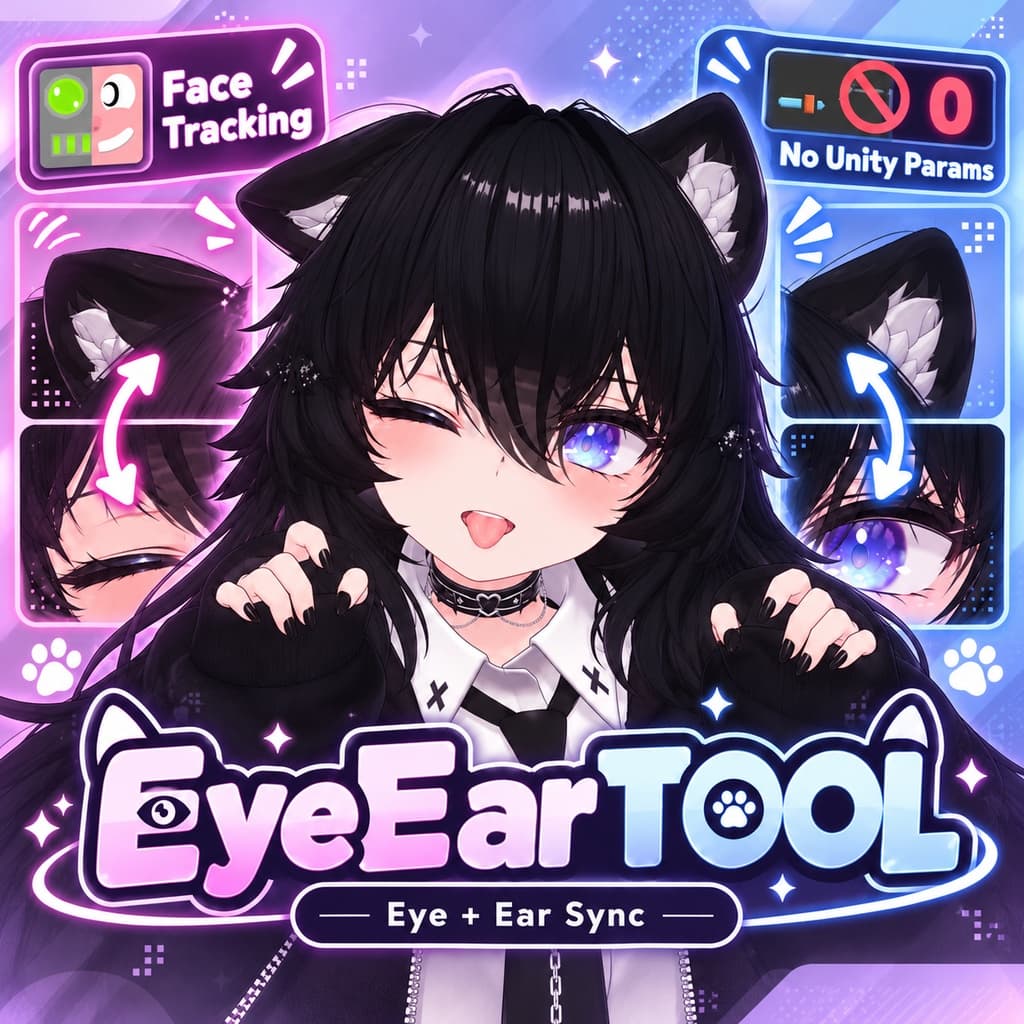
EyeEarTool is a Unity Editor tool designed to synchronize ear movements with eye tracking and facial expressions on VRChat avatars.
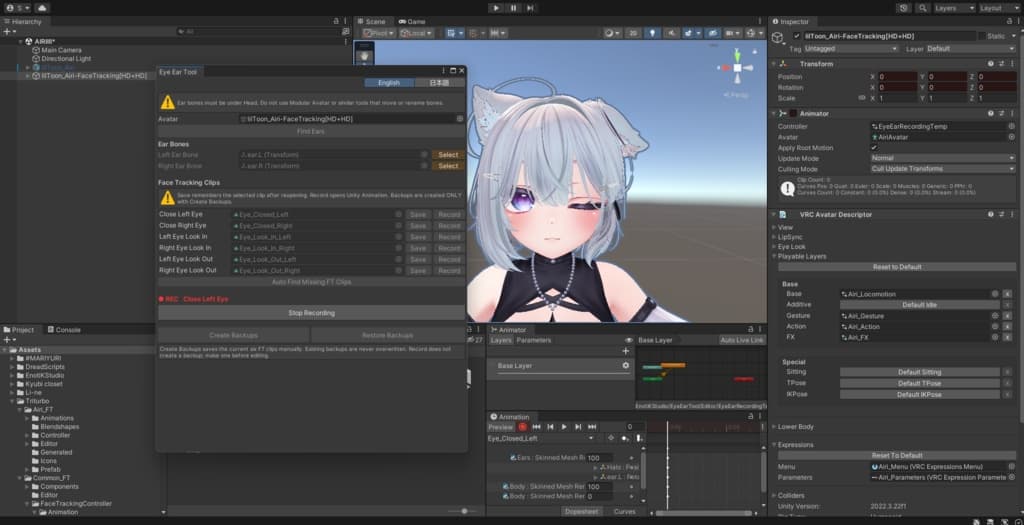
The tool allows you to connect ear movements to existing Face Tracking animation clips. For example, when your avatar closes its left eye, the left ear can move downward. When the avatar looks in a particular direction, the corresponding ear can follow the movement. You have full control over how the ears move, how far they rotate, and which additional parts of the avatar are animated.
EyeEarTool is not limited to specific avatar models or ear types. It can work with almost any kind of ears, including cat, bunny, fox, and other custom designs, regardless of their shape or default position. It can also be used with custom hairstyles, accessories, and other avatar components that can be animated in Unity.
No separate OSC application, additional tracking software, or runtime control script is required. EyeEarTool works directly with your existing Face Tracking animation clips, allowing you to modify them inside Unity.
The tool does not create additional Expression Parameters or consume any extra avatar parameter memory. Instead, it uses the animation system already present in your Face Tracking setup. Once configured, ear movements work alongside your existing facial tracking without requiring separate control parameters.
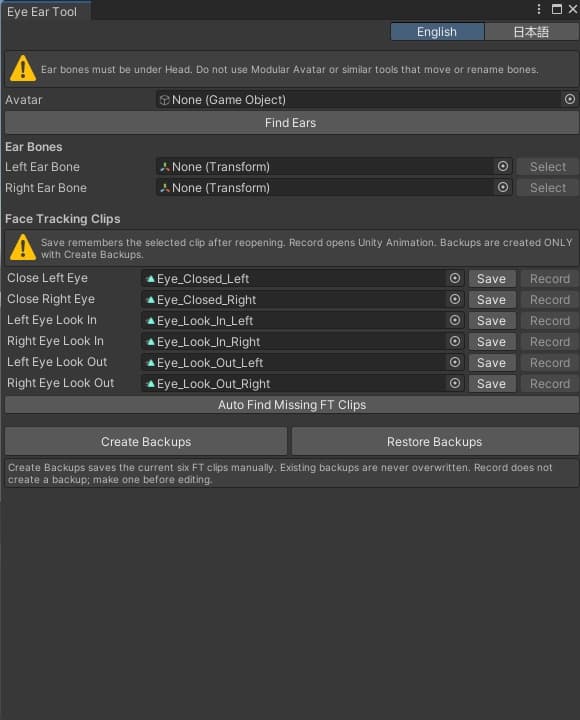
EyeEarTool is designed to support a wide range of avatar bases and Face Tracking packages. You can automatically search for compatible animation clips or assign them manually. Selected clips can also be saved, so you do not need to find them again whenever you reopen the tool.
Animation editing uses Unity's built-in Animation window. This gives you full control over bone rotations, positions, BlendShapes, and other animatable properties. You can also animate additional objects, such as hair strands or accessories, together with your ears. There is no need to learn a separate animation editor or workflow.
For additional safety, EyeEarTool includes manual backup and restoration features for Face Tracking animation clips. You can verify your selected animations, create backups before making changes, and restore the original clips whenever necessary.
The tool also supports working with multiple pairs of ears and different hairstyles on the same avatar. Each setup can be configured independently, allowing you to create different ear movements for different accessories or character appearances.
EyeEarTool aims to make ear animation setup easier, faster, and more accessible while giving users complete freedom to create their own movements.
The tool runs inside the Unity Editor and is intended for VRChat avatars with an existing Face Tracking setup. For correct animation binding, ear bones should be located under the avatar's Head hierarchy, and their paths must remain unchanged after building. Avoid Modular Avatar or similar systems that move or rename these bones.
The interface is available in English and Japanese.
日本語
EyeEarToolは、VRChatアバターの耳の動きを、アイトラッキングやフェイストラッキングの表情アニメーションと連動させるために開発されたUnity Editor用ツールです。
既存のFace Trackingアニメーションクリップに、耳の動きを追加できます。例えば、アバターが左目を閉じたときに左耳を下げたり、目線を動かしたときに対応する耳を同じ方向へ動かしたりできます。耳の動く方向や角度、動きの大きさ、同時に動かすパーツなどは、ユーザーが自由に設定できます。
EyeEarToolは、特定のアバターや耳の種類に限定されません。猫耳、うさ耳、狐耳など、形状や初期角度が異なるさまざまな耳に対応できます。また、カスタムヘアスタイル、アクセサリー、その他Unityでアニメーション可能なアバターのパーツにも利用できます。
動作のために別のOSCアプリケーションや追加のトラッキングソフトウェア、ゲーム中に常駐する専用スクリプトを導入する必要はありません。EyeEarToolは、すでに設定されているFace TrackingアニメーションをUnity上で直接編集する仕組みです。
新しいExpression Parametersを追加する必要がなく、アバターのパラメーターメモリも追加で消費しません。既存のFace Trackingシステムで使用されているアニメーションを活用するため、耳の動きを制御するための専用パラメーターを作成する必要はありません。
さまざまなアバターベースやFace Trackingパッケージで使用できるように設計されています。対応するアニメーションクリップを自動検索することも、手動で指定することもできます。また、選択したクリップを保存できるため、次回ツールを開いた際に再度探す手間を省けます。
アニメーションの編集には、Unity標準のAnimationウィンドウを使用します。ボーンの回転や位置、BlendShapeなど、Unityが対応するアニメーションプロパティを自由に調整できます。耳だけでなく、髪の毛の一部やアクセサリーなど、関連するオブジェクトを一緒に動かすことも可能です。
安全に編集できるよう、Face Trackingアニメーションのバックアップ作成機能と復元機能も備えています。編集するクリップが正しいことを確認してからバックアップを作成し、必要に応じて元の状態へ戻すことができます。
また、1つのアバターで複数の耳のペアや異なるヘアスタイルを使用することも可能です。それぞれの構成に合わせてアニメーションを個別に調整できるため、アクセサリーやキャラクターの外見に応じたさまざまな動きを作成できます。
EyeEarToolは、耳のアニメーション設定をより簡単で便利なものにしながら、ユーザー自身が自由に動きを作成できることを目的としています。
本ツールはUnity Editor上で動作し、Face Trackingがすでに設定されているVRChatアバターを対象としています。アニメーションを正しく適用するため、耳のボーンはアバターのHead階層内に配置し、ビルド後もボーンのパスが変わらないようにしてください。ボーンを移動またはリネームするModular Avatarや類似のシステムの使用は避けてください。
インターフェースは英語と日本語に対応しています。